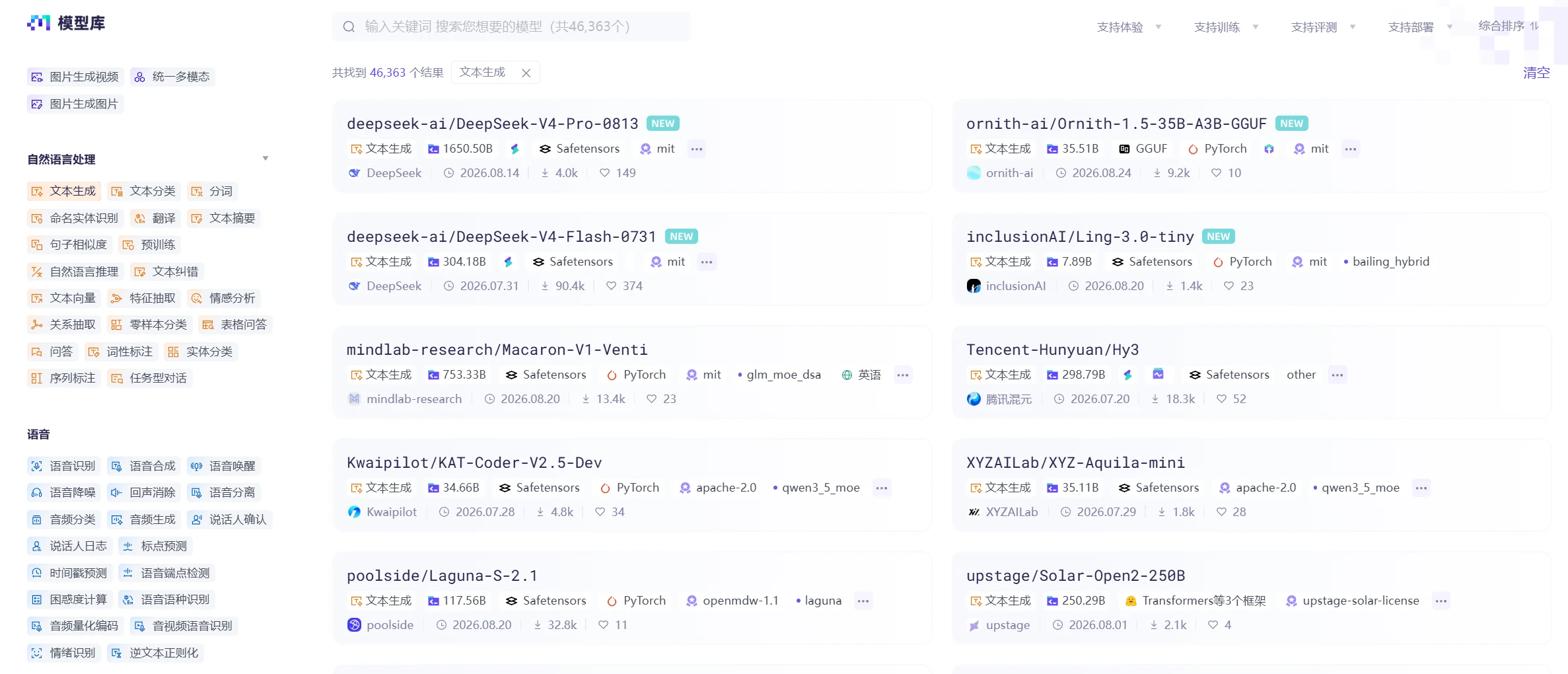
When you see a new model released, your first instinct is probably to download and try it out. But when it comes to your own business, the questions become specific: Can it handle your company's business problems? Can it determine what customers are asking? Do we really need such a large model?
So before choosing an open-source model, first clarify what you want to achieve.Whether it's classifying contracts, extracting amounts and dates, or generating summaries, the required capabilities differ. Once the objective is clear, you can search the model library to find which models are most suitable.
When business stakeholders make requests, they usually don't directly say "I need a classification model" or "I need an information extraction model." They typically describe the problem from a business perspective, such as "help me extract key information from contracts" or "automatically respond to user inquiries."
The first step in model selection is converting these business requirements into model tasks. Only after determining the task can you further assess what type of model is needed.
To determine which model task a requirement belongs to, you can start from two aspects:
Based on the model's working objective, common tasks can be classified as follows:
| Task Type | Core Definition | Simplified Understanding |
| Generation Task | Generate new text, images, audio, or other content based on input | "Write a piece of new content" |
| Classification Task | Determine the category of input content | "Determine which category it belongs to" |
| Information Extraction Task | Extract needed information from raw data and output it in a specific format | "Extract fixed fields" |
| Retrieval and Ranking Task | Find relevant content from a batch of candidates and rank them by relevance | "Find the best matches and rank them" |
| Prediction Task | Make predictions about future or unknown outcomes based on existing data | "Predict a value or trend" |
Different data types require different processing methods and internal structures, so specialized models are needed. Common data types are as follows:
| Data Type | Description | Common Examples |
| Text | Process text content | Articles, contracts, chat records |
| Speech | Process audio | Recordings, voice conversations |
साइन इन करें चर्चा में शामिल हों
| Image | Process single images | Photos, scans, product images |
| Video | Process continuous visual and audio information | Surveillance video, short videos |
You also need to check whether the input and output involve only one type of data. When both input and output are the same data type, the model task is classified by that data type.
For example, if both input and output are images, it's an image task. When input and output involve two or more data types, it's a multimodal task. Common multimodal tasks include: speech-to-text (input is speech, output is text); image-based question answering (input is image and text, output is text).
In practice, you can first look at the ultimate goal of the business problem, then check the data types of input and output. Examples are as follows:
Example 1: Classify user reviews as positive, negative, or neutral
The business goal is to output a category label. The input is text, so this is a text classification task.

Example 2: Upload an image, find the most similar product in the product database, and rank them
The business goal is to match the most relevant items from candidates and rank them, which is a retrieval and ranking task. The data type being processed is images, so this is an image retrieval and ranking task.

Example 3: Generate corresponding images based on text descriptions
The business goal is to generate images, which is a generation task. The input is text and the output is images, so the input and output data types are different. This is a multimodal generation task, commonly known as text-to-image generation.
After identifying the model task, you enter the model selection phase. The ModelScope platform provides multiple model filtering methods. You can refer to the following methods to select models.
ModelScope labels each model with task type tags. On the model library page:
Select "Model Library" to enter the model browsing page;
Select "Task Type" in the left filter panel;
Select the corresponding task category (e.g., "Text Classification").
The platform will automatically filter the list of models tagged with that task. This is the most direct filtering method and is recommended as the first approach.
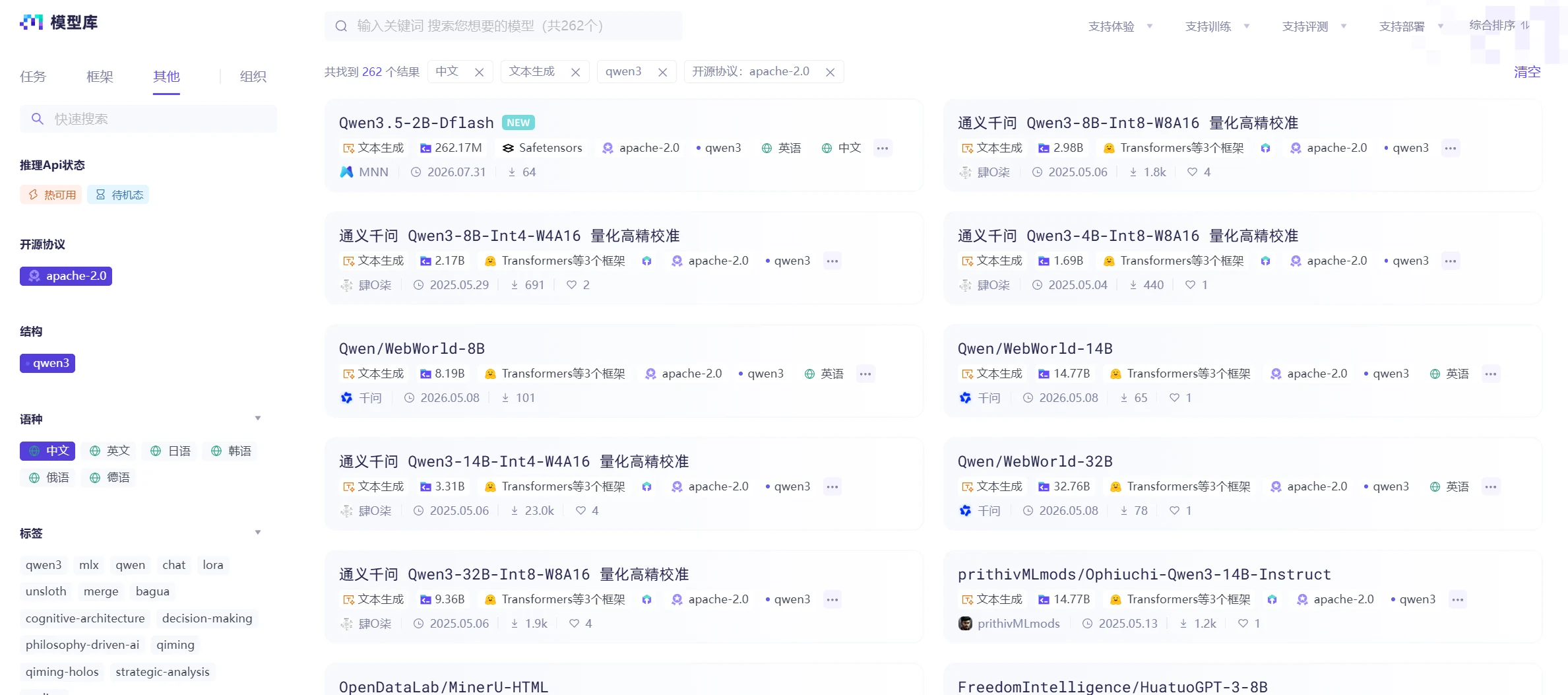
When there are still too many candidate models after task tag filtering, you can add additional tags in the "Framework" and "Other" columns on the left to narrow the scope:
Framework: Filter models by specific frameworks like PyTorch, TensorFlow, etc.;
Open Source License: Filter by permissive licenses like Apache 2.0, MIT, etc. for commercial use;
Architecture: Filter by architectures like llama, qwen3, deepseek_v2, etc.;
Language: Select languages supported by the task, such as Chinese, English, Japanese, Korean, etc.
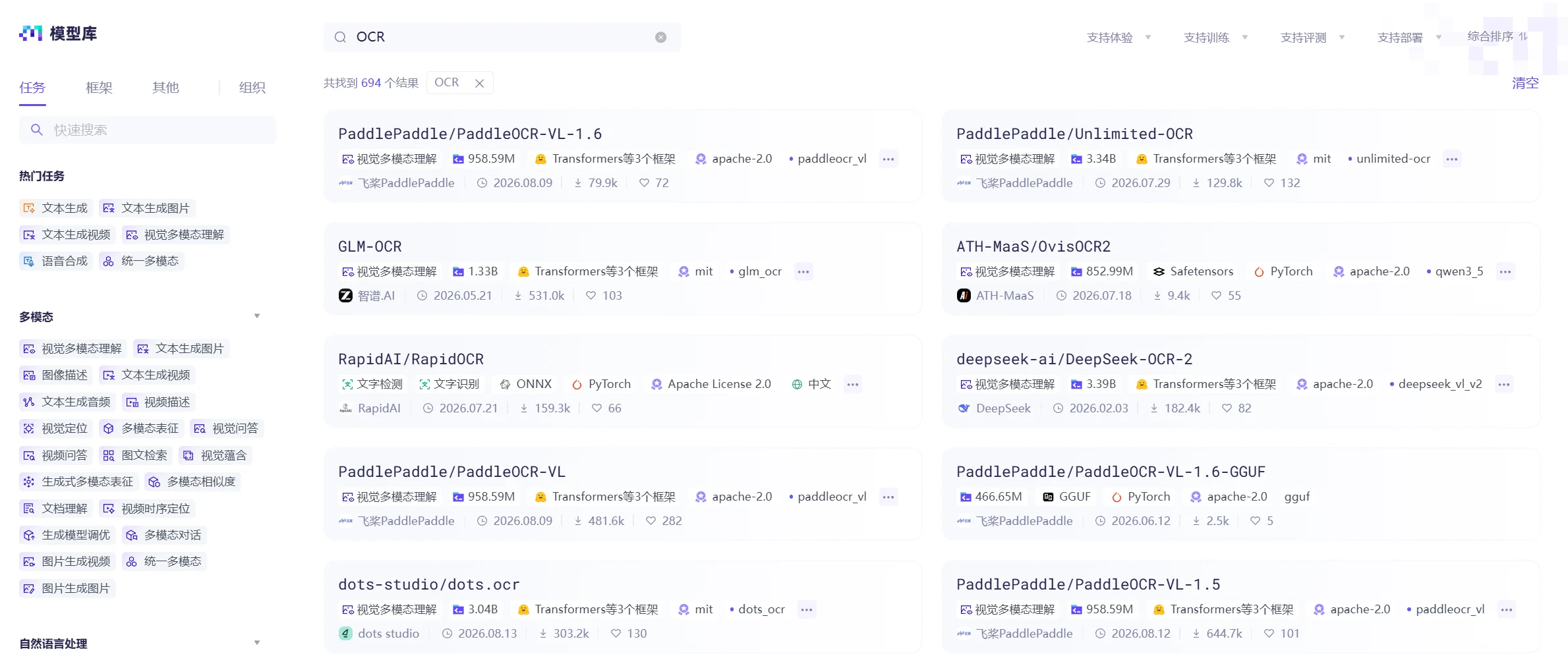
If you know the specific task name or model name, you can directly enter keywords in the search box, such as "OCR."
The ModelScope platform also tracks model popularity metrics. The available reference indicators are as follows:
Indicator | Meaning and Usage |
Downloads | Reflects the overall usage frequency of the model. Higher download counts usually mean the model has been validated in more scenarios |
Likes | Reflects user recognition of the model. High like counts indicate good model quality or scenario fit |
Update Time | Recently updated models usually have better performance or more complete ecosystem support. Models that haven't been updated for a long time may have compatibility issues |
Community Activity | Response speed and discussion activity in the Issue and Discussion sections indirectly reflect the model's maintenance status |
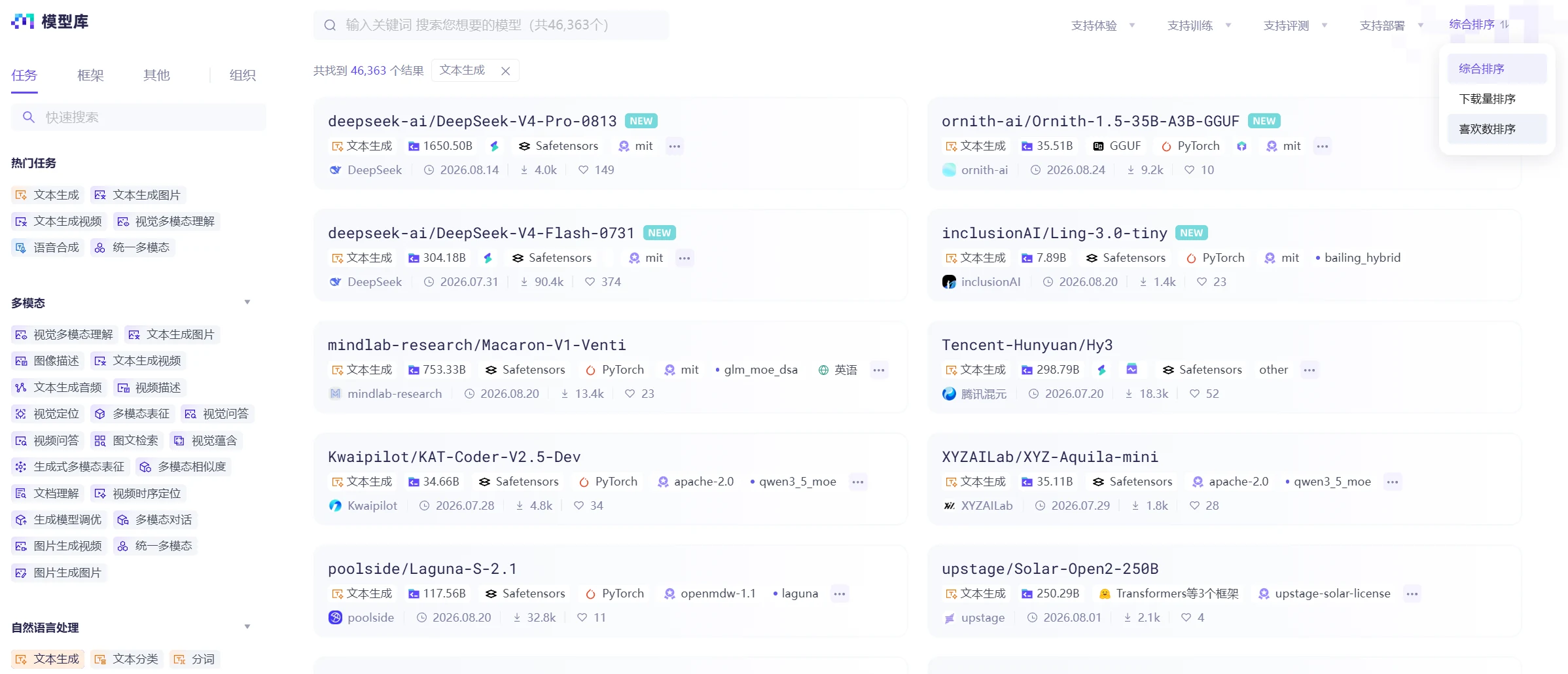
The platform supports sorting filtered models by download count or likes. You can select the sorting criteria in the upper right corner of the model library, and also view the model's update time.
To check community activity, you need to enter the model card page to view community feedback and discussion counts.
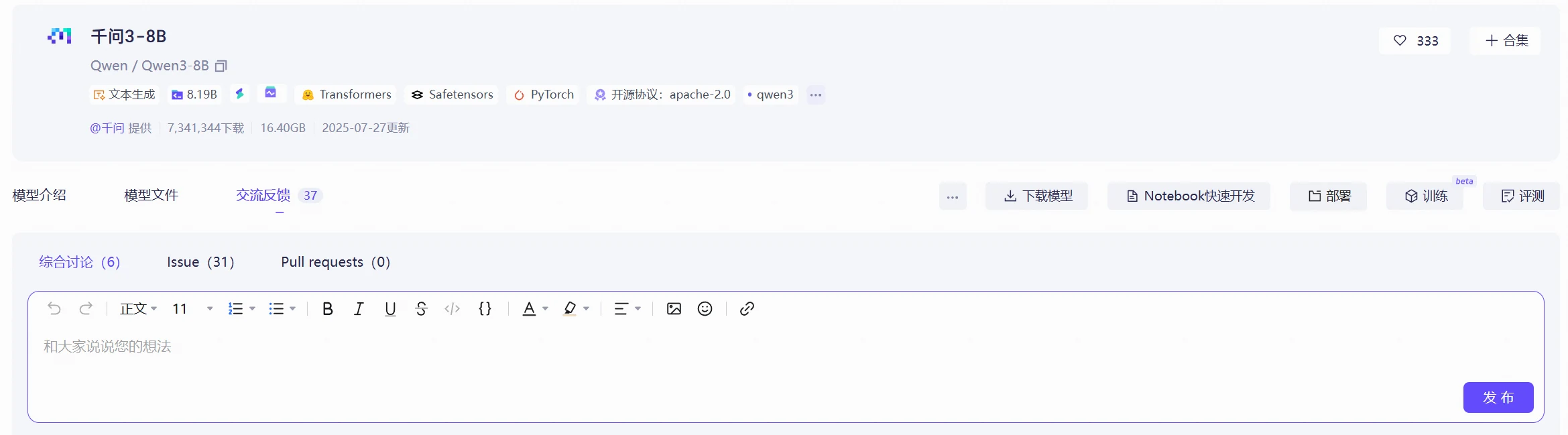
General-purpose models typically have significantly higher downloads than domain-specific models, so direct cross-domain comparison is not very meaningful. It's recommended to compare within the same task category.
When using large models in practice, you often face a question: Should you choose a general large model or a specialized model trained for specific tasks?
Each has its own characteristics, and the choice mainly depends on factors like task type, data volume, inference speed, and deployment cost.
General large models are typically pre-trained on large-scale, multi-domain data and can handle various types of tasks, such as text classification, content generation, information extraction, and question answering. They are not optimized for any single task but aim to be usable across more scenarios.
Advantages: One model can handle multiple tasks. Usually, you only need to adjust the Prompt to make the model complete different tasks. For tasks with limited data, you can also try few-shot or zero-shot approaches without necessarily preparing large amounts of annotated data first.
Disadvantages: General large models usually have a large number of parameters, requiring more computational resources. The larger the model, the more GPU memory and computational resources it typically consumes during inference. In high-concurrency scenarios, you also need to consider inference speed and deployment costs. Additionally, for certain well-defined professional tasks, specially trained specialized models may achieve better results.
General large models are more suitable when you have many task types, are still in the exploration phase, or temporarily lack sufficient data to train specialized models. If you need to quickly validate a new application direction, directly using a general large model is usually the most convenient choice.
Specialized models are primarily trained and optimized for a specific type of task or domain. For example, models used for text classification, OCR, speech recognition, and object detection can all be considered specialized models.
Advantages: Since the model is optimized for specific tasks, it usually doesn't need to handle a large number of irrelevant tasks, giving it advantages in inference speed, resource usage, and task performance. For applications with relatively fixed tasks, you can further train the model based on actual data to make it better suited for your business.
Disadvantages: Specialized models have a relatively limited scope of application. When switching to a different task, they may not be directly usable. For example, a model used for text classification cannot be directly used for text generation. If business requirements change, the original model may need retraining or adjustment. At the same time, if a system uses many different specialized models, each model's version and deployment environment needs to be managed separately.
Specialized models are more suitable when tasks are well-defined, business requirements are relatively stable, and there are requirements for inference speed, resource usage, or deployment costs. If you have accumulated good training data, using specialized models usually makes it easier to optimize for specific tasks.
In practice, you don't necessarily have to choose between general large models and specialized models. They are often used together.
For example, in an intelligent customer service system, you can first use a general large model to understand the user's question and determine what the user wants to accomplish. Once the task is identified, hand it off to the corresponding specialized model for processing.
In actual selection, you can start from the task itself. If the task is still vague or needs to handle multiple types of issues simultaneously, you can prioritize general large models. If the task is already well-defined and has high requirements for speed, cost, or stability, you can further consider specialized models.
A business system usually uses more than one model. Depending on the complexity of the specific task, one model can handle all the work, or different models can be combined with each model responsible for one step. For example, in an intelligent document processing system, from document input to final result output, it may go through multiple steps such as document classification, OCR, layout analysis, table recognition, and information extraction:
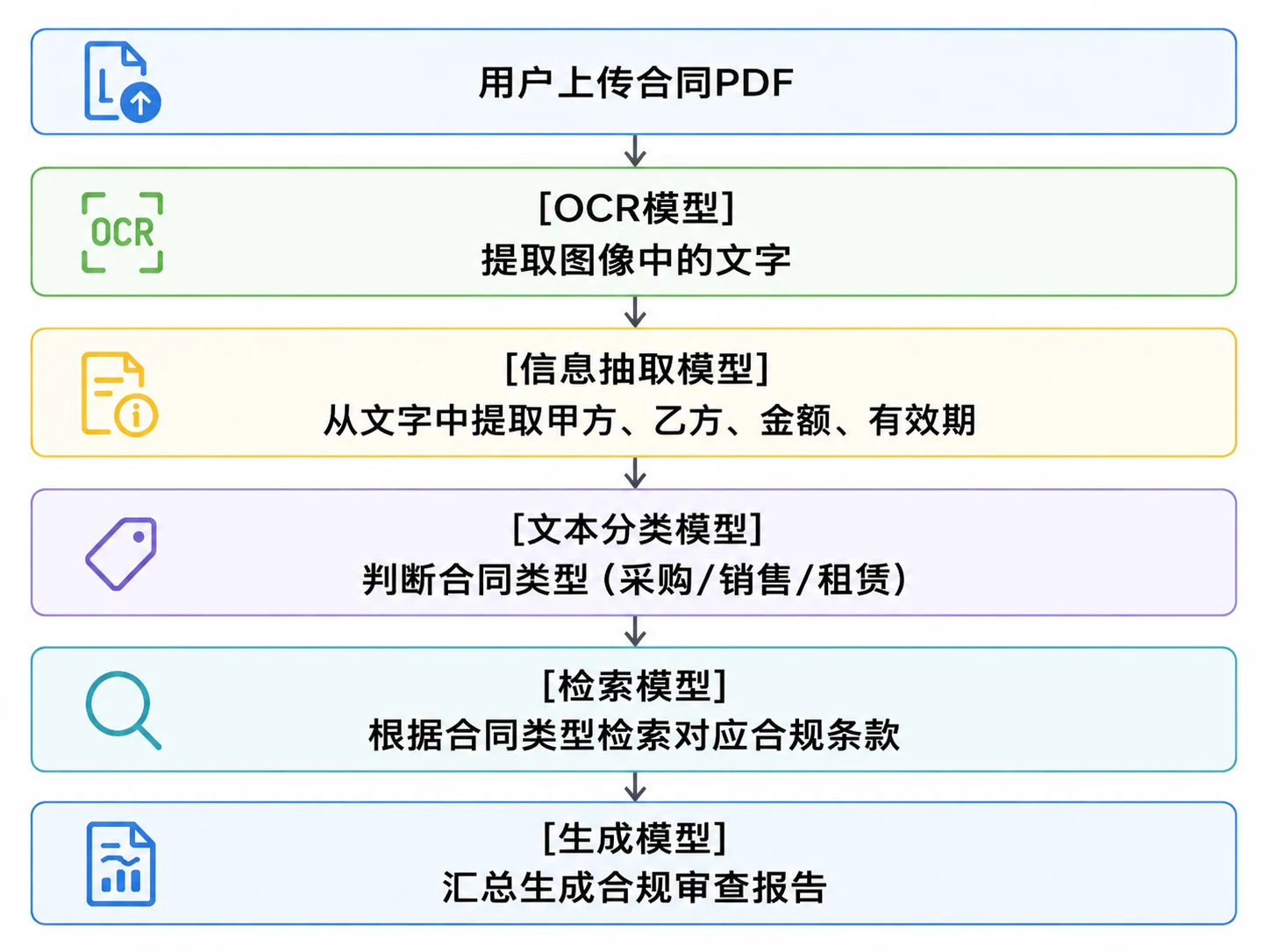
In this system, each model handles a different task. Multi-model combinations usually have the following characteristics:
However, multi-model combinations also have model integration issues. The output format of the previous model must be correctly parsed by the next model. This requires considering data formats between different models in advance when designing the system. For example, OCR outputs text blocks with coordinate information, but information extraction models are better suited for processing plain text. This requires adding a data conversion step in between to convert OCR results to the target format.
When selecting models, you shouldn't just look at the performance of a single model, but also consider whether it fits into the overall processing pipeline. A model that performs well in isolated testing may not work well in a practical system if its output format is difficult to integrate with other models.