Your First Inference in 30 Minutes
Get Your First Result in 30 Minutes
After downloading an open-source model, you can run it on your own laptop or rent a cloud server, configuring CPU, GPU, and the runtime environment as needed. Different hardware requires different preparation.
If you just want to try what a model can do first, ModelScope Notebook offers a free entry point. Open a browser, select a running instance, and you can write code, download models, and view results directly in the web page.
This lesson walks you through creating a Notebook, checking the environment, and loading a model. Follow along to see your first result.
Open the Notebook and Connect to a Running Instance
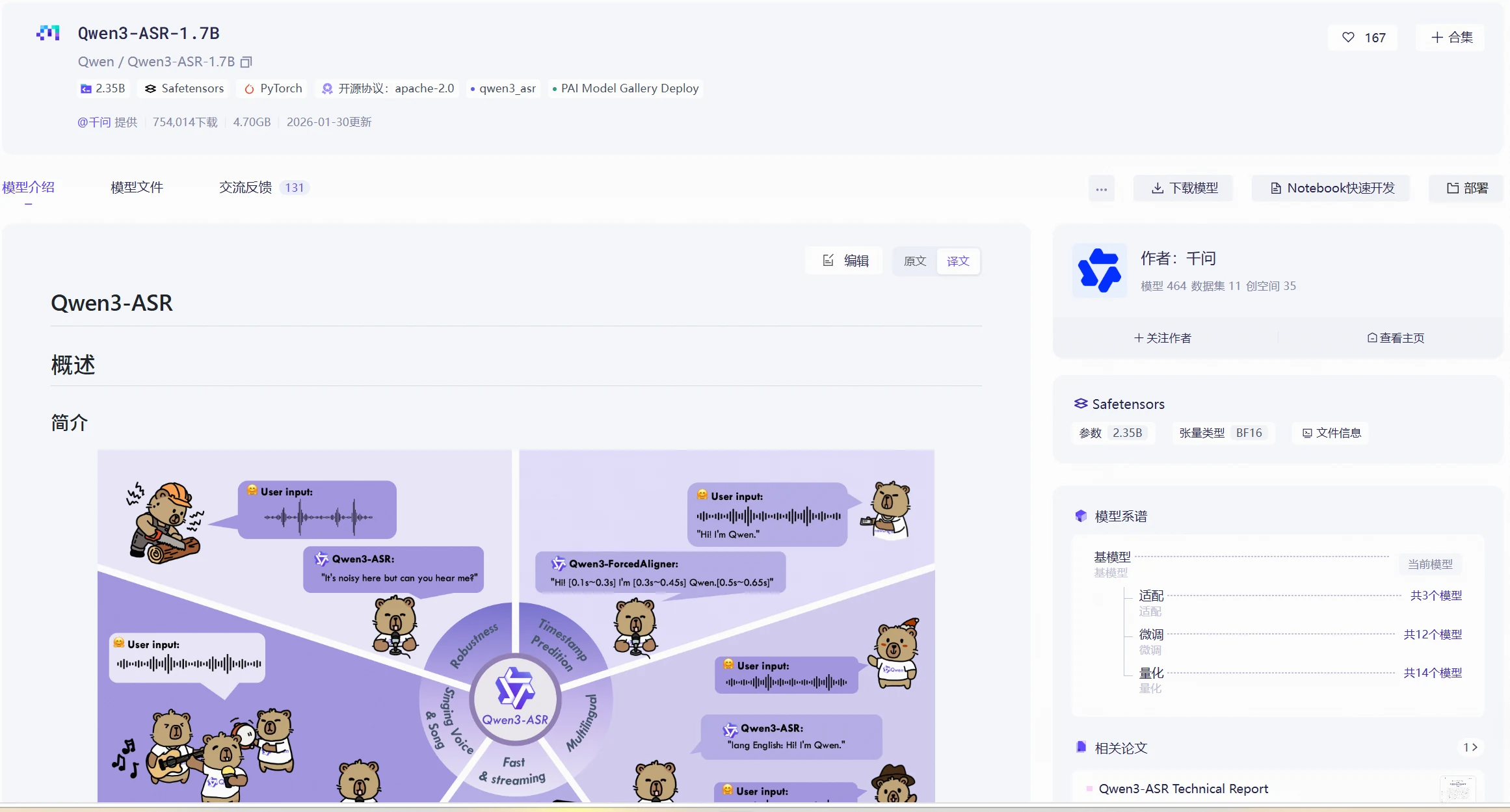
Go to the model hub, find the Qwen/Qwen3-ASR-1.7B model, and click "Notebook Quick Development" on the right to create a ModelScope Notebook.
Model link: https://www.modelscope.cn/models/Qwen/Qwen3-ASR-1.7B
Click "Connect Runtime" in the top right corner to select an instance. Here we choose GPU for the demonstration. You can select an appropriate pre-installed image based on the model's dependencies.
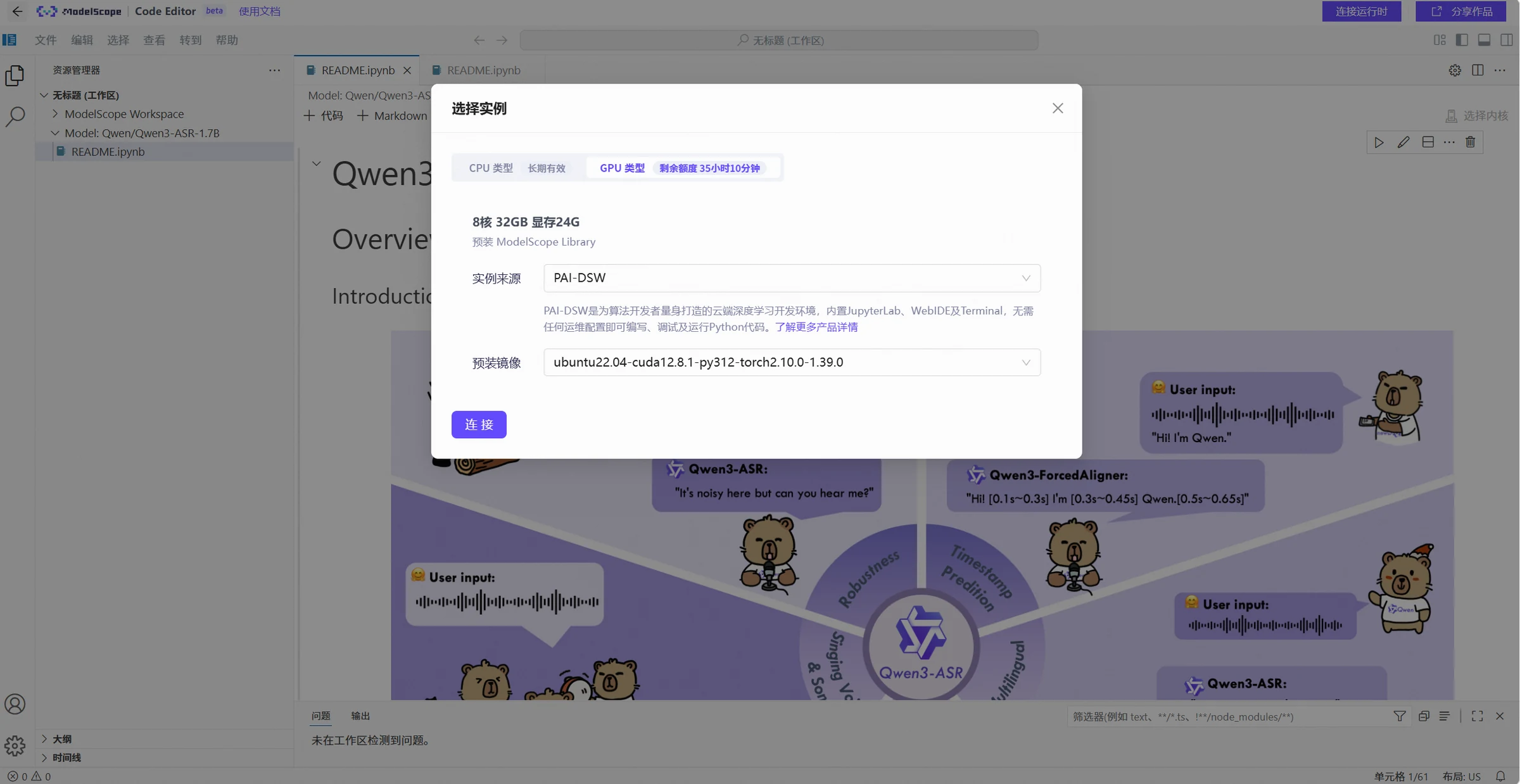
Check If the Environment Is Ready
After loading the instance, the first step is to check the current environment. You can run the following commands in the notebook:
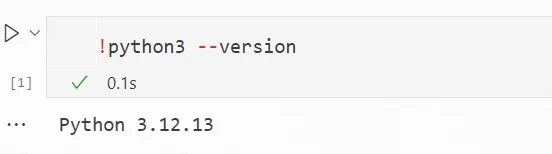
- Check the Python version
!python3 --version
Result:
- Check related dependencies
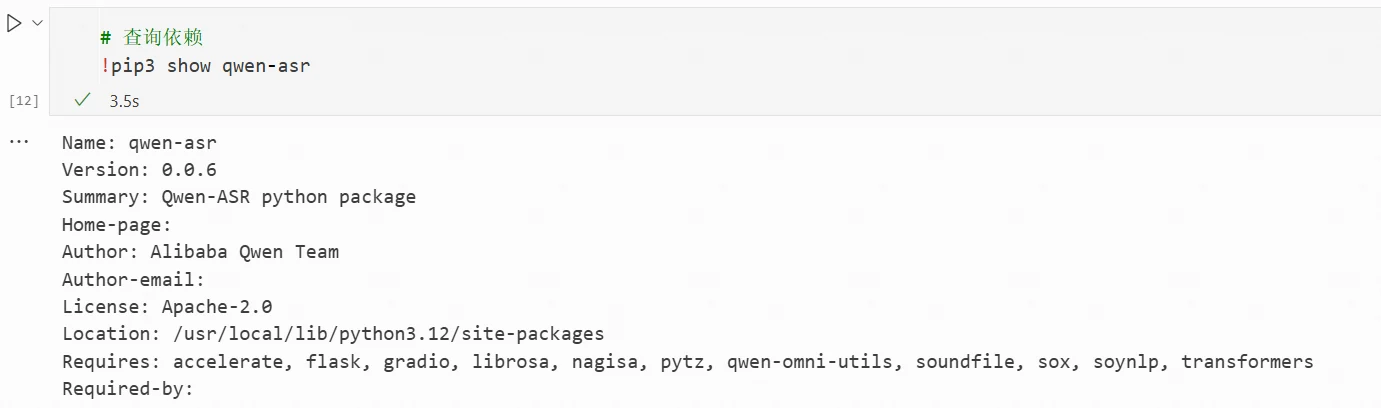
Different models have different dependencies. You need to check the model card for information. According to the model card for Qwen3-ASR-1.7B, the inference dependency is qwen3-asr. If qwen3-asr is missing from the environment, you need to install it yourself.
# Check dependency
!pip3 show qwen-asr
# Install qwen-asr (if missing)
!pip3 install -U qwen-asr
Result:
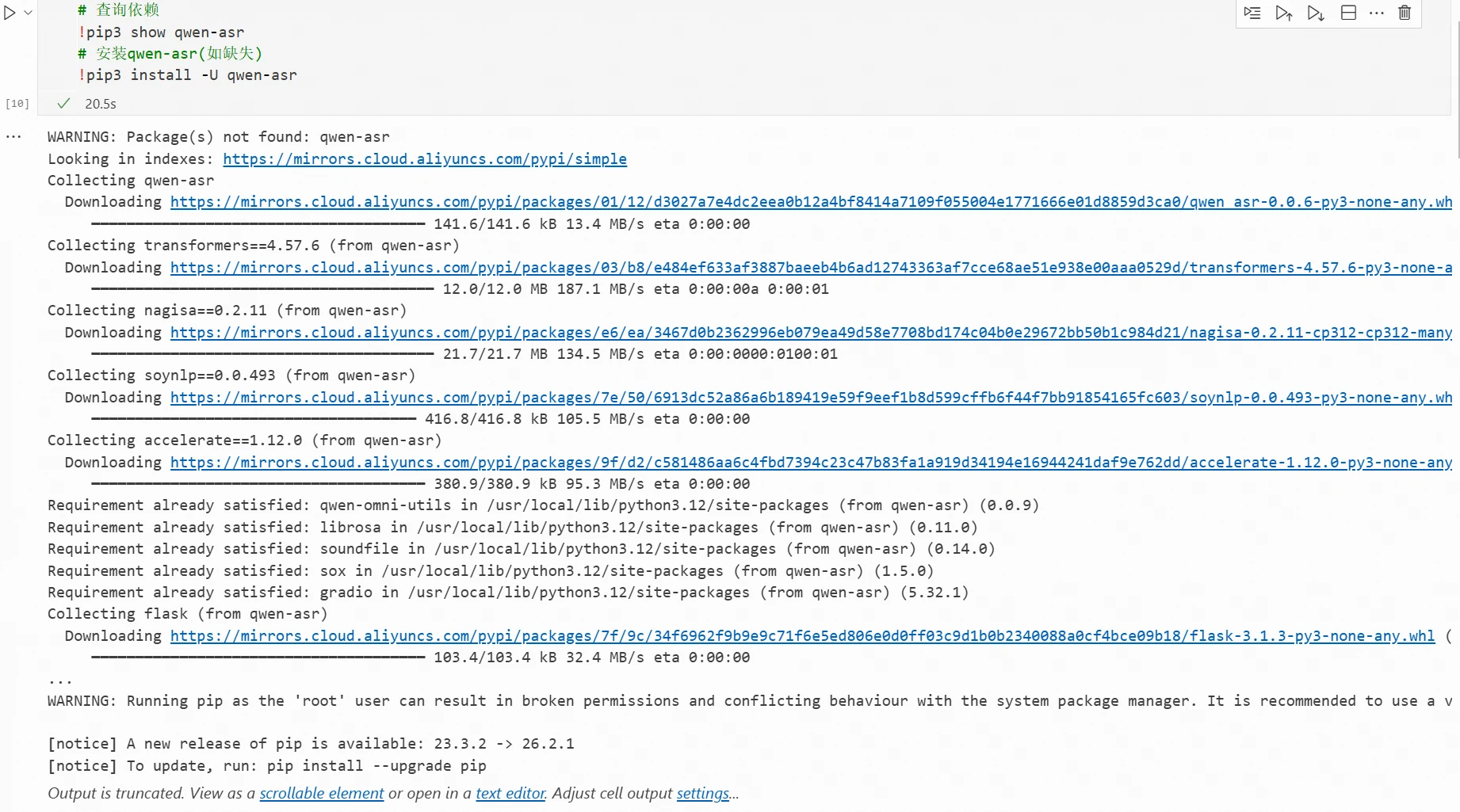
Successful installation query result:
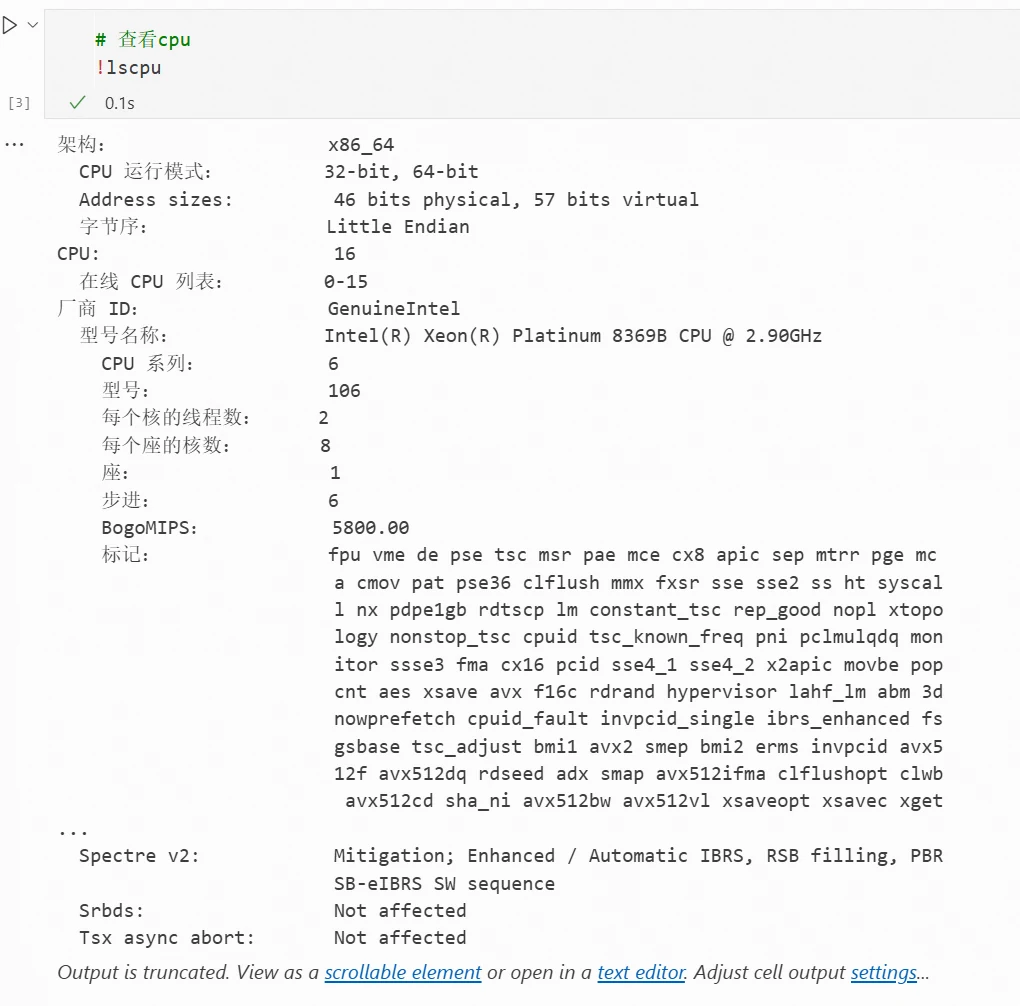
- Check CPU configuration
!lscpu
Result:
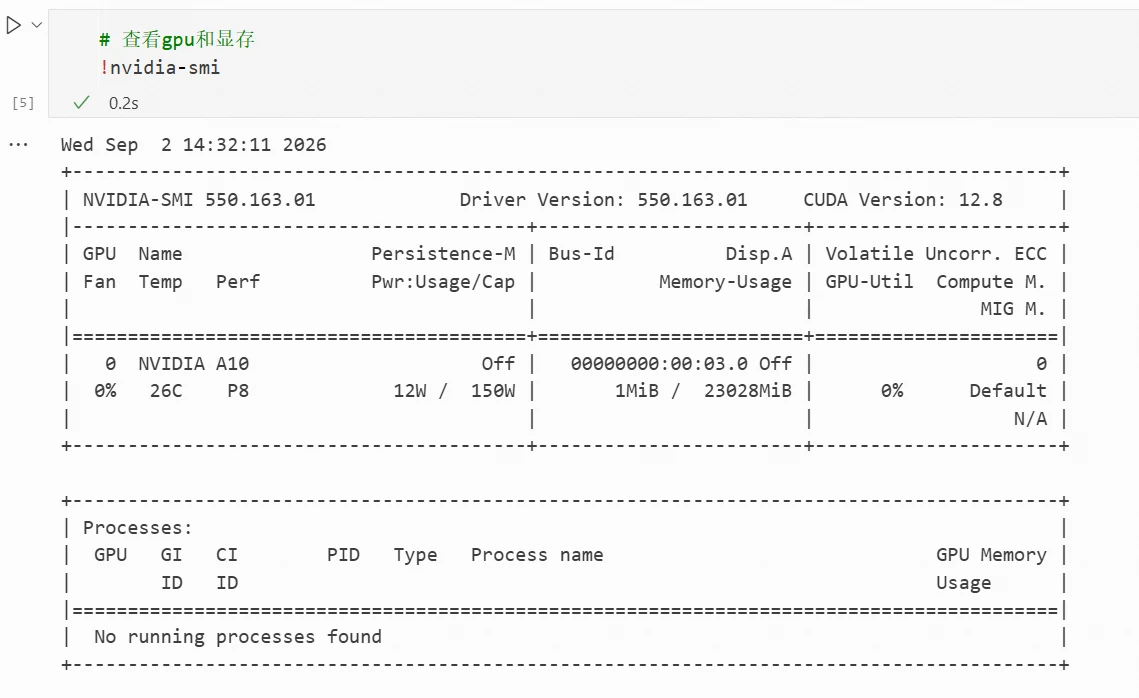
- Check GPU and video memory
!nvidia-smi
Result:
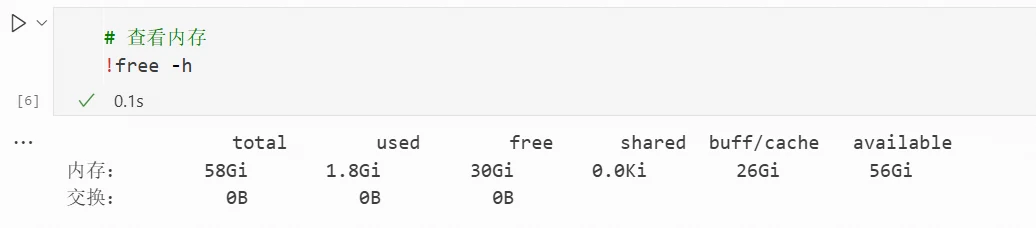
- Check memory
!free -h
Result:
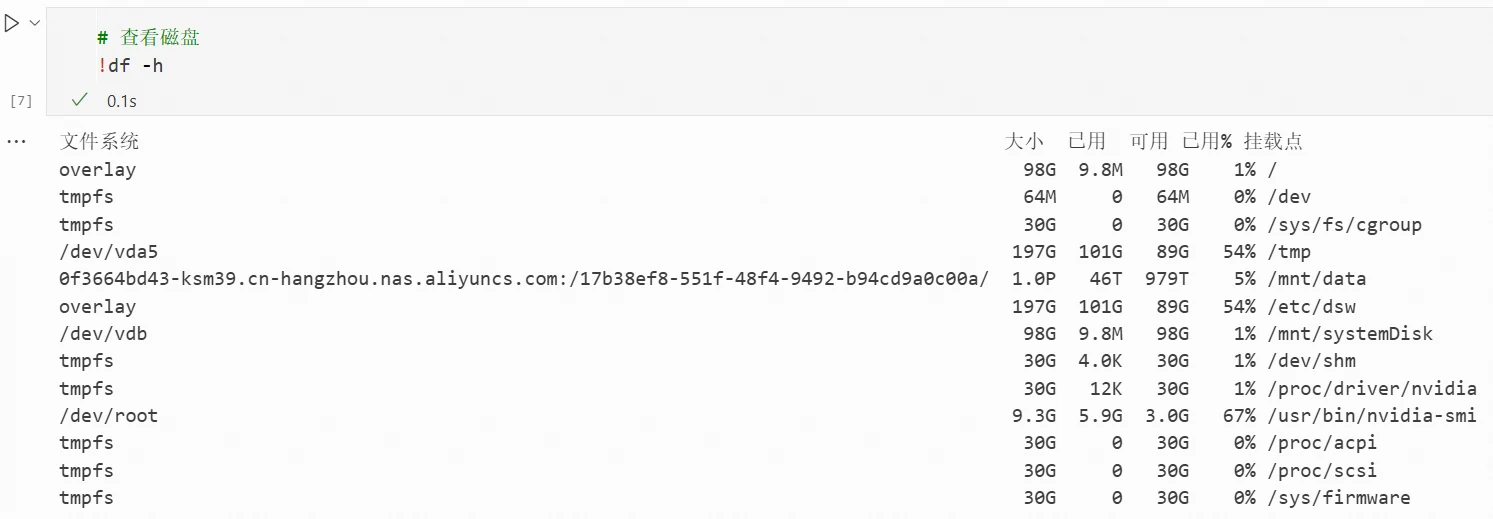
- Check disk
!df -h
Result:
Load the Model Directly by Name
Refer to the example code on the model card for model loading. The necessary model files will be downloaded automatically.
import torch
from qwen_asr import Qwen3ASRModel

model = Qwen3ASRModel.from_pretrained(
    "Qwen/Qwen3-ASR-1.7B",
    dtype=torch.bfloat16,
    device_map="cuda:0",
    # attn_implementation="flash_attention_2",
    max_inference_batch_size=32, # Batch size limit for inference. -1 means unlimited. Smaller values can help avoid OOM.
    max_new_tokens=256, # Maximum number of tokens to generate. Set a larger value for long audio input.
)
print("Model loaded successfully!")
Result:
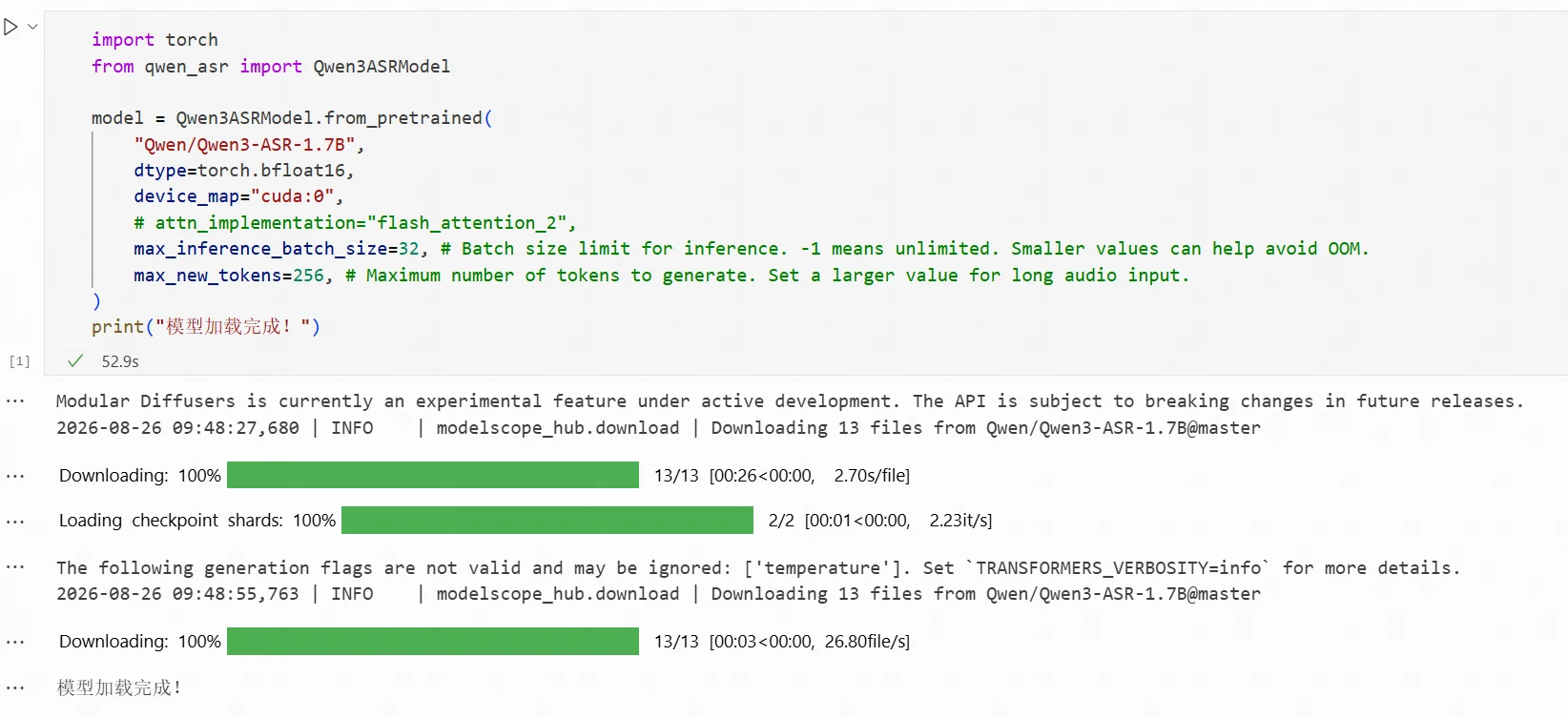
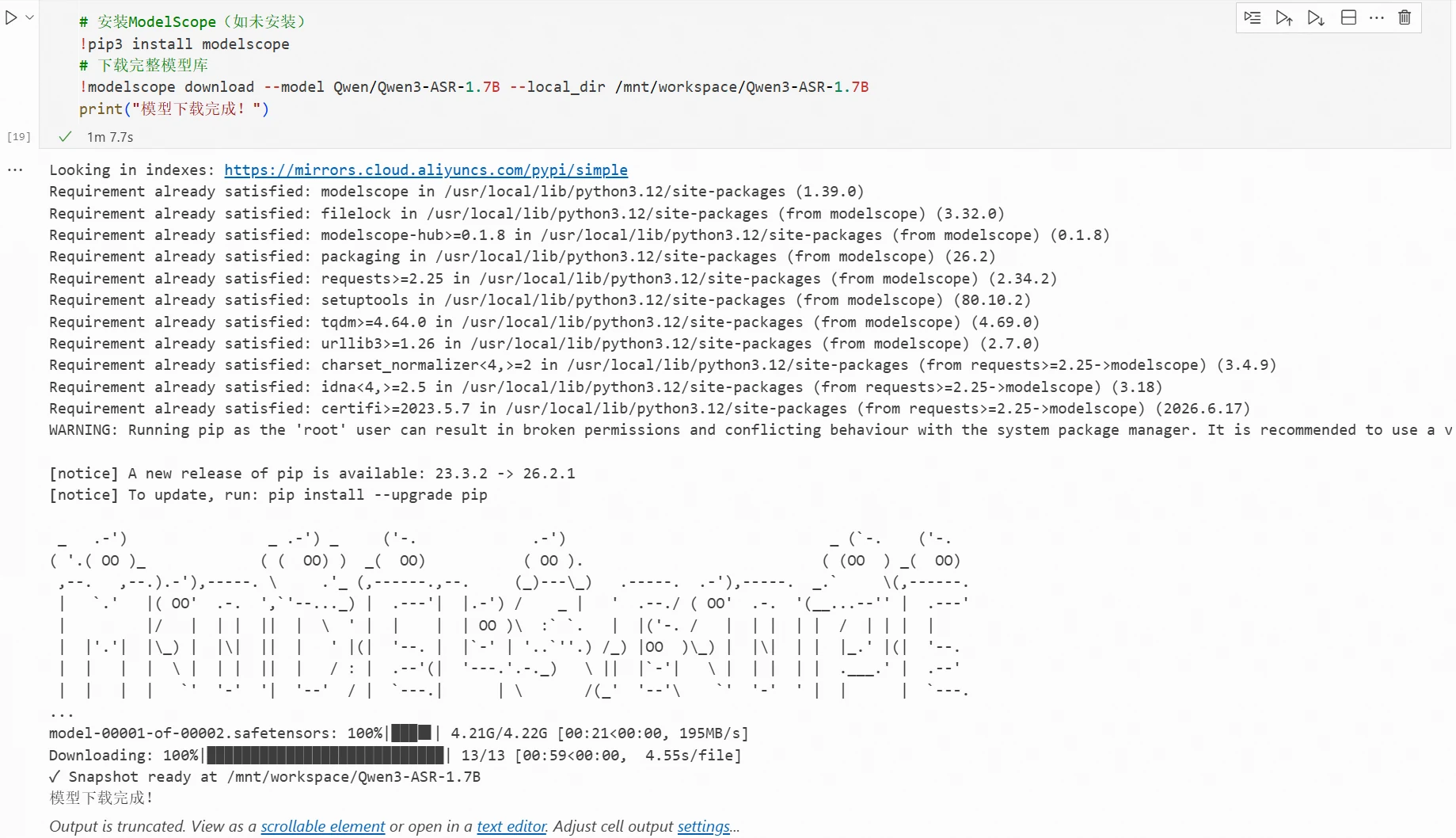
If you want to download the model separately, refer to the model download method in Section 2.5 of this book. For example, to download the model to the directory /mnt/workspace/Qwen3-ASR-1.7B, using command-line download as an example, execute the following command in the terminal:
# Install ModelScope (if not installed)
!pip3 install modelscope
# Download the complete model repository
!modelscope download --model Qwen/Qwen3-ASR-1.7B --local_dir /mnt/workspace/Qwen3-ASR-1.7B
Result:
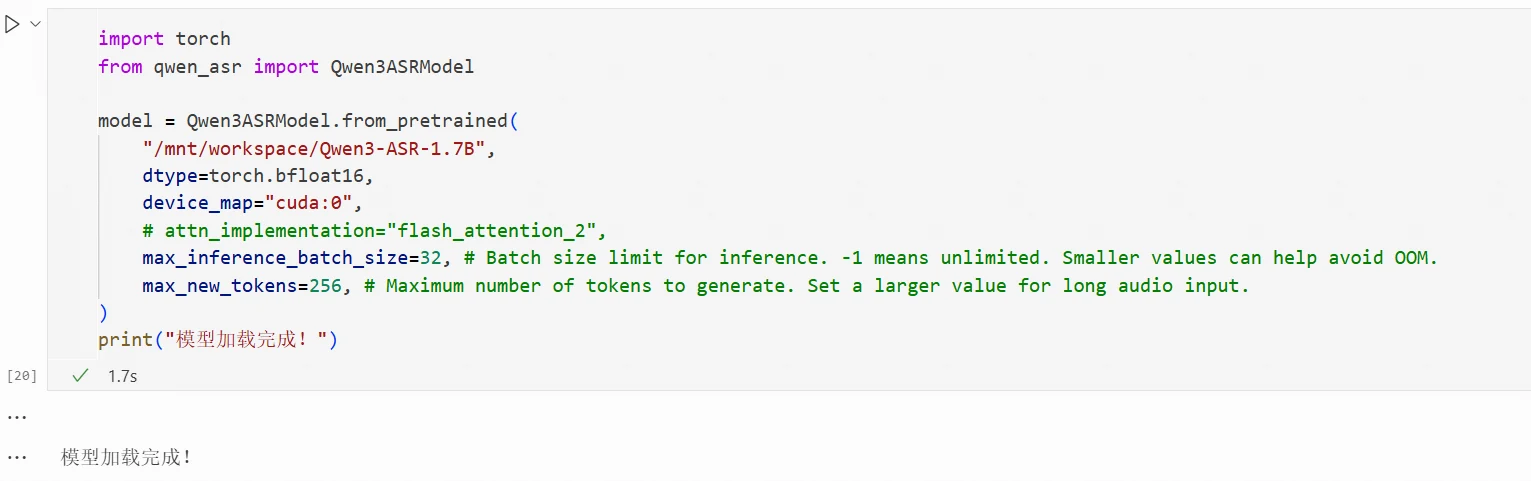
If you have the model files downloaded, you can replace Qwen/Qwen3-ASR-1.7B with your model path.
import torch
from qwen_asr import Qwen3ASRModel

model = Qwen3ASRModel.from_pretrained(
    "/mnt/workspace/Qwen3-ASR-1.7B",
    dtype=torch.bfloat16,
    device_map="cuda:0",
    # attn_implementation="flash_attention_2",
    max_inference_batch_size=32, # Batch size limit for inference. -1 means unlimited. Smaller values can help avoid OOM.
    max_new_tokens=256, # Maximum number of tokens to generate. Set a larger value for long audio input.
)
print("Model loaded successfully!")
Result:
Pass In an Audio File and See What It Recognizes
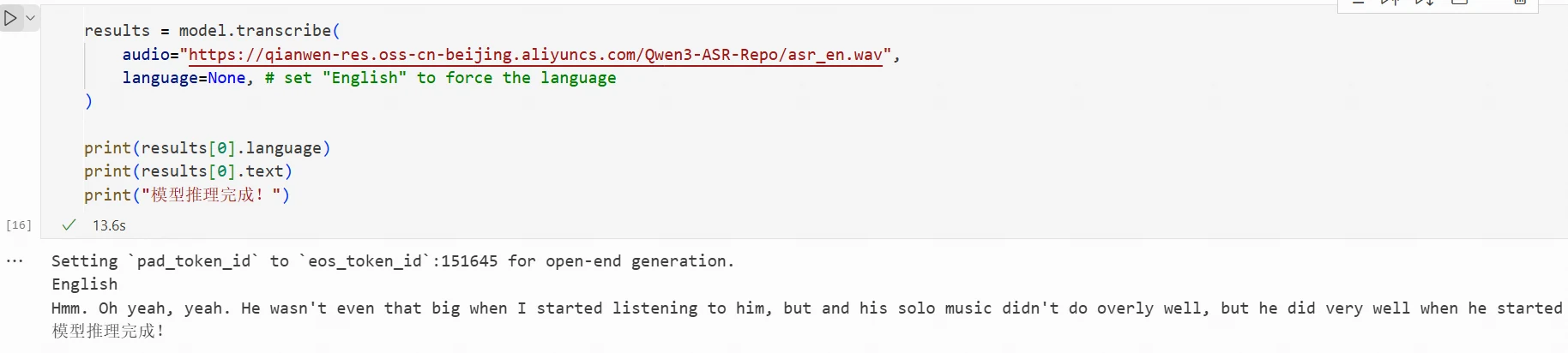
After the model is loaded, you can pass in audio files for model inference. You can replace the audio value with your audio file path.
results = model.transcribe(
    audio="https://qianwen-res.oss-cn-beijing.aliyuncs.com/Qwen3-ASR-Repo/asr_en.wav",
    language=None, # set "English" to force the language
)

print(results[0].language)
print(results[0].text)
print("Model inference completed!")
Result:
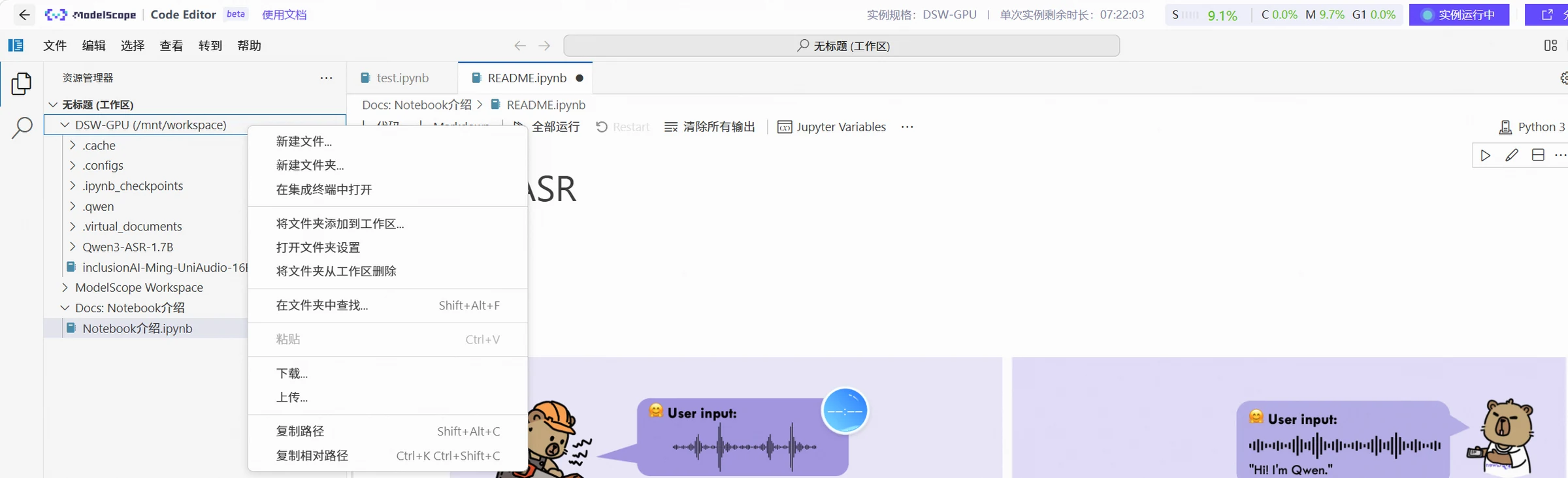
You can replace the audio value with your audio file path for model inference. Right-click the "DSW-GPU" folder in the left workspace, click "Upload", select your local audio file, and it will be uploaded to the "DSW-GPU" folder in the Notebook environment.
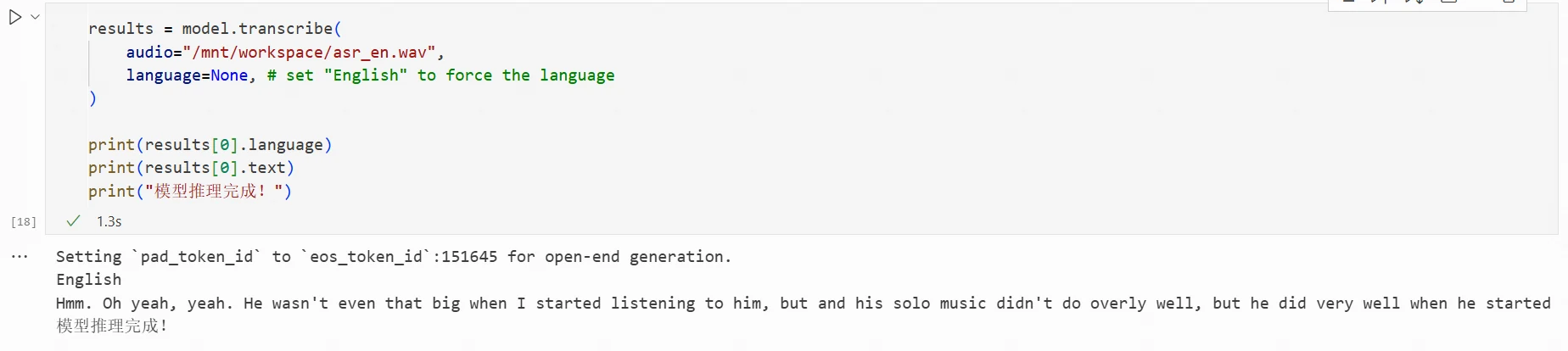
Then modify the code as follows:
results = model.transcribe(
    audio="/mnt/workspace/asr_en.wav",
    language=None, # set "English" to force the language
)

print(results[0].language)
print(results[0].text)
print("Model inference completed!")
Result:
The code and related files for this chapter can be found at: https://www.modelscope.cn/gallery/liucong/54c2ca38-b797-43d1-97ab-4b9f569aaa95
Discussion
Sign in to join the discussion