Fine-Tuning and Evaluation • Beginner⏱️ 30 min read
Training Data Preparation
How to Transform Business Materials into Trainable Data?
Before training a model, we often encounter the following problem:
I have a lot of raw materials, product manuals, operation guides, and business specifications, each in its own format, and the content is quite scattered,
How can I make use of this data?
And if I directly use domain-specific or scenario-specific data, will the trained model still have the ability to answer general knowledge questions?
Therefore, the key point is how we can transform all materials into training data usable by the model.
At the same time, data cleaning, deduplication, and anonymization are also essential. We may have distilled the data, but we need to adapt it to our desired outcomes.
For example, when training a model, if the self-identification data is not properly trained, it might answer that it is a ChatGPT model, a Claude model, and so on.
Data is the foundation of everything. In this chapter, we start from data sources and look at how these scattered materials go through synthesis, cleaning, deduplication, and anonymization to finally become data that can be used for model training.
Learning Business Skills While Preserving General Capabilities
Collecting and annotating training data from scratch requires significant time and cost. For common tasks such as text classification, question answering, and text generation, you can find suitable public datasets to include in training.
Common public datasets include:
Text classification and inference: GLUE, SuperGLUE, CLUE, etc.;
Reading comprehension and question answering: SQuAD, CMRC, etc.;
Text summarization: CNN/DailyMail, etc.;
Dialogue and instruction fine-tuning: Alpaca, ShareGPT, OpenOrca, etc.;
Multimodal tasks: COCO and other image-text datasets.
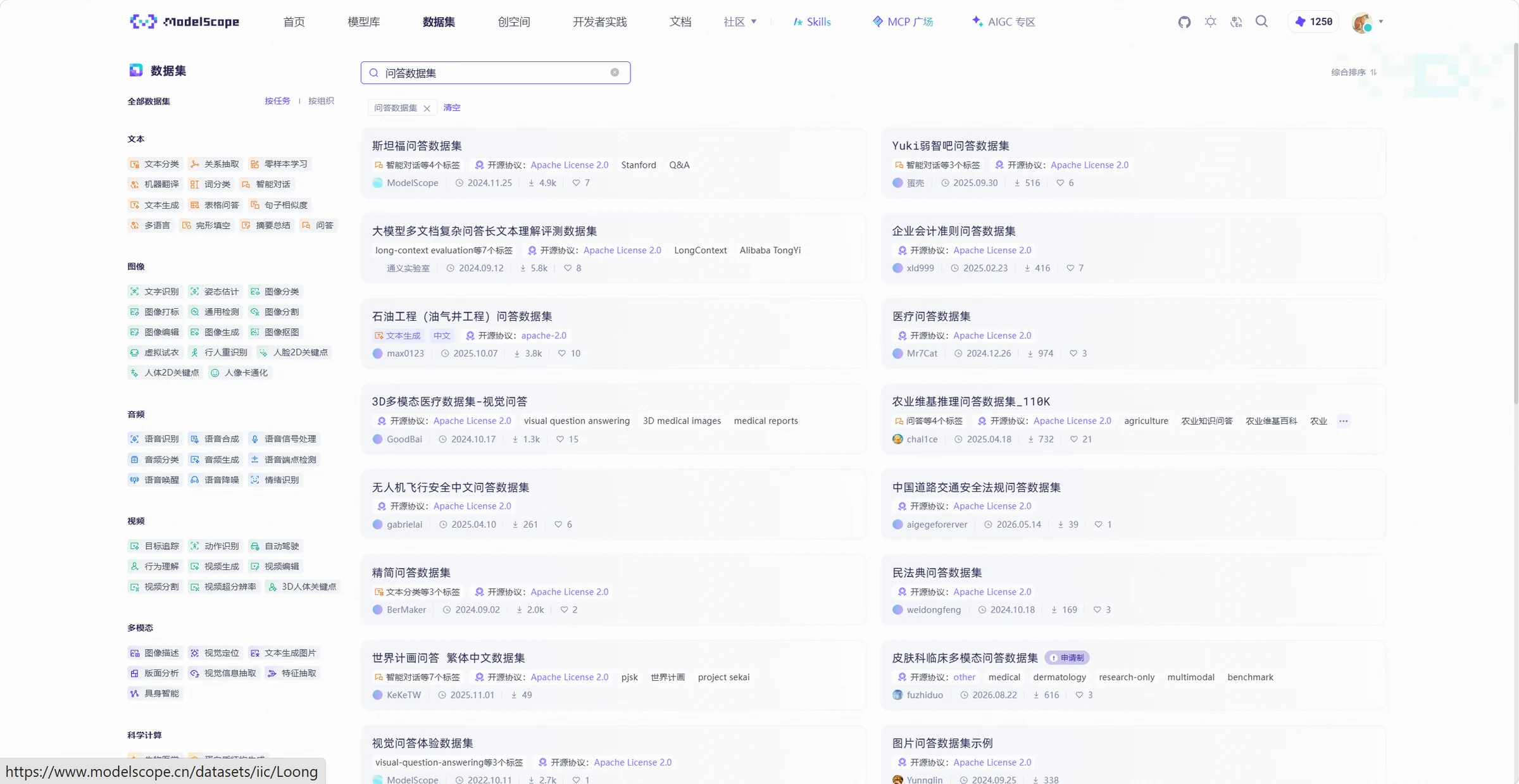
In addition to obtaining data from dataset official websites, you can also find and use open-source datasets through the ModelScope Dataset Hub. The Dataset Hub provides features such as dataset search, online preview, and download. Some datasets can also be loaded directly through the ModelScope SDK for subsequent processing and training. For specific dataset download methods, see the chapter "Data: The Foundation for Open-Source Model Fine-Tuning".
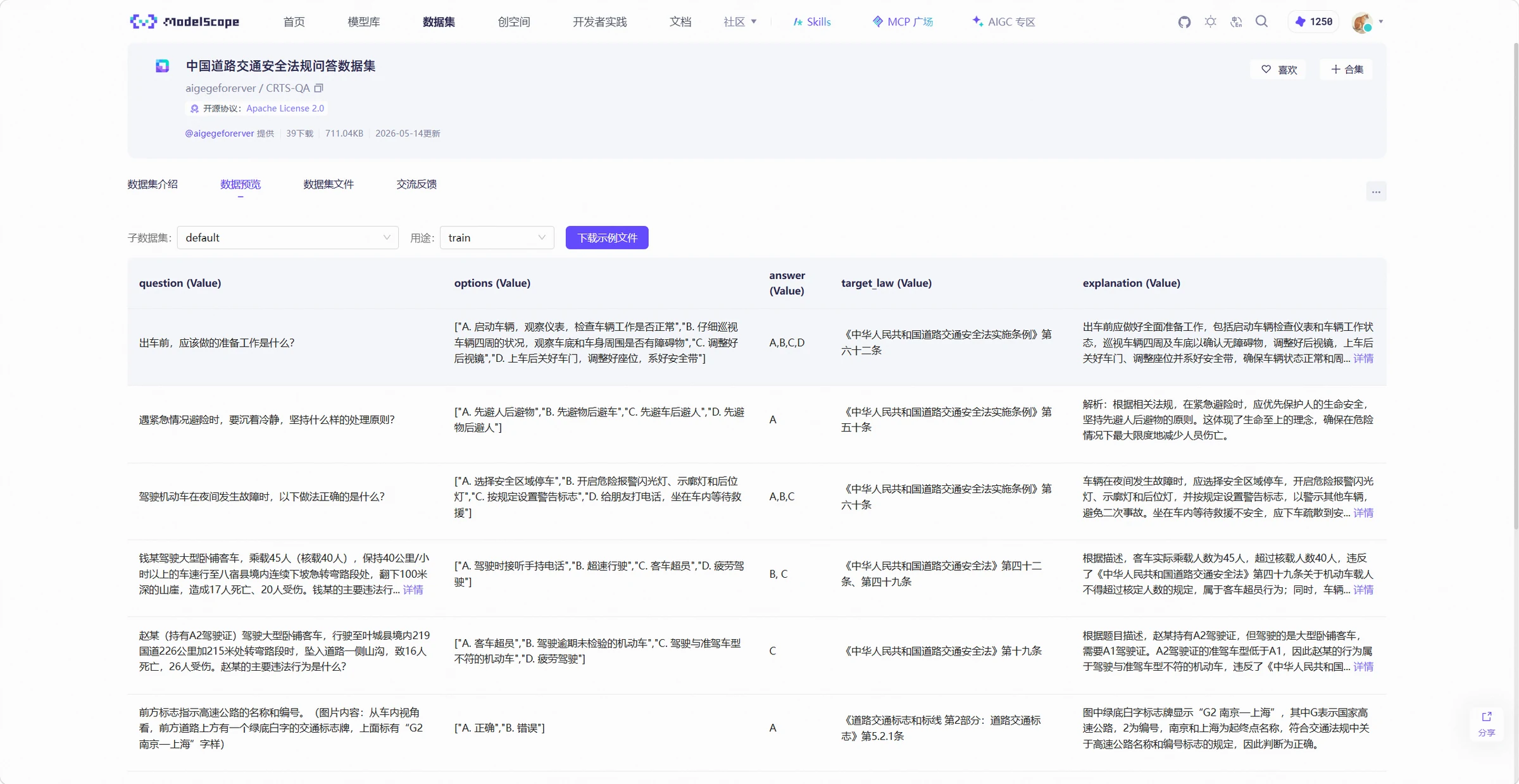
When selecting open-source datasets, you should not only check whether the data content matches the training task, but also verify the dataset's sample count, field format, label types, and data quality to determine whether it meets training requirements. The data preview feature provided by ModelScope can help quickly view dataset fields and sample content, as shown in the following example:
Open-source data is mainly used to supplement the model's general capabilities. If the model needs to learn enterprise-internal products, terminology, business rules, and processing workflows, corresponding business data needs to be prepared.
How to Use Your Own Business Materials?
Business data comes from actual business systems and materials within an enterprise, making it closer to the scenarios where the model will ultimately be used. General question-answering data can help the model learn basic Q&A patterns, while internal enterprise Q&A data can further help the model learn product names, business terminology, and processing rules.
Common business data sources include:
Enterprise documents: Product manuals, operation guides, business specifications, process documents, etc., from which product knowledge, business rules, and operational processes can be extracted;
Customer service records: Historical conversations, work orders, and complaint records between users and customer service, which can be used to construct intent recognition, Q&A, and dialogue data;
FAQs: Questions and standard answers compiled by business personnel, which can be directly converted into Q&A training data;
Expert cases: Typical problems handled by business experts and their solutions, which can be used to construct training data for complex business scenarios.
Business data generally cannot be directly used for model training. For example, a business manual of several dozen pages needs to have its text content extracted from Word, PDF, or other files first, and then organized into Q&A pairs, classification samples, or instruction data according to the training task. Customer service records may also contain system messages, invalid conversations, and duplicate content, which need to be filtered and organized first.
Business data may also contain sensitive information such as names, phone numbers, ID numbers, and customer information. Before entering the training dataset, anonymization should be performed according to enterprise data security requirements to avoid using real sensitive information directly for model training.
Only Documents Without Q&A? Let the Model Help Synthesize Data
In real projects, existing data may not meet all training needs. For example, some business types have only a few samples, or existing documents contain knowledge but no Q&A data directly usable for training. In such cases, you can use large models to generate new training samples, a method known as data synthesis.
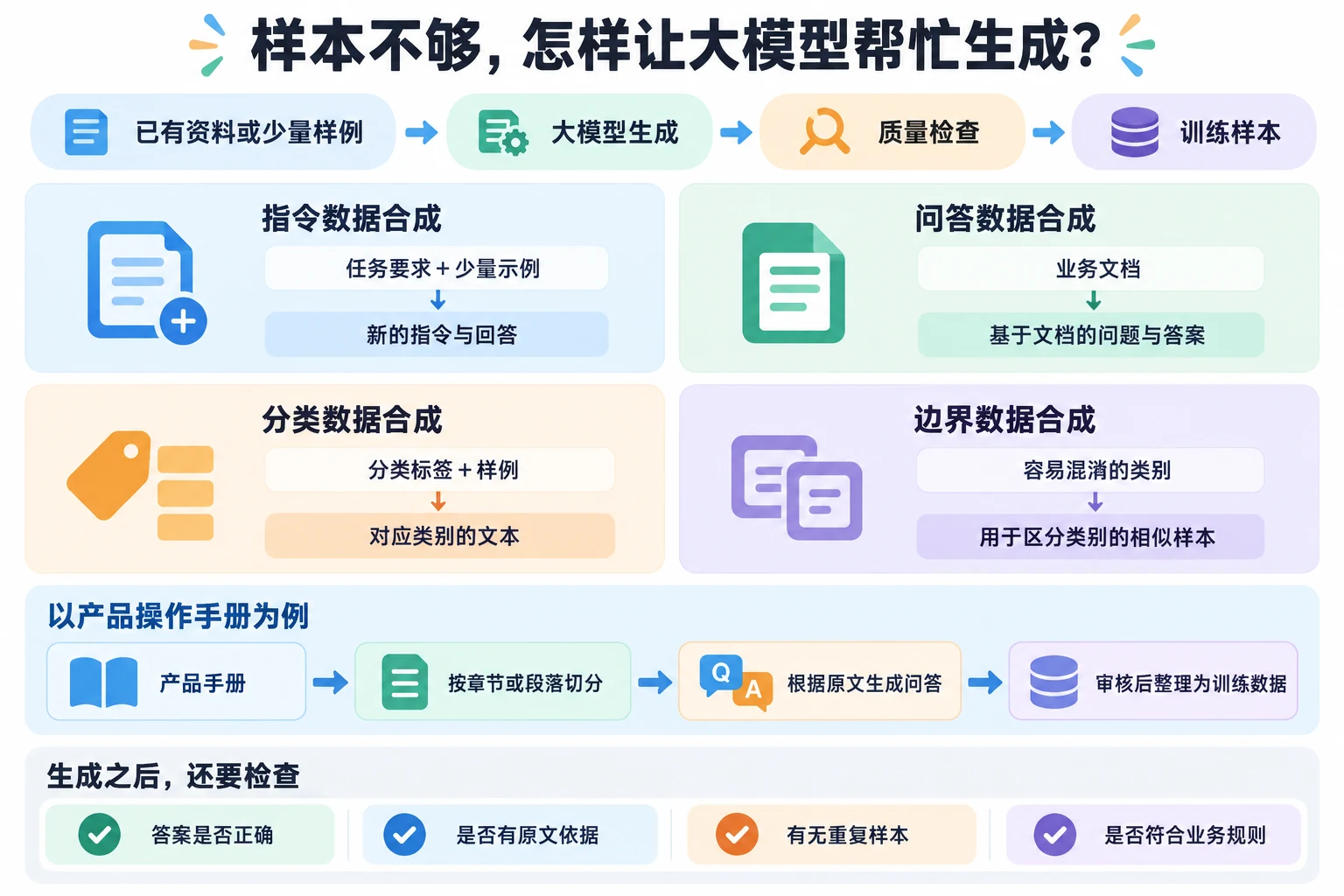
Common data synthesis methods include:
Instruction data synthesis: Based on existing tasks or a few examples, use a large model to generate new instructions and responses;
Q&A data synthesis: Input business documents and use the large model to generate questions and answers based on the document content;
Classification data synthesis: Specify classification labels and examples, and use the large model to generate text for the corresponding categories;
Boundary data synthesis: Generate similar samples for easily confused categories to enhance the model's ability to distinguish category boundaries.
For example, if an enterprise only has product operation manuals without Q&A data, the manual needs to be segmented by chapters or paragraphs, and the large model can be used to generate several questions and answers based on the paragraph content. After reviewing the results, organize them into Q&A training data.
Data synthesis can reduce the manual workload of writing training samples and supplement scenarios where original data is insufficient. However, synthesized data cannot be directly used for training after generation. The large model may generate incorrect answers, duplicate samples, or fabricate non-existent products or business rules, so quality checks are still necessary.
Don't Rush to Train with Generated Data
The quality of synthesized data directly affects model training effectiveness. Before adding synthesized data to the training set, you need to check whether the generated content is correct and filter out erroneous, fabricated, duplicate, and overly similar data.
Does the Answer Match the Original Text?
If the synthesized data is generated from business documents, you need to check whether the generated content is consistent with the original text.
For example, the original business document specifies:
Refund applications require manual review, and refunds can only be processed after approval.
Q&A data generated by the model:
Q: Does a refund require review?
A: Refunds are automatically processed after submission, no manual review required.
This answer conflicts with the business rule. If used for training, the model may learn incorrect business processes.
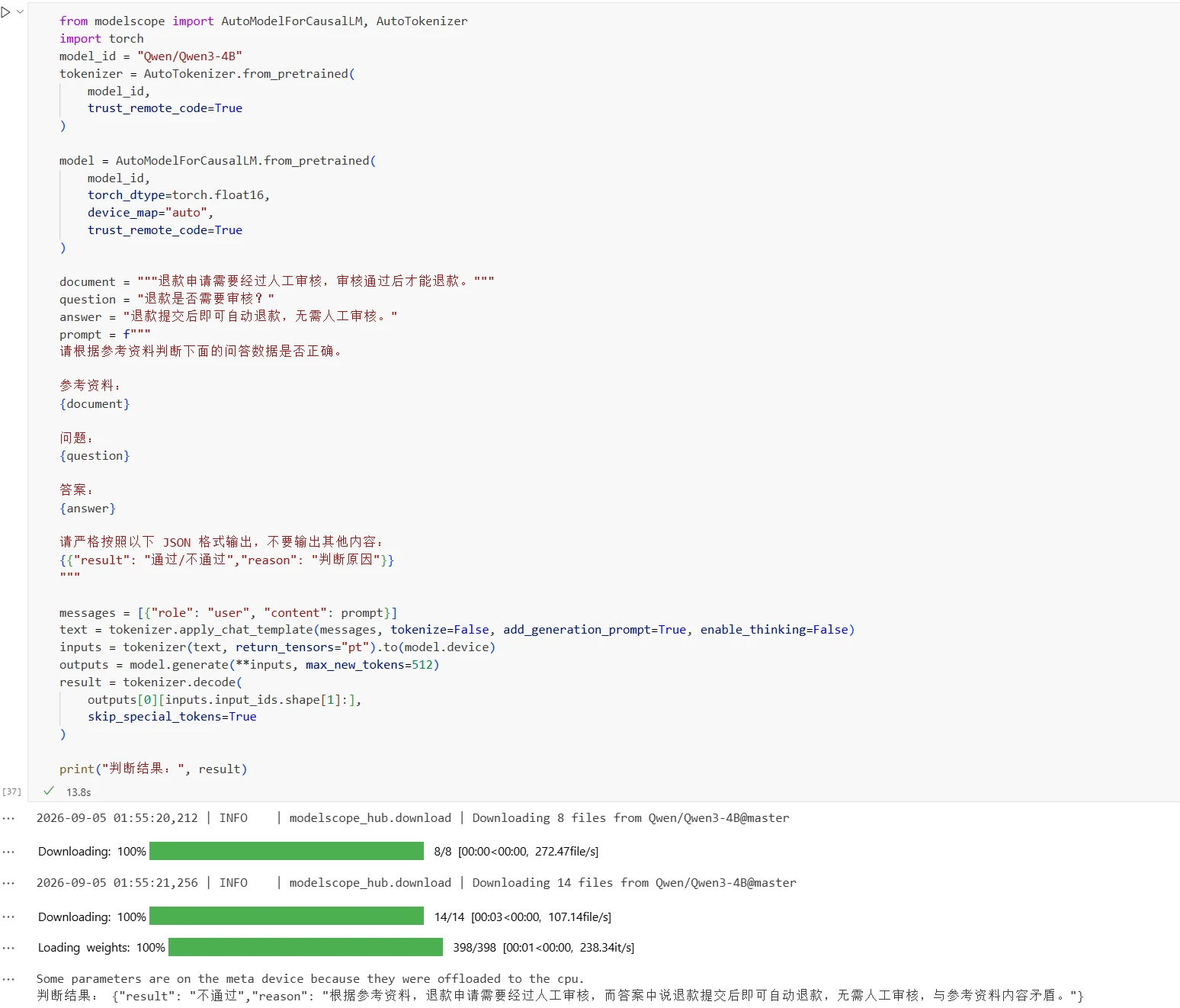
In practice, you can use a large model to perform consistency evaluation on synthesized data. Input the original material, question, and answer into the model simultaneously to determine whether the answer is consistent with the material. For data judged as incorrect, it can be deleted or regenerated. The processing code is as follows:
from modelscope import AutoModelForCausalLM, AutoTokenizer
import torch
model_id = "Qwen/Qwen3-4B"
tokenizer = AutoTokenizer.from_pretrained(
    model_id,
    trust_remote_code=True
)

model = AutoModelForCausalLM.from_pretrained(
    model_id,
    torch_dtype=torch.float16,
    device_map="auto",
    trust_remote_code=True
)

document = """The refund application requires manual review, and refunds can only be processed after approval."""
question = "Does a refund require review?"
answer = "Refunds are automatically processed after submission, no manual review required."
prompt = f"""
Please determine whether the following Q&A data is correct based on the reference material.

Reference material:
{document}

Question:
{question}

Answer:
{answer}

Please output strictly in the following JSON format, and do not output any other content:
{{"result": "pass/fail","reason": "reason for judgment"}}
"""

messages = [{"role": "user", "content": prompt}]
text = tokenizer.apply_chat_template(messages, tokenize=False, add_generation_prompt=True, enable_thinking=False)
inputs = tokenizer(text, return_tensors="pt").to(model.device)
outputs = model.generate(**inputs, max_new_tokens=512)
result = tokenizer.decode(
    outputs[0][inputs.input_ids.shape[1]:],
    skip_special_tokens=True
)

print("Judgment result:", result)
Results:
Don't Let the Model Make Things Up That Aren't in the Original Text
When a large model generates data, it may produce information that does not exist in the original materials. This issue is commonly referred to as hallucination. For example, generating non-existent product names, product parameters, or business processes.
For example, the original material states:
The product supports a maximum of 100GB storage space.
Generated data:
Q: Does the product support automatic scaling?
A: Yes, the system will automatically scale when storage space is insufficient
The original material does not state whether the product supports automatic scaling, so the generated answer lacks basis in the original material and constitutes fabricated content.
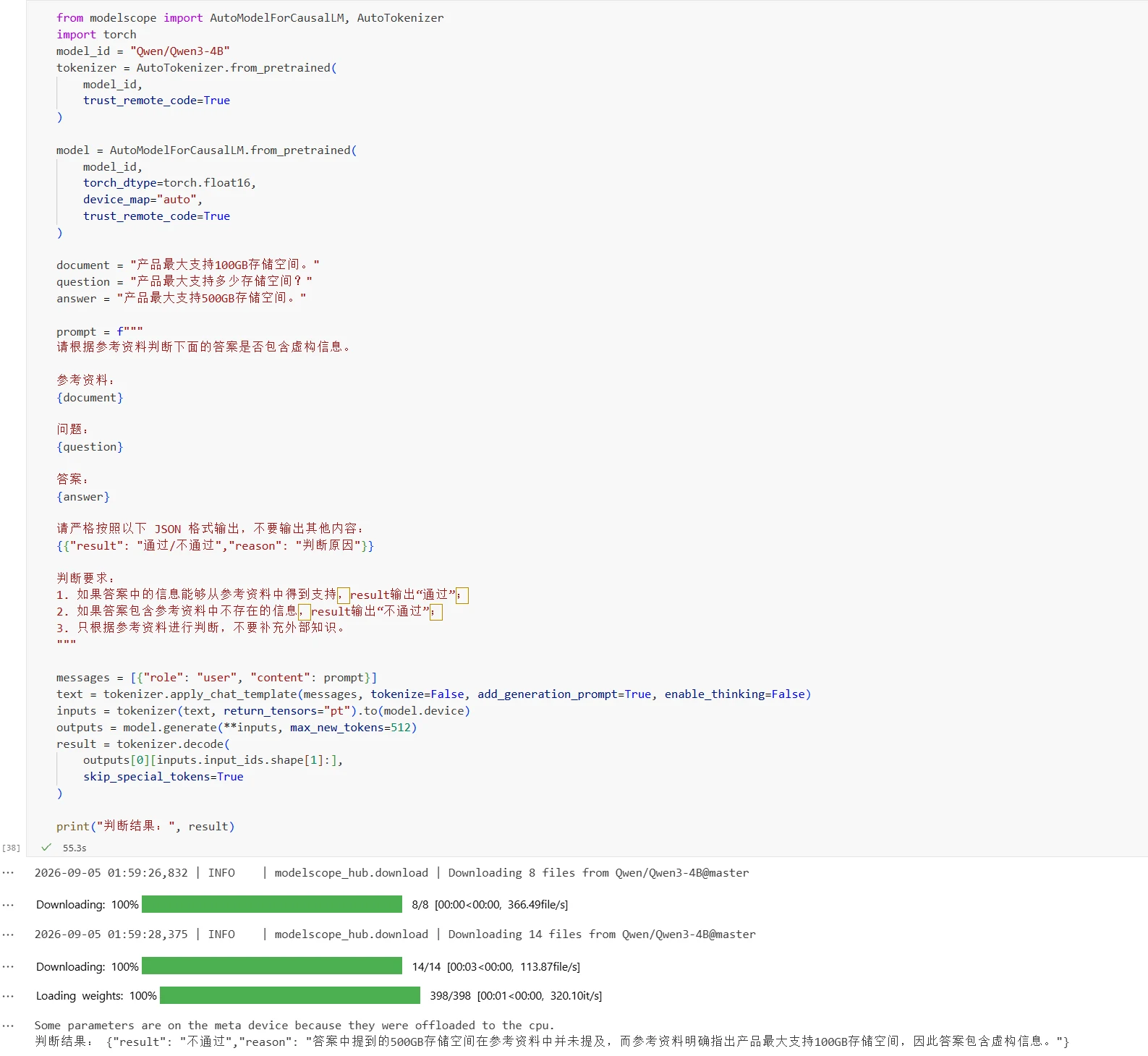
For data generated based on business materials, you can use a large model for basis checking to determine whether the key information in the answer can be supported by the original materials. For data lacking basis or that cannot be confirmed, it can be deleted, regenerated, or manually reviewed. When important business rules are involved, business personnel can also conduct spot checks. The processing code is as follows:
from modelscope import AutoModelForCausalLM, AutoTokenizer
import torch
model_id = "Qwen/Qwen3-4B"
tokenizer = AutoTokenizer.from_pretrained(
    model_id,
    trust_remote_code=True
)

model = AutoModelForCausalLM.from_pretrained(
    model_id,
    torch_dtype=torch.float16,
    device_map="auto",
    trust_remote_code=True
)

document = "The product supports a maximum of 100GB storage space."
question = "What is the maximum storage space the product supports?"
answer = "The product supports a maximum of 500GB storage space."

prompt = f"""
Please determine whether the following answer contains fabricated information based on the reference material.

Reference material:
{document}

Question:
{question}

Answer:
{answer}

Please output strictly in the following JSON format, and do not output any other content:
{{"result": "pass/fail","reason": "reason for judgment"}}

Judgment requirements:
1. If the information in the answer can be supported by the reference material, result outputs "pass";
2. If the answer contains information not present in the reference material, result outputs "fail";
3. Only judge based on the reference material, do not supplement external knowledge.
"""

messages = [{"role": "user", "content": prompt}]
text = tokenizer.apply_chat_template(messages, tokenize=False, add_generation_prompt=True, enable_thinking=False)
inputs = tokenizer(text, return_tensors="pt").to(model.device)
outputs = model.generate(**inputs, max_new_tokens=512)
result = tokenizer.decode(
    outputs[0][inputs.input_ids.shape[1]:],
    skip_special_tokens=True
)

print("Judgment result:", result)
Results:
Rephrasing May Still Be the Same Question
When a large model generates data in batches, it is easy to produce duplicate or highly similar samples. For example: "How to change the login password?" and "How do I change my login password?" These questions have different expressions but basically the same content. If there are too many similar samples, it reduces the effective information content of the dataset.
After synthesizing data, you need to check for duplicates and similarities between samples, filter out completely duplicate data, control the number of highly similar samples, and retain representative samples. Specific data deduplication methods will be introduced in the following sections.
Consolidate Data from Different Sources
Whether data comes from open-source datasets, enterprise business data, or large model synthesis, it needs unified processing before being used for model training. Common processing steps include data collection, data cleaning, data deduplication, and data anonymization.
First Collect the Needed Content and Standardize the Fields
Data collection involves obtaining required data from different data sources according to the training task and organizing it uniformly.
Before collection, you need to determine the data content required by the training task. Classification tasks need text and category labels, Q&A tasks need questions and answers, and instruction fine-tuning needs instructions and corresponding responses. During collection, only retain data and fields related to the training task.
Data structures from different sources may differ. For example, one dataset uses question and answer fields, while another dataset may use query and response fields. After collection, field names and data structures need to be unified for subsequent processing.
For data missing necessary information, it can be supplemented during collection. For example, adding category labels for classification data, or organizing reference answers for Q&A data.
Data Needs to Be Cleaned First
Raw data may contain some invalid or incorrect content, which needs to be cleaned before training.
Common processing includes: removing blank data and invalid records, stripping excess HTML tags and special characters, standardizing text encoding and format, and correcting obvious OCR recognition errors, etc.
Data cleaning does not mean deleting all special content. Code, formulas, units, and punctuation may themselves be part of the training content, and whether to retain them depends on the specific task.
Taking an FAQ dataset as an example, the original data:
faq_data = [
    {
        "question": "  How to change the login password?  ",
        "answer": "<p>Go to personal center and click 'Change Password'.</p>"
    },
    {
        "question": "",
        "answer": "Please contact the administrator."
    },
    {
        "question": "What if I forget my password?",
        "answer": "Click 'Forgot Password'\n\nand follow the instructions."
    },
    {
        "question": "What is the customer service phone number?",
        "answer": "The customer service number is 400-123-4567\xa0"
    }
]
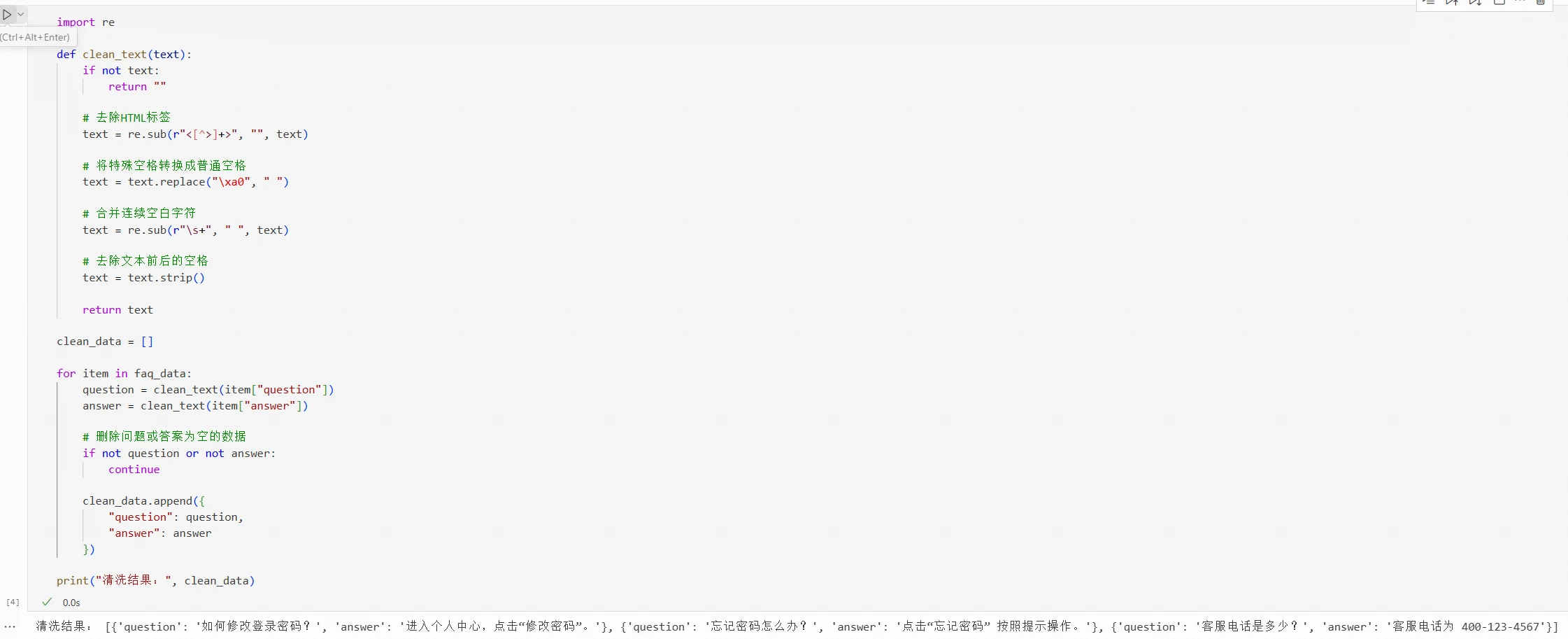
Cleaning code:
import re

def clean_text(text):
    if not text:
        return ""

    # Remove HTML tags
    text = re.sub(r"<[^>]+>", "", text)

    # Convert special spaces to regular spaces
    text = text.replace("\xa0", " ")

    # Merge consecutive whitespace characters
    text = re.sub(r"\s+", " ", text)

    # Strip leading and trailing spaces
    text = text.strip()

    return text

clean_data = []

for item in faq_data:
    question = clean_text(item["question"])
    answer = clean_text(item["answer"])

    # Delete data where question or answer is empty
    if not question or not answer:
        continue

    clean_data.append({
        "question": question,
        "answer": answer
    })

print("Cleaning result:", clean_data)
Cleaning results:
The specific cleaning rules in real business need to be determined based on data characteristics.
Do We Really Need to Keep All Duplicate Data?
After consolidating data collected from different sources, duplicate or similar data may appear. The same FAQ may appear simultaneously in public datasets, product manuals, and customer service knowledge bases. Synthesized data may also be similar to existing data content. If there is too much duplicate data, it reduces the diversity of training data, causing the model to over-learn certain knowledge or expression patterns. Therefore, unified deduplication is necessary before training.
Based on the degree of data duplication, data deduplication can be divided into exact data deduplication and similar data deduplication:
Exact data deduplication: Determine whether two pieces of data have exactly the same content. Deduplication can be performed through text matching or hash values.
Similar data deduplication: Determine whether two pieces of data have similar content despite different wording. Methods such as MinHash, SimHash, or vector similarity can be used for detection.
Different types of data require different deduplication rules. Taking an FAQ dataset as an example, the question and answer can be combined into a single text, then determine whether different samples are duplicates or similar.
Exact Data Deduplication
Data samples:
faq_data = [
    {
        "question": "How to change the login password?",
        "answer": "Go to personal center and click 'Change Password'."
    },
    {
        "question": "What if I forget my password?",
        "answer": "Click 'Forgot Password' and follow the instructions."
    },
    {
        "question": "How to change the login password?",
        "answer": "Go to personal center and click 'Change Password'."
    }
]
(1) Text Matching
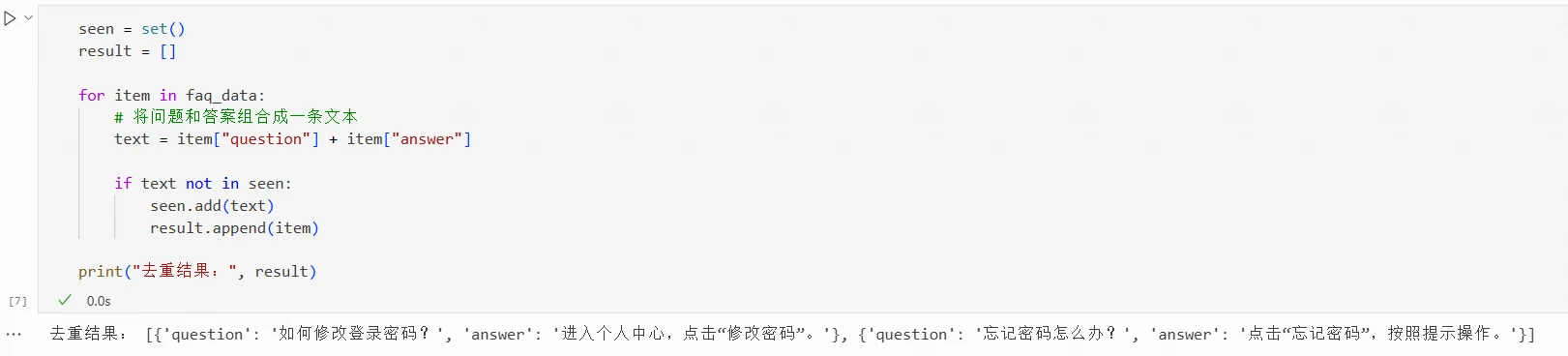
Text matching deduplication code:
seen = set()
result = []

for item in faq_data:
    # Combine question and answer into a single text
    text = item["question"] + item["answer"]

    if text not in seen:
        seen.add(text)
        result.append(item)

print("Deduplication result:", result)
Deduplication results:
After processing, only one of the two identical FAQs is retained.
(2) Hash Values
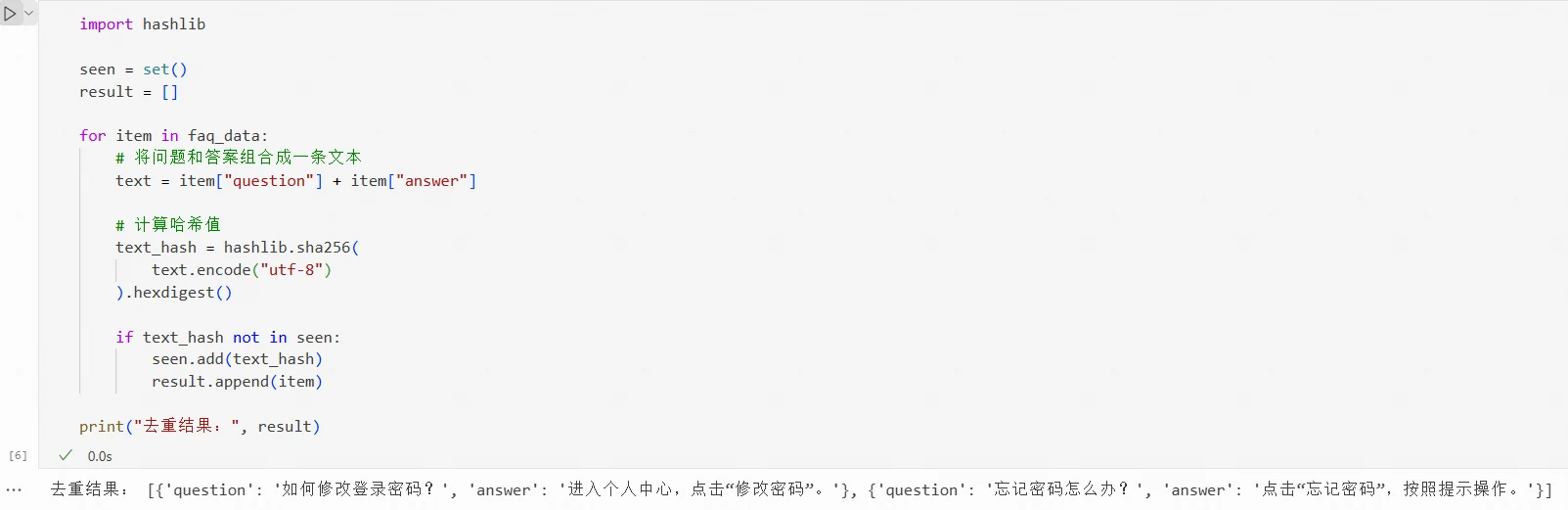
A hash algorithm can convert a text into a fixed-length value. Identical text will produce the same hash value, allowing you to determine whether data is duplicate by comparing hash values. For example:
import hashlib

seen = set()
result = []

for item in faq_data:
    # Combine question and answer into a single text
    text = item["question"] + item["answer"]

    # Calculate hash value
    text_hash = hashlib.sha256(
        text.encode("utf-8")
    ).hexdigest()

    if text_hash not in seen:
        seen.add(text_hash)
        result.append(item)

print("Deduplication result:", result)
Deduplication results:
Regular hash values can only be used to determine whether content is exactly the same. As long as the text in the question or answer changes, the calculated hash value will be different. For data with different wording but similar content, further similarity assessment is needed.
Similar Data Deduplication
Data samples:
faq_data = [
    {
        "question": "How to change the login password?",
        "answer": "Go to personal center and click 'Change Password'."
    },
    {
        "question": "How do I change the login password?",
        "answer": "After going to personal center, click 'Change Password'."
    },
    {
        "question": "How to apply for an invoice?",
        "answer": "Go to the order page, select invoice application and submit the information."
    }
]
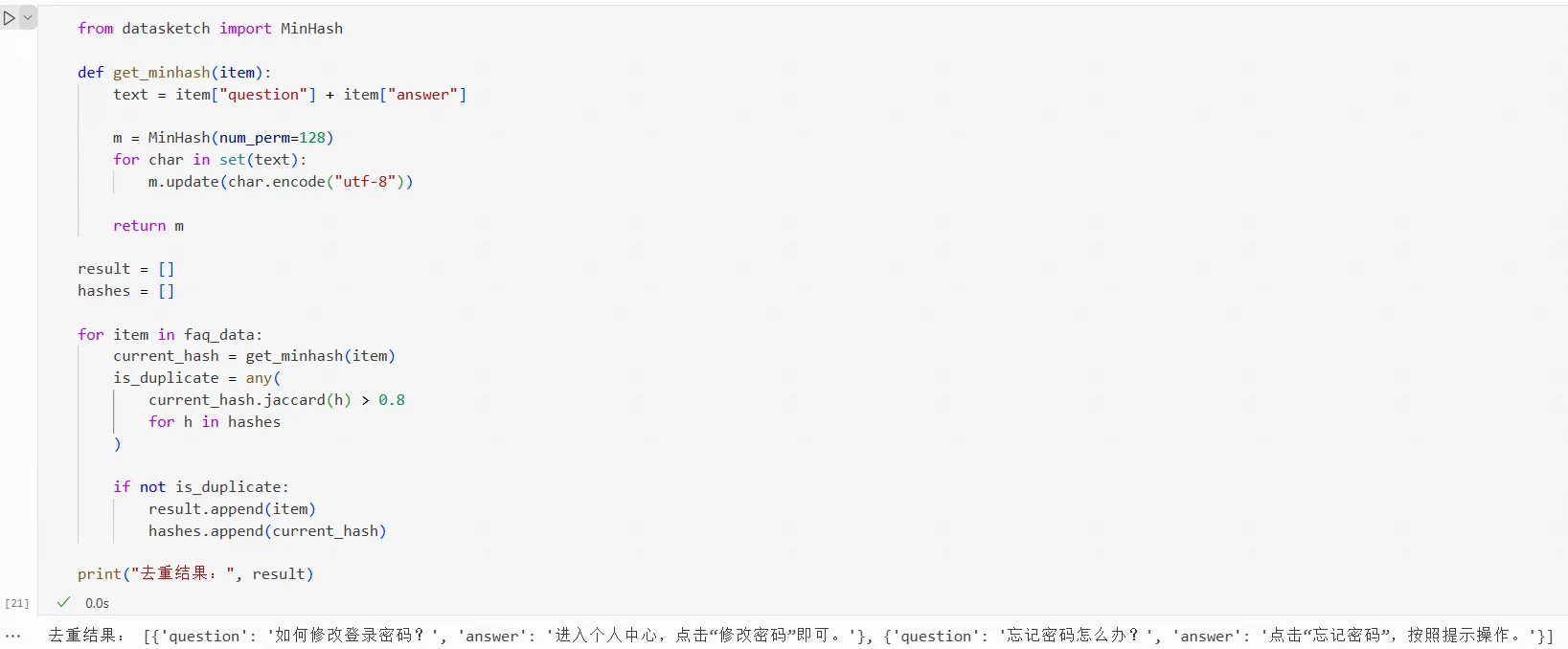
The questions and answers of the first two FAQs differ in wording but express relatively similar content overall. For such data, MinHash, SimHash, or vector similarity can be used for detection.
(1) MinHash
MinHash primarily determines similarity based on the overlap of words or characters in text, making it more suitable for detecting literally similar data. For FAQ data, you can first combine the question and answer into a single text, then split the text into words, characters, or character fragments for calculation.
MinHash is typically used to approximate the Jaccard similarity:
J(A,B)=\frac{|A\cap B|}{|A\cup B|}
where A and B represent the sets of words or characters contained in two pieces of text,
A\cap B
represents the content shared by both,
A\cup B
represents all content contained in both. The calculation result is between 0 and 1, where values closer to 1 indicate the two texts are more similar.
In Python, the datasketch library can be used to implement MinHash:
!pip install datasketch
Results:
Example code:
from datasketch import MinHash

def get_minhash(item):
    text = item["question"] + item["answer"]

    m = MinHash(num_perm=128)
    for char in set(text):
        m.update(char.encode("utf-8")

    return m

result = []
hashes = []

for item in faq_data:
    current_hash = get_minhash(item)

    is_duplicate = any(
        current_hash.jaccard(h) > 0.8
        for h in hashes
    )

    if not is_duplicate:
        result.append(item)
        hashes.append(current_hash)

print("Deduplication result:", result)
Results:
(2) SimHash
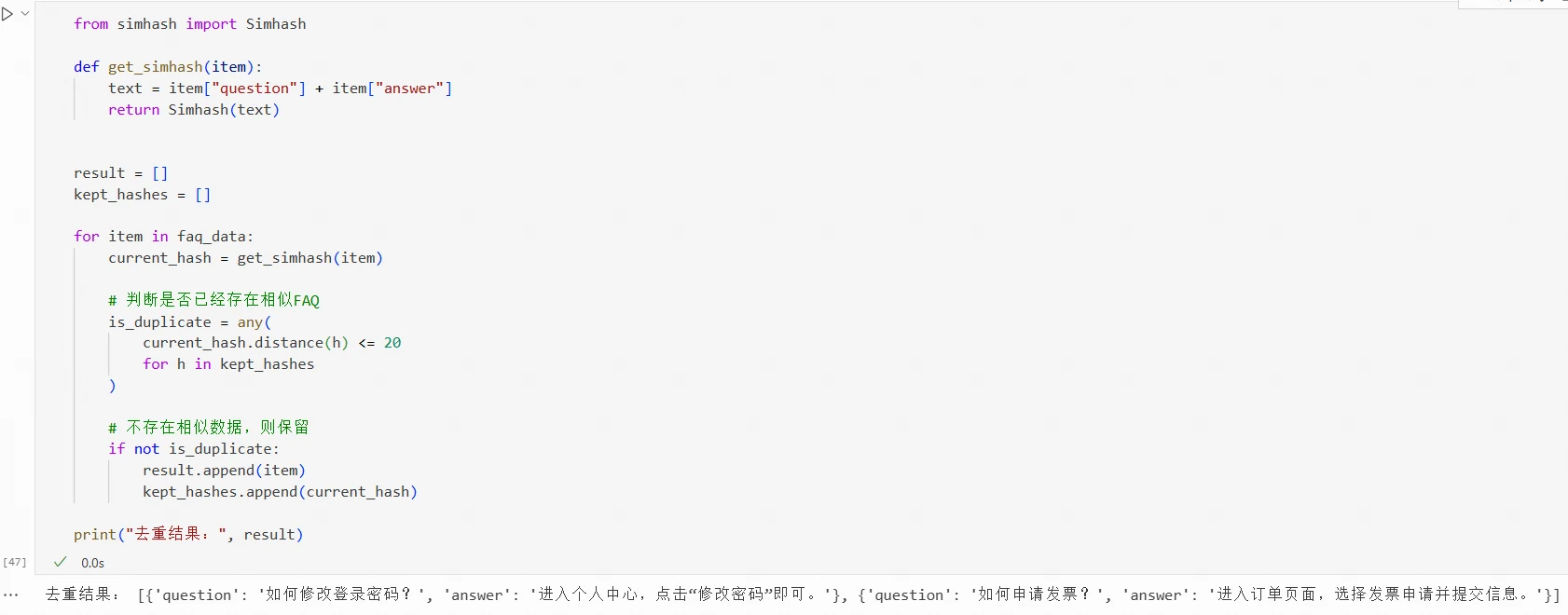
SimHash generates a fixed-length fingerprint based on text content, then uses the Hamming distance between fingerprints to determine whether texts are similar.
Unlike regular Hash, which primarily determines whether content is exactly the same, SimHash can detect texts with similar content. The smaller the Hamming distance between two SimHash fingerprints, the more similar the texts generally are.
SimHash needs to be installed:
!pip install simhash
Results:
Code for using SimHash to remove similar data:
from simhash import Simhash

def get_simhash(item):
    text = item["question"] + item["answer"]
    return Simhash(text)

result = []
kept_hashes = []

for item in faq_data:
    current_hash = get_simhash(item)

    # Check if a similar FAQ already exists
    is_duplicate = any(
        current_hash.distance(h) <= 20
        for h in kept_hashes
    )

    # If no similar data exists, keep it
    if not is_duplicate:
        result.append(item)
        kept_hashes.append(current_hash)

print("Deduplication result:", result)
Results:
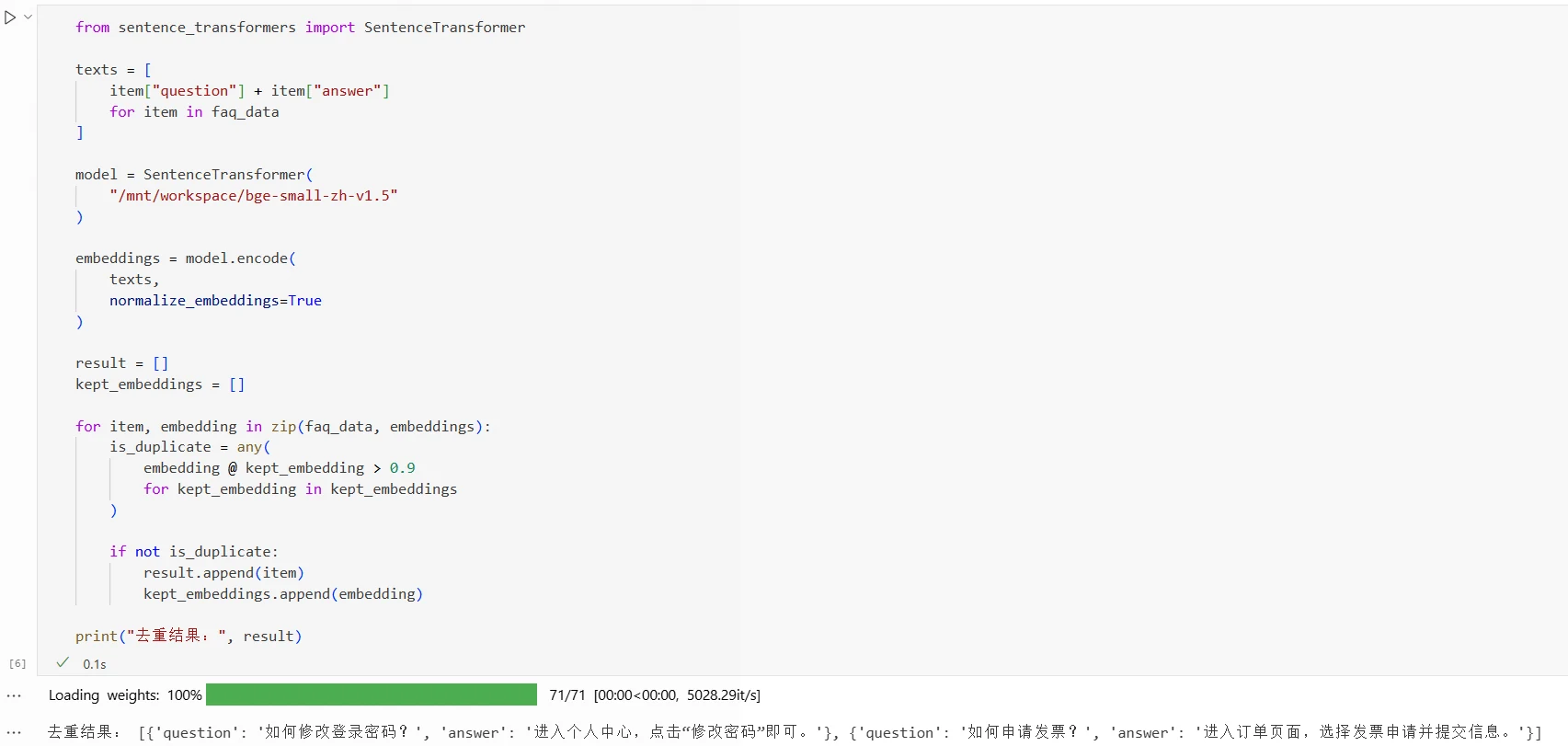
(3) Vector Similarity
If two pieces of data use different words but express similar semantics, a text vector model can be used for assessment.
A text vector model converts text into a vector consisting of a set of numerical values. For FAQ data, combine the question and answer into a single text, then calculate the cosine similarity between the two text vectors:
where A and B represent the text vectors corresponding to the two FAQs. The higher the cosine similarity, the closer the semantics of the two FAQs.
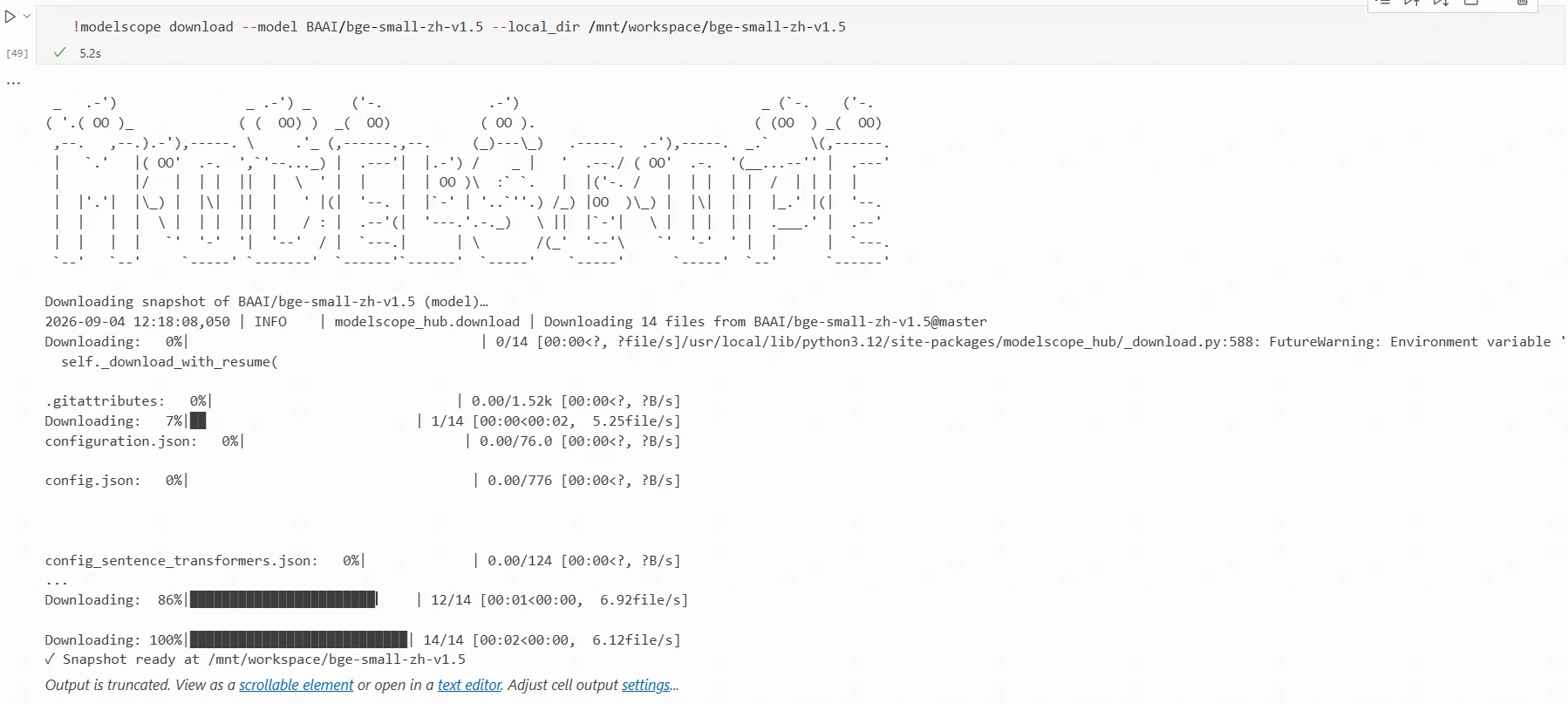
Below, the BAAI/bge-small-zh-v1.5 model is used for calculation. This model is designed for Chinese text vector tasks, with a model size of approximately 24M, output vector dimension of 512, and is relatively small and fast.
Code for calculating vector similarity to remove similar data:
from sentence_transformers import SentenceTransformer

texts = [
    item["question"] + item["answer"]
    for item in faq_data
]

model = SentenceTransformer(
    "/mnt/workspace/bge-small-zh-v1.5"
)

embeddings = model.encode(
    texts,
    normalize_embeddings=True
)

result = []
kept_embeddings = []

for item, embedding in zip(faq_data, embeddings):
    is_duplicate = any(
        embedding @ kept_embedding > 0.9
        for kept_embedding in kept_embeddings
    )

    if not is_duplicate:
        result.append(item)
        kept_embeddings.append(embedding)

print("Deduplication result:", result)
Results:
Different methods are suitable for different types of data deduplication:
Method
Basis for Judgment
Suitable Scenarios
Direct Text Matching
Whether text is exactly the same
Small amount of identical data
Hash
Whether text hash values are the same
Large amount of identical data
MinHash
Overlap of words or characters in text
Data with literal content similarity
SimHash
Hamming distance between text fingerprints
Data with overall content similarity but minor modifications
Vector Similarity
Semantic similarity of text
Data with different expressions but similar meanings
In practice, you can first remove exactly duplicate data through text matching or Hash, then use MinHash, SimHash, or vector similarity to detect similar data. For detected similar data, you need to decide whether to delete, merge, or retain based on the similarity threshold and business requirements to avoid mistakenly deleting data with training value.
Real Information Needs Anonymization Before Training
Enterprise business data may contain sensitive information such as names, phone numbers, ID numbers, addresses, and account numbers. Before entering the training dataset, this content needs to be anonymized according to data security requirements.
Data anonymization first requires identifying sensitive information in the data, then selecting appropriate processing methods based on the type of sensitive information.
Methods for Identifying Sensitive Information
Before performing anonymization, you need to determine which content in the data belongs to sensitive information. For text data, regular expressions or sensitive information recognition models can be used for identification.
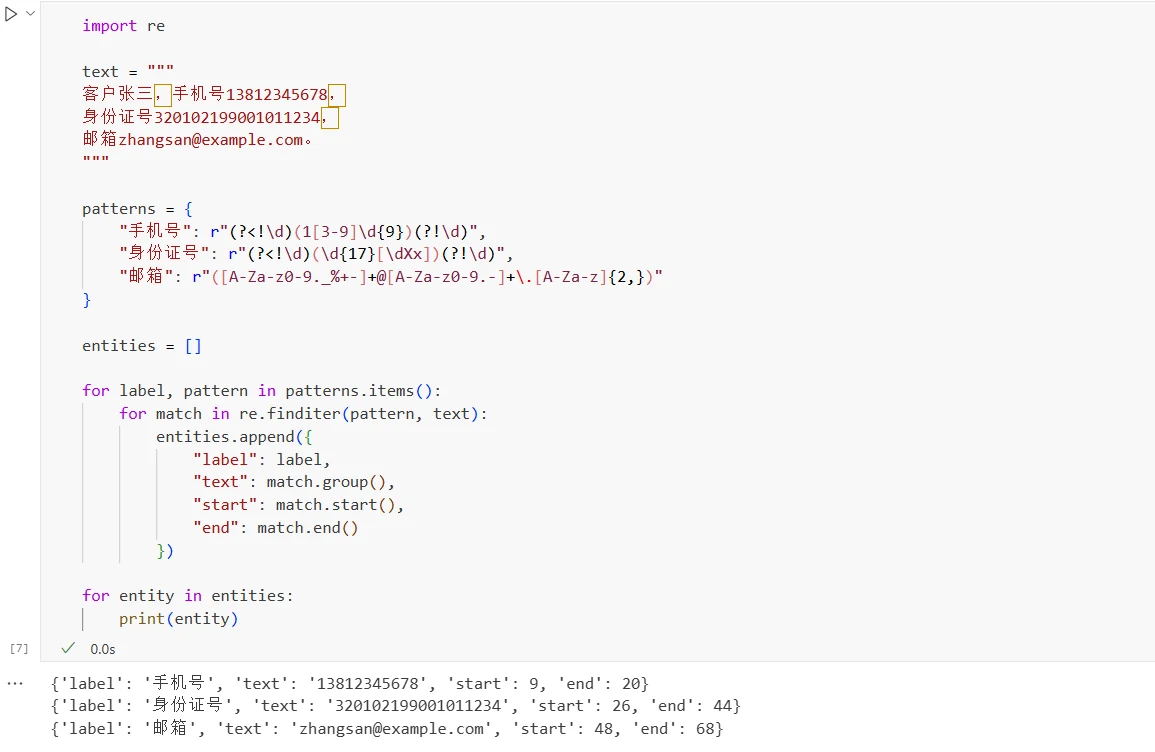
(1) Using Regular Expressions
Regular expressions match text based on predefined format rules, making them suitable for identifying information with fixed formats, such as phone numbers, ID numbers, bank card numbers, and email addresses. Code for using regular expressions to identify sensitive information:
import re

text = """
Customer Zhang San, phone number 13812345678,
ID number 320102199001011234,
email zhangsan@example.com.
"""

patterns = {
    "phone": r"(?<!\d)(1[3-9]\d{9})(?!\d)",
    "id_number": r"(?<!\d)(\d{17}[\dXx])(?!\d)",
    "email": r"([A-Za-z0-9._%+-]+@[A-Za-z0-9.-]+\.[A-Za-z]{2,})"
}

entities = []

for label, pattern in patterns.items():
    for match in re.finditer(pattern, text):
        entities.append({
            "label": label,
            "text": match.group(),
            "start": match.start(),
            "end": match.end()
        })

for entity in entities:
    print(entity)
Execution results:
Regular expressions can obtain the content, type, and position of sensitive information in the original text, which can be used for subsequent anonymization processing. Regular expressions primarily rely on format features and are effective for information with fixed formats. In practice, corresponding rules need to be developed and tested based on the format of business data. For information such as names and addresses that require contextual understanding, regular expressions alone are difficult to accurately identify.
(2) Using Sensitive Information Recognition Models
For information such as names, addresses, and organizations that require semantic understanding, sensitive information recognition models can be used.
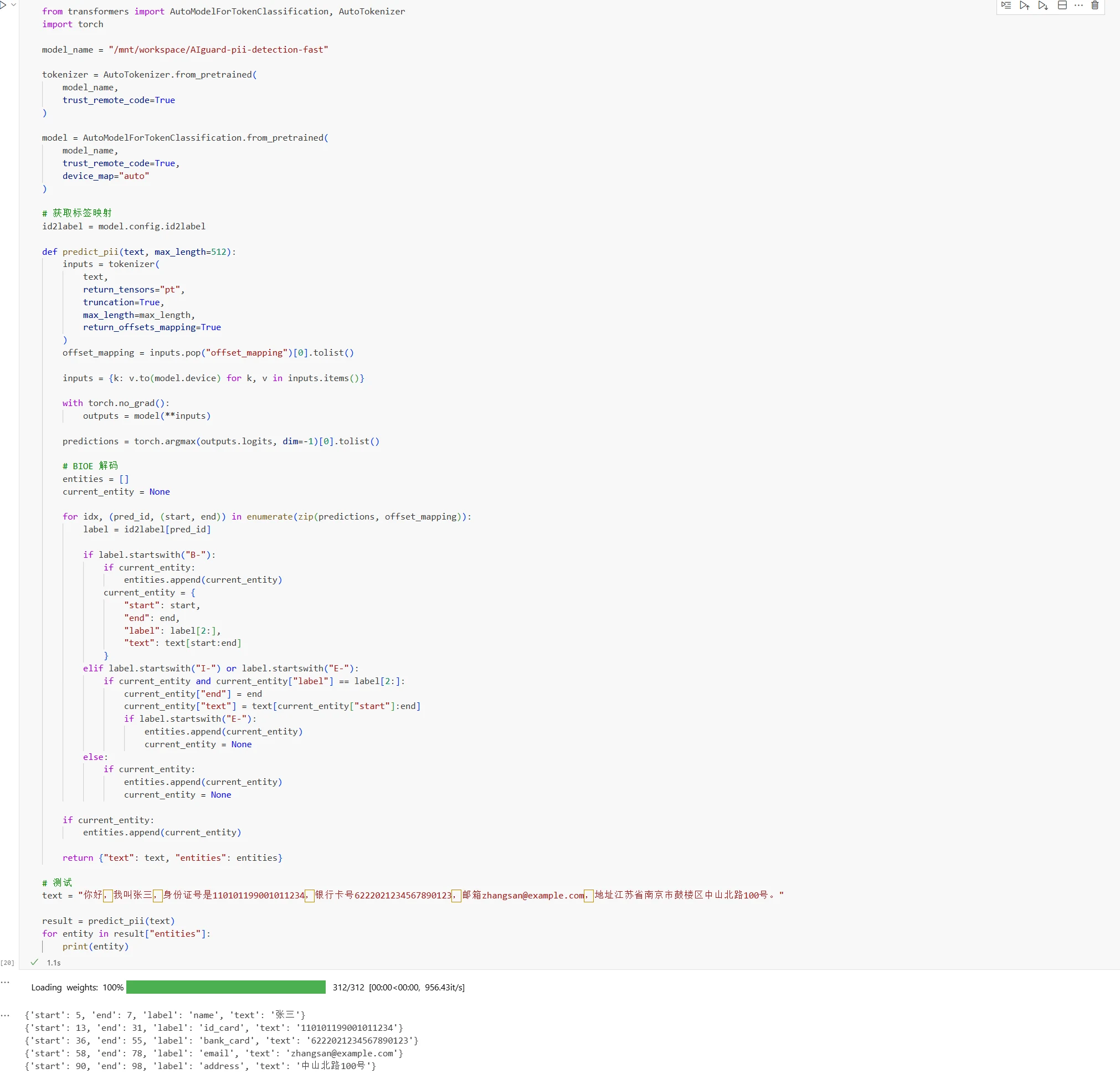
For example, the open-source ZJUICSR/AIguard-pii-detection-fast is a model designed for Chinese personal sensitive information (PII) recognition, capable of identifying various sensitive information such as names, phone numbers, ID numbers, addresses, and email addresses.
Code for using this model to identify sensitive information:
from transformers import AutoModelForTokenClassification, AutoTokenizer
import torch

model_name = "/mnt/workspace/AIguard-pii-detection-fast"

tokenizer = AutoTokenizer.from_pretrained(
    model_name,
    trust_remote_code=True
)

model = AutoModelForTokenClassification.from_pretrained(
    model_name,
    trust_remote_code=True,
    device_map="auto"
)

# Get label mapping
id2label = model.config.id2label

def predict_pii(text, max_length=512):
    inputs = tokenizer(
        text,
        return_tensors="pt",
        truncation=True,
        max_length=max_length,
        return_offsets_mapping=True
    )
    offset_mapping = inputs.pop("offset_mapping")[0].tolist()

    inputs = {k: v.to(model.device) for k, v in inputs.items()}

    with torch.no_grad():
        outputs = model(**inputs)

    predictions = torch.argmax(outputs.logits, dim=-1)[0].tolist()

    # BIOE decoding
    entities = []
    current_entity = None

    for idx, (pred_id, (start, end) in enumerate(zip(predictions, offset_mapping):
        label = id2label[pred_id]

        if label.startswith("B-"):
            if current_entity:
                entities.append(current_entity)
            current_entity = {
                "start": start,
                "end": end,
                "label": label[2:],
                "text": text[start:end]
            }
        elif label.startswith("I-") or label.startswith("E-"):
            if current_entity and current_entity["label"] == label[2:]:
                current_entity["end"] = end
                current_entity["text"] = text[current_entity["start"]:end]
                if label.startswith("E-"):
                    entities.append(current_entity)
                    current_entity = None
        else:
            if current_entity:
                entities.append(current_entity)
                current_entity = None

    if current_entity:
        entities.append(current_entity)

    return {"text": text, "entities": entities}

# Test
text = "Hello, my name is Zhang San, ID number 110101199001011234, bank card number 6222021234567890123, email zhangsan@example.com, address No. 100 Zhongshan North Road, Gulou District, Nanjing, Jiangsu Province."

result = predict_pii(text)
for entity in result["entities"]:
    print(entity)
Results:
The recognition results include sensitive information content, sensitive information type, and position in the original text. Subsequently, appropriate anonymization methods can be selected based on this information.
In real business, regular expressions and sensitive information recognition models are often used in combination. Regular expressions handle information with fixed formats quickly, such as phone numbers and email addresses; models handle information requiring semantic understanding, such as names and addresses.
Anonymization Methods
After completing sensitive information identification, appropriate processing methods need to be selected based on the type of sensitive information and training task requirements.
Common anonymization methods include:
(1) Replacement
Replacement involves replacing real sensitive information with other content. Replacement can be divided into fixed replacement and random replacement:
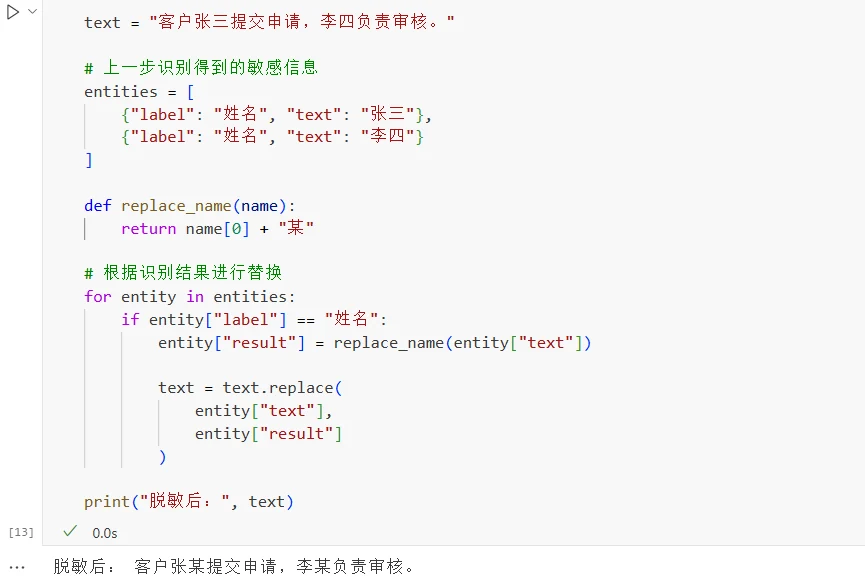
Fixed replacement: Generate replacement results according to fixed rules. For example, replace the first name in names uniformly with "certain person", "Zhang San" becomes "Zhang certain person", "Li Si" becomes "Li certain person". Since the rules are fixed, the same information will always produce the same result, and no additional mapping needs to be saved. Processing code:
text = "Customer Zhang San submitted an application, and Li Si is responsible for reviewing it."

# Sensitive information identified in the previous step
entities = [
    {"label": "name", "text": "Zhang San"},
    {"label": "name", "text": "Li Si"}
]

def replace_name(name):
    return name[0] + "certain person"

# Replace based on identification results
for entity in entities:
    if entity["label"] == "name":
        entity["result"] = replace_name(entity["text"])

        text = text.replace(
            entity["text"],
            entity["result"]
        )

print("After anonymization:", text)
Results:
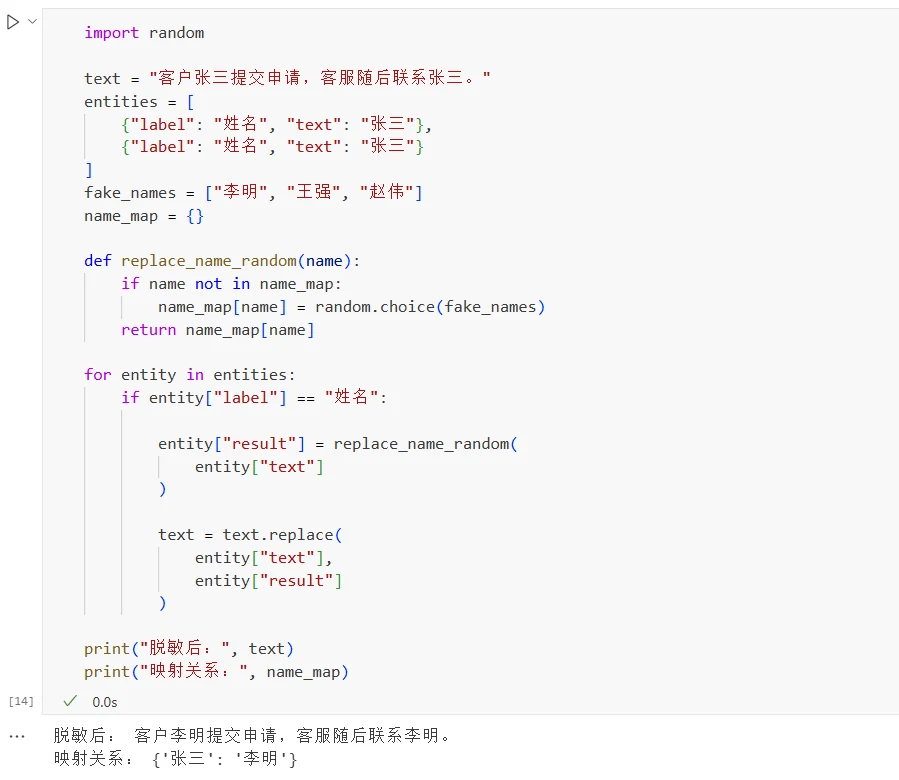
Random replacement: Randomly select fabricated information to replace real information, such as replacing "Zhang San" with "Li Ming". If the same "Zhang San" appears in multiple locations, the replacement results need to be consistent. Otherwise, data belonging to the same entity may be replaced with different identities, destroying the associations in the data. Therefore, random replacement usually requires establishing a mapping table: {"Zhang San":"Li Ming"}, and when encountering "Zhang San" again, "Li Ming" is used directly. Processing code:
import random

text = "Customer Zhang San submitted an application, and customer service then contacted Zhang San."
entities = [
    {"label": "name", "text": "Zhang San"},
    {"label": "name", "text": "Zhang San"}
]
fake_names = ["Li Ming", "Wang Qiang", "Zhao Wei"]
name_map = {}

def replace_name_random(name):
    if name not in name_map:
        name_map[name] = random.choice(fake_names)
    return name_map[name]

for entity in entities:
    if entity["label"] == "name":

        entity["result"] = replace_name_random(
            entity["text"]
        )

        text = text.replace(
            entity["text"],
            entity["result"]
        )

print("After anonymization:", text)
print("Mapping:", name_map)
Results:
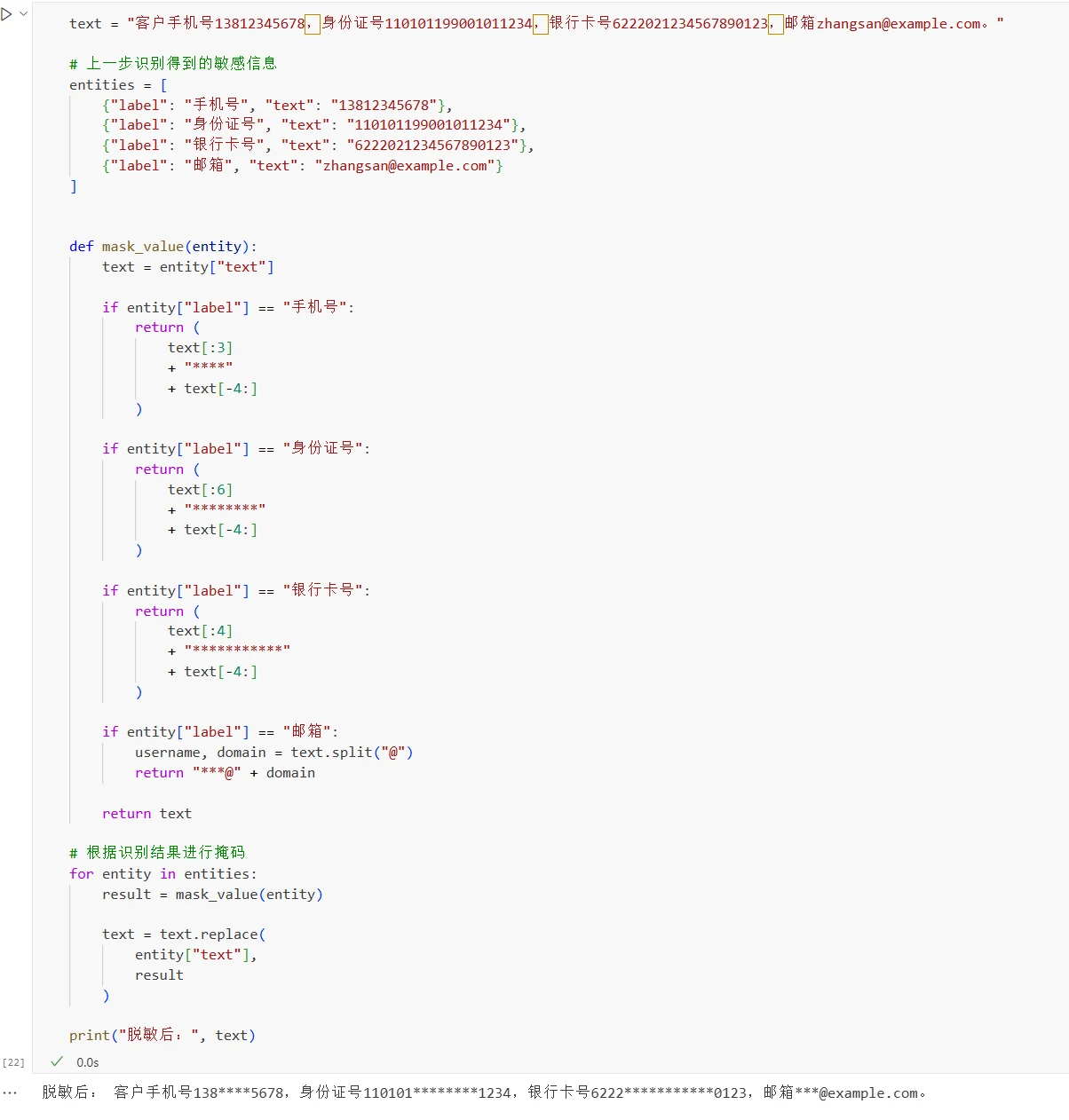
(2) Masking
Masking hides part of the sensitive content while preserving partial information, such as phone numbers, ID numbers, bank card numbers, and email addresses.
Processing code:
text = "Customer phone number 13812345678, ID number 110101199001011234, bank card number 6222021234567890123, email zhangsan@example.com."

# Sensitive information identified in the previous step
entities = [
    {"label": "phone", "text": "13812345678"},
    {"label": "id_number", "text": "110101199001011234"},
    {"label": "bank_card", "text": "6222021234567890123"},
    {"label": "email", "text": "zhangsan@example.com"}
]

def mask_value(entity):
    text = entity["text"]

    if entity["label"] == "phone":
        return (
            text[:3]
            + "****"
            + text[-4:]
        )

    if entity["label"] == "id_number":
        return (
            text[:6]
            + "********"
            + text[-4:]
        )

    if entity["label"] == "bank_card":
        return (
            text[:4]
            + "***********"
            + text[-4:]
        )

    if entity["label"] == "email":
        username, domain = text.split("@")
        return "***@" + domain

    return text

# Apply masking based on identification results
for entity in entities:
    result = mask_value(entity)

    text = text.replace(
        entity["text"],
        result
    )

print("After anonymization:", text)
Results:
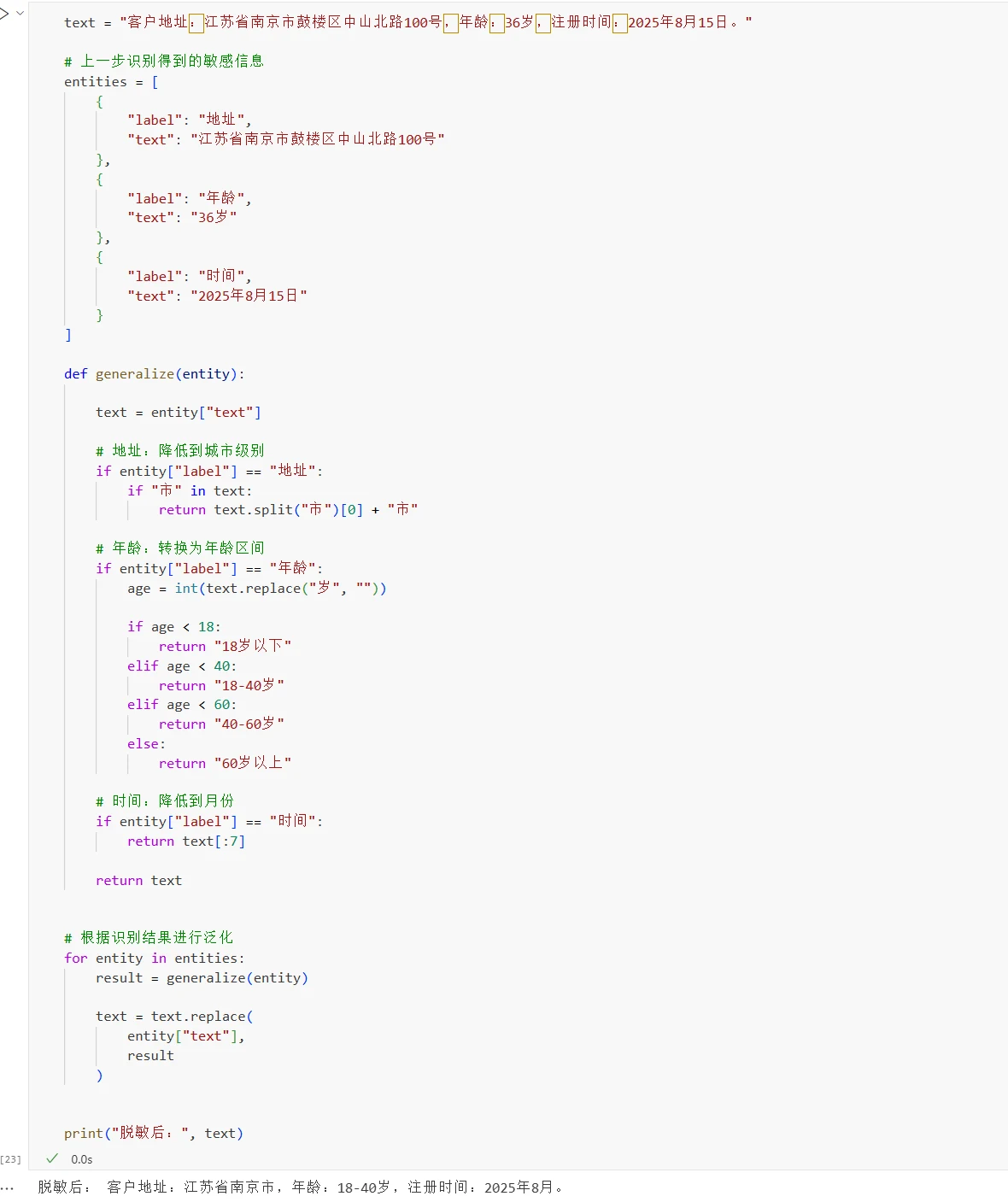
(3) Generalization
Generalization reduces information precision, reducing the ability to locate data to specific objects. It is commonly used for continuous information such as addresses, ages, and times.
Processing code:
text = "Customer address: No. 100 Zhongshan North Road, Gulou District, Nanjing, Jiangsu Province, age: 36, registration time: August 15, 2025."

# Sensitive information identified in the previous step
entities = [
    {
        "label": "address",
        "text": "No. 100 Zhongshan North Road, Gulou District, Nanjing, Jiangsu Province"
    },
    {
        "label": "age",
        "text": "36 years old"
    },
    {
        "label": "time",
        "text": "August 15, 2025"
    }
]

def generalize(entity):

    text = entity["text"]

    # Address: reduce to city level
    if entity["label"] == "address":
        if "City" in text:
            return text.split("City")[0] + "City"

    # Age: convert to age range
    if entity["label"] == "age":
        age = int(text.replace("years old", "")

        if age < 18:
            return "Under 18"
        elif age < 40:
            return "18-40"
        elif age < 60:
            return "40-60"
        else:
            return "Over 60"

    # Time: reduce to month level
    if entity["label"] == "time":
        return text[:7]

    return text

# Apply generalization based on identification results
for entity in entities:
    result = generalize(entity)

    text = text.replace(
        entity["text"],
        result
    )

print("After anonymization:", text)
Results:
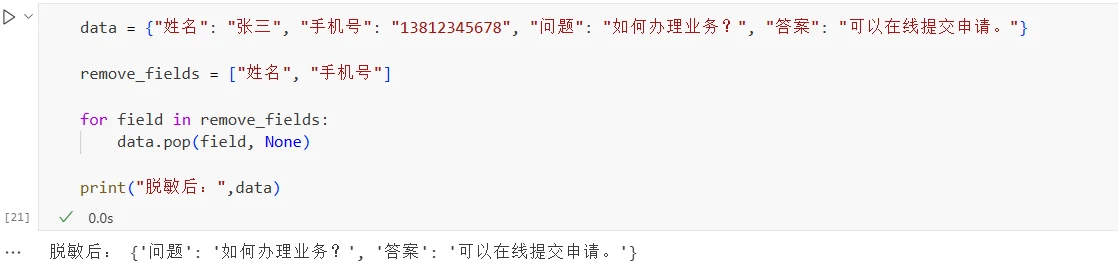
(4) Deletion
For sensitive fields unrelated to the training task, they can be deleted directly. If the training task only requires learning Q&A relationships, names and phone numbers can be deleted.
data = {"name": "Zhang San", "phone": "13812345678", "question": "How to handle the service?", "answer": "You can submit an application online."}

remove_fields = ["name", "phone"]

for field in remove_fields:
    data.pop(field, None)

print("After anonymization:", data)
Results:
In practice, the anonymization method needs to be selected based on the training task and data characteristics. When it is necessary to preserve associations between different samples, fixed replacement or random replacement with mapping can be used; when it is necessary to preserve partial information features, masking or generalization can be used; for sensitive information unrelated to the training task, it should be deleted directly.
Different business scenarios have different data characteristics, and specific anonymization rules need to be adjusted according to actual requirements. The code in this section is only for illustrating basic processing methods.
The Final Step: Organize into the Format Required for Training
After completing data processing, the data still needs to be organized into the corresponding format according to training framework requirements.
Instruction Tuning is a common fine-tuning method for large language models. Training data includes user instructions and the responses expected to be generated by the model, teaching the model how to complete tasks according to instructions.
Different training frameworks may use different data fields. Common instruction data formats mainly include Alpaca, ShareGPT, and Messages.
Alpaca Format
The Alpaca format has a simple structure, typically using three fields: instruction, input, and output. It is suitable for single-turn instruction data.
{
  "instruction": "Translate the following Chinese text into English",
  "input": "The weather is very nice today.",
  "output": "The weather is very nice today."
}
where: instruction represents the task the model needs to perform; input represents the input content needed to complete the task; output represents the response the model is expected to generate.
If the task itself does not require additional input, the input can also be empty.
For example:
{
  "instruction": "Introduce what machine learning is",
  "input": "",
  "output": "Machine learning is a method that allows computers to learn patterns from data."
}
This format has few fields and a clear structure, making it suitable for single-turn training tasks such as Q&A, classification, and text generation.
Messages Format
Another common approach is to use messages to store conversations, where each message contains two main fields: role and content.
For example:
{
  "messages": [
    {
      "role": "system",
      "content": "You are a professional customer service assistant."
    },
    {
      "role": "user",
      "content": "When will my order arrive?"
    },
    {
      "role": "assistant",
      "content": "Please provide the order number, and I will help you check."
    }
  ]
}
where system is used to set the model's role, task requirements, or response rules, user represents user input, and assistant represents the response the model is expected to generate.
The Messages format also supports multi-turn conversations. You only need to continue adding user and assistant messages in the actual conversation order.
For example:
{
  "messages": [
    {
      "role": "system",
      "content": "You are a professional customer service assistant."
    },
    {
      "role": "user",
      "content": "How to change the login password?"
    },
    {
      "role": "assistant",
      "content": "Go to the account settings page and select 'Change Password'."
    },
    {
      "role": "user",
      "content": "What if I forgot the original password?"
    },
    {
      "role": "assistant",
      "content": "You can select 'Forgot Password' on the login page, verify through phone number or email, and then reset the password."
    }
  ]
}
ShareGPT Format
ShareGPT is one of the common dialogue data formats in open-source large model training. It typically uses conversations to store complete dialogues and uses human and gpt to distinguish between users and the model.
For example:
{
  "conversations": [
    {
      "from": "human",
      "value": "Translate the following Chinese text into English: The weather is very nice today."
    },
    {
      "from": "gpt",
      "value": "The weather is very nice today."
    }
  ]
}
The ShareGPT format can also store multi-turn dialogues:
{
  "conversations": [
    {
      "from": "human",
      "value": "Help me write a leave email."
    },
    {
      "from": "gpt",
      "value": "Please tell me the leave time and reason."
    },
    {
      "from": "human",
      "value": "I have a cold and need two days of sick leave."
    },
    {
      "from": "gpt",
      "value": "Okay, here is a leave email..."
    }
  ]
}
How to Choose a Data Format
Alpaca, Messages, and ShareGPT formats are essentially describing the model's input and expected output, just with different field organizations.
You can choose based on the task type and training framework:
Data Format
Main Features
Suitable Scenarios
Alpaca
Organizes data using instruction, input, and output
Single-turn instructions, Q&A, classification
Messages
Uses messages to store conversations, distinguishes roles via role
Single-turn or multi-turn dialogues
ShareGPT
Uses conversations to store dialogues, distinguishes roles via from
Single-turn or multi-turn dialogues
Different formats can generally be converted to each other. For example, a piece of Alpaca data can be converted into a set of user and assistant messages, and the human and gpt in ShareGPT can also be converted to user and assistant respectively. During actual training, you should first confirm the data formats and model templates supported by the training framework, then organize the data according to the corresponding requirements.
Model code and related files: https://www.modelscope.cn/gallery/liucong/b41e2395-f795-400f-bafd-e53ed7f5c8ca