Although general-purpose large models have strong knowledge Q&A capabilities, in real-world enterprise applications, many questions involve internal product materials, technical documents, business policies, and operation manuals. This knowledge is typically not included in the model's training data and is continuously updated as the business evolves.
RAG (Retrieval-Augmented Generation) provides a solution that retrieves content related to the question from the enterprise knowledge base before the large model answers, and then provides the retrieved results to the large model to generate an answer.
The core idea of RAG can be summarized as: retrieve first, then answer. Traditional large model Q&A mainly relies on knowledge already learned within the model parameters. For example, when a user asks a question, the model directly generates an answer based on information learned during training. RAG adds a knowledge retrieval step to this process. When a user asks a question, the system first searches the external knowledge base for content related to the question, then sends both the user's question and the retrieved knowledge to the large model, which generates the final answer by combining this content.
A basic RAG flow can be represented as: User Question → Knowledge Retrieval → Retrieve Relevant Content → LLM Generates Answer → Return Result. RAG does not make the model re-learn this knowledge; instead, it temporarily provides the model with the reference materials needed for the current question when answering.
RAG is not required for all large model applications, but it is very common in scenarios such as enterprise knowledge Q&A, intelligent customer service, and document assistants.
If business knowledge requires continuous updates, RAG is generally suitable. For example, a company's product descriptions, business policies, and operation guidelines may be constantly adjusted. If this knowledge is written into the model through model training, retraining the model every time the knowledge changes is costly and difficult to maintain.
RAG allows direct updates to the external knowledge base. When documents change, you only need to reprocess the relevant documents and update the index, without retraining the entire large model. If answers need to provide source references, RAG is also well-suited. Since the model's answers are generated based on retrieved documents, it can simultaneously return document names, sections, page numbers, or original text snippets, letting users know where the answer comes from.
Both RAG and model fine-tuning can be used to improve the performance of large models in real-world business, but the two approaches solve problems differently. RAG mainly addresses the problem of "the model lacking relevant knowledge," while model fine-tuning mainly addresses the problem of "the model being unable to complete tasks as required."
Sign in to join the discussion
RAG does not modify the model's own parameters. Instead, before the model answers a question, it first retrieves content related to the question from the external knowledge base, then provides this content to the model as the basis for answering.
Model fine-tuning works differently. Fine-tuning requires using specific training data to further train the model, and during training, the model parameters are adjusted so the model gradually learns how to handle specific tasks. For example, the entity recognition task mentioned in Chapter 9 requires the model to output answers in a fixed format. When task requirements change significantly, new training data usually needs to be prepared and fine-tuning redone.
In practice, you can choose different methods based on the problem to be solved: when knowledge needs to be supplemented or updated, RAG is more suitable; when the model's task capabilities, output format, or behavior need to be adjusted, model fine-tuning is more suitable. RAG and model fine-tuning can also be used in combination. For example, fine-tuning can help the model master Q&A or instruction-following capabilities, and then RAG can provide domain-specific knowledge, enabling the model to both complete tasks according to business requirements and generate answers based on the latest domain knowledge.
A complete RAG system is generally divided into two main phases: knowledge base construction and online Q&A. Knowledge base construction is mainly responsible for processing raw materials such as PDFs, Word documents, Markdown files, and web pages into searchable knowledge. Online Q&A involves finding relevant content from the established knowledge base after the user asks a question. This experiment uses the publicly available "Regulations on the Implementation of the Road Traffic Safety Law of the People's Republic of China" as the document source to build a RAG system for road traffic safety law Q&A.
Enterprise knowledge is typically scattered across different file types such as PDFs, Word documents, Excel spreadsheets, Markdown files, and web pages. Due to significant differences in format and internal structure between different files, before building a RAG knowledge base, these documents usually need to be converted into unified, processable text or structured data. This process is called document parsing. For RAG systems, a good document parsing tool not only recognizes text characters but also identifies and preserves structural information from the original document, such as: document titles, paragraphs, tables, images, formulas, and more.
There are already many open-source tools available for document parsing, with the most common ones including:
1) MinerU is an open-source parsing tool designed for complex documents, capable of converting PDFs, images, Word documents, PPTs, Excel files, and other documents into machine-readable formats such as Markdown and JSON. It can recognize titles, body text, tables, images, formulas, and other content, and restore the document structure as much as possible following human reading order, making it well-suited as a document preprocessing tool in RAG systems, opendatalab/MinerU
2) MonkeyOCR is a document parsing project based on multimodal models that parses documents through structure recognition, content recognition, and relationship modeling. It can handle complex content such as text, tables, and formulas, and supports both Chinese and English documents. For PDFs with complex layouts where traditional text extraction tools perform poorly, this type of vision-model-based parsing approach can be considered, Yuliang-Liu/MonkeyOCR
3) Dolphin is a document image parsing model open-sourced by ByteDance that processes documents using an "analyze first, parse second" approach. It first identifies page layout and reading order, then further parses different types of document elements such as text, tables, formulas, and code. It is suitable for processing PDFs with complex layouts or scanned documents, ByteDance/Dolphin
4) PaddleOCR is an OCR and document parsing tool open-sourced by PaddlePaddle. In addition to common text recognition, it also provides layout analysis, table recognition, and structured document parsing capabilities, converting content from PDFs and images into structured data more suitable for downstream AI system processing. For scanned PDFs, image-based documents, and documents containing large amounts of Chinese text, PaddleOCR is a common choice, PaddlePaddle/PaddleOCR
Different document parsing tools each have their own characteristics, and no single tool is suitable for all documents. When actually building a RAG system, you can select an appropriate parsing tool based on factors such as document type, layout complexity, parsing accuracy, and deployment cost.
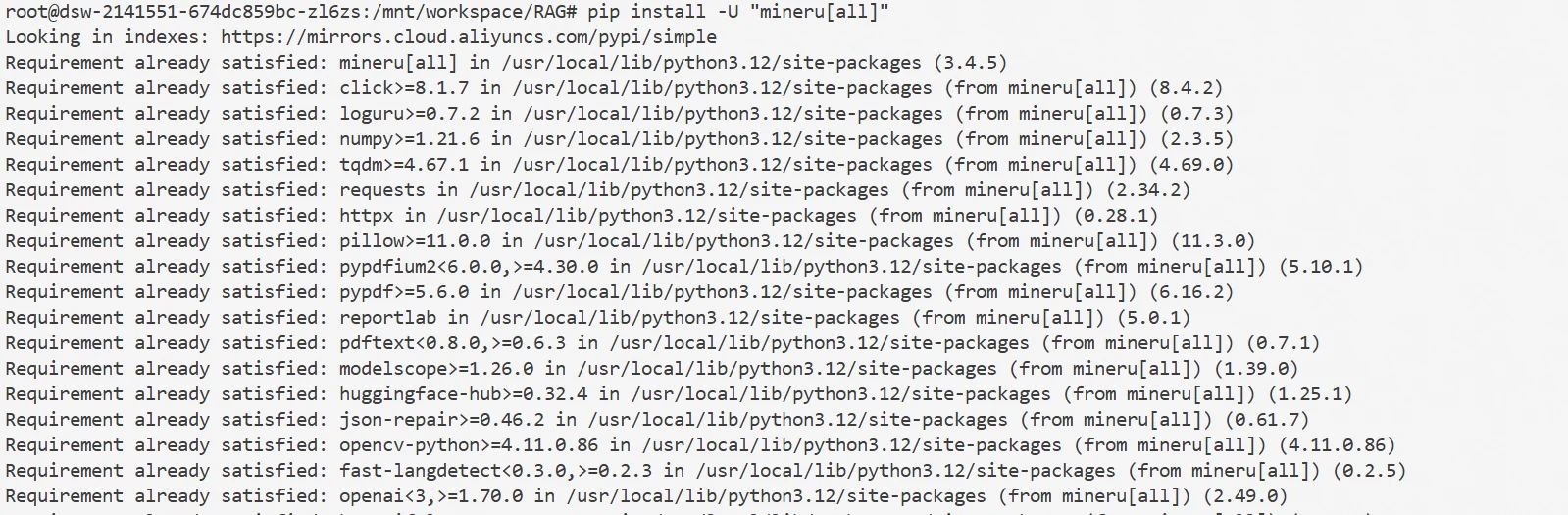
This experiment uses MinerU for document parsing. First, install MinerU in the ModelScope Notebook environment by running the following command:
pip install -U "mineru[all]"
After installation, you can directly parse documents by entering the file path to be parsed. Run the following command:
mineru -p /mnt/workspace/RAG/data -o /mnt/workspace/RAG/output
Where: -p is the input file path, and -o is the model output file path, which is the parsed text.
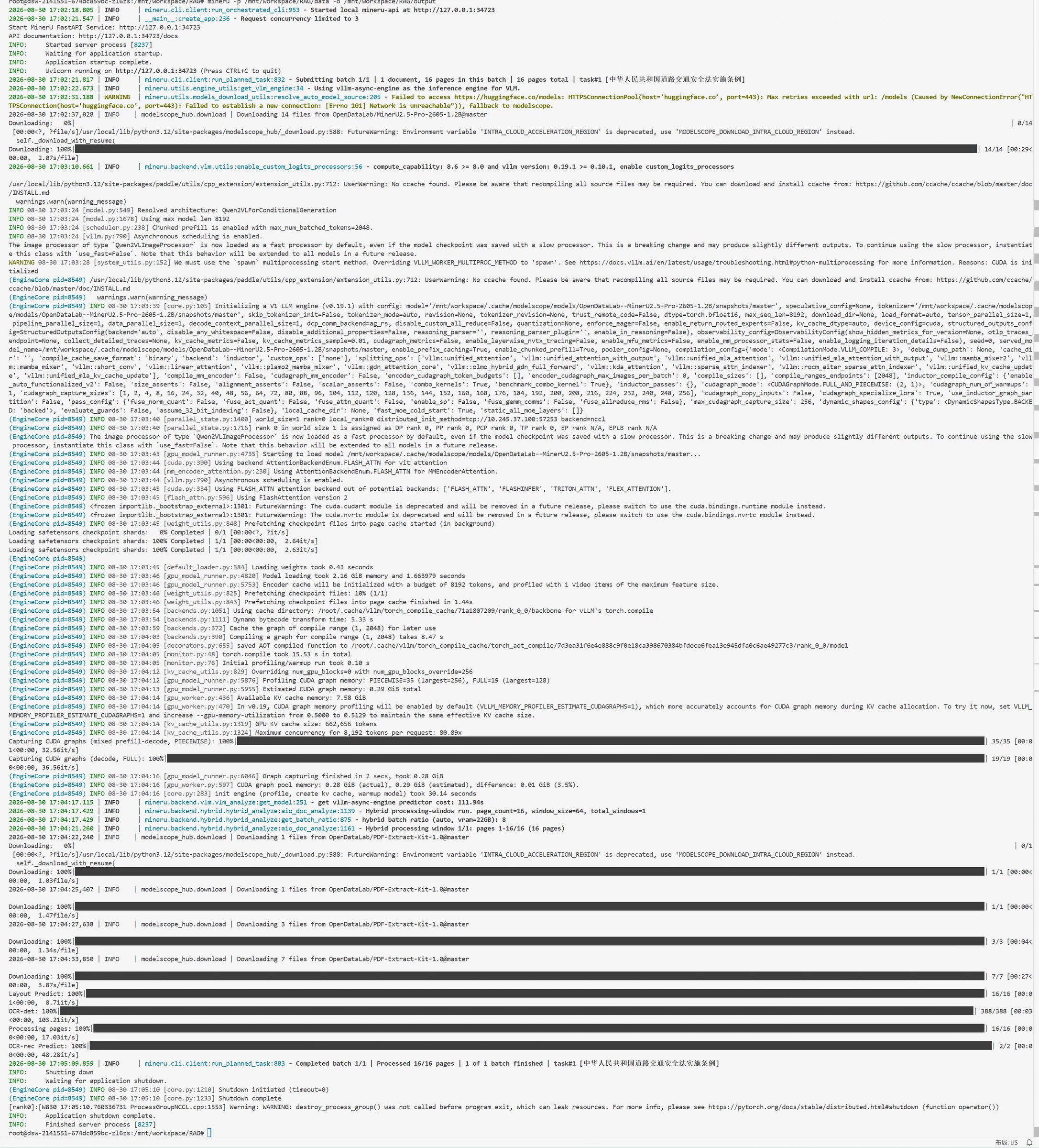
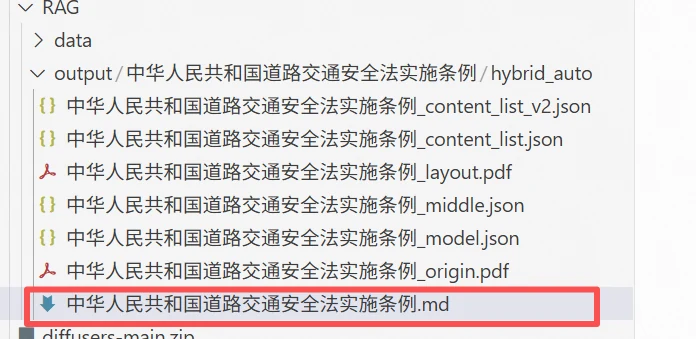
The parsed files are shown below, including many intermediate files that can be selected as needed. In this experiment, we choose the md file as the document source, which includes paragraph format information of the text.
After completing document parsing, longer documents need to be split into multiple smaller text segments, commonly referred to as Chunks. In RAG systems, Embedding and retrieval typically use Chunks as the basic unit, so proper document splitting helps improve the accuracy of subsequent retrieval.
For parsed Markdown documents, you can first split the content into paragraphs based on blank lines, then merge adjacent paragraphs sequentially according to the set chunk_size. When the content exceeds the specified length, a new Chunk is created.
To avoid context information loss at split points, you can also set chunk_overlap to retain a small amount of duplicate content between adjacent Chunks. For example: chunk_size = 500, chunk_overlap = 50 means each Chunk is controlled to approximately 500 characters, with adjacent Chunks retaining about 50 characters of overlapping content. After splitting, each Chunk can save information such as id, content, and file for subsequent vectorization, retrieval, and answer source localization.
Below is the code for splitting chunks:
import os
import json
def load_markdown(file_path):
    with open(file_path, "r", encoding="utf-8") as f:
        return f.read()

def split_markdown(text, chunk_size=500, chunk_overlap=50):
    """
    Split Markdown text into multiple Chunks
    chunk_size: approximately how many characters each Chunk contains
    chunk_overlap: how many duplicate characters to retain between adjacent Chunks
    """
    paragraphs = text.split("\n\n")

    chunks = []
    current_chunk = ""

    for paragraph in paragraphs:
        paragraph = paragraph.strip()
        if not paragraph:
            continue
        if len(current_chunk) + len(paragraph) <= chunk_size:
            if current_chunk:
                current_chunk += "\n\n" + paragraph
            else:
                current_chunk = paragraph

        else:

            if current_chunk:
                chunks.append(current_chunk)
            overlap_text = current_chunk[-chunk_overlap:] if current_chunk else ""

            current_chunk = overlap_text + "\n\n" + paragraph
    if current_chunk:
        chunks.append(current_chunk)

    return chunks

def save_chunks(chunks, source_file, output_file):
    """
    Save Chunks as JSONL file
    """
    file_name = os.path.basename(source_file)

    with open(output_file, "w", encoding="utf-8") as f:
        for i, chunk in enumerate(chunks):
            data = {"id": i,"content": chunk,"file": file_name
            }

            f.write(
                json.dumps(data, ensure_ascii=False) + "\n"
            )

if __name__ == "__main__":

    file_path = "./output/Regulations on the Implementation of the Road Traffic Safety Law of the People's Republic of China/hybrid_auto/Regulations on the Implementation of the Road Traffic Safety Law of the People's Republic of China.md"

    text = load_markdown(file_path)
    chunks = split_markdown(
        text,
        chunk_size=500,
        chunk_overlap=50
    )
    print("Chunk count:", len(chunks)
    save_chunks(
        chunks,
        source_file=file_path,
        output_file="output/chunks.jsonl"
    )
After execution, you can see that the previously parsed md file has been split into 39 chunks.

After completing document splitting, you need to further build a searchable document library. Since computers cannot directly search based on natural language semantics, an Embedding model is needed to convert each Chunk into a vector representation. Embedding models can map text to a high-dimensional vector space, where semantically similar text has vectors that are closer together in the space. Therefore, after a user asks a question, the question can also be converted into a vector, which is then compared with the Chunk vectors in the document library to retrieve the content most semantically relevant to the question.
The open-source community has already provided various Embedding models, such as BGE-M3 and Qwen3-Embedding. BGE-M3 is a multilingual Embedding model released by BAAI, supporting over 100 languages and text input up to 8192 Tokens. Compared to ordinary Dense Embedding models, BGE-M3 simultaneously supports dense retrieval, sparse retrieval, and Multi-Vector retrieval, making it suitable for both common vector semantic retrieval and hybrid retrieval scenarios FlagEmbedding.
Qwen3-Embedding is a text vector model series released by the Qwen team, built on the Qwen3 architecture, mainly targeting tasks such as text retrieval, text clustering, text classification, and code retrieval. Qwen3-Embedding provides different parameter scales including 0.6B, 4B, and 8B, which can be selected based on model performance and computational resources, while having good multilingual and long text processing capabilities Qwen3-Embedding.
This section uses Qwen3-Embedding-0.6B as the Embedding model for experimentation. Chapter 9 already introduced ms-swift; in addition to large model training and fine-tuning, ms-swift also supports training and inference for the Qwen3-Embedding series. Therefore, this section continues to use ms-swift to launch Qwen3-Embedding-0.6B, and completes vectorization of document Chunks and user questions through the API.
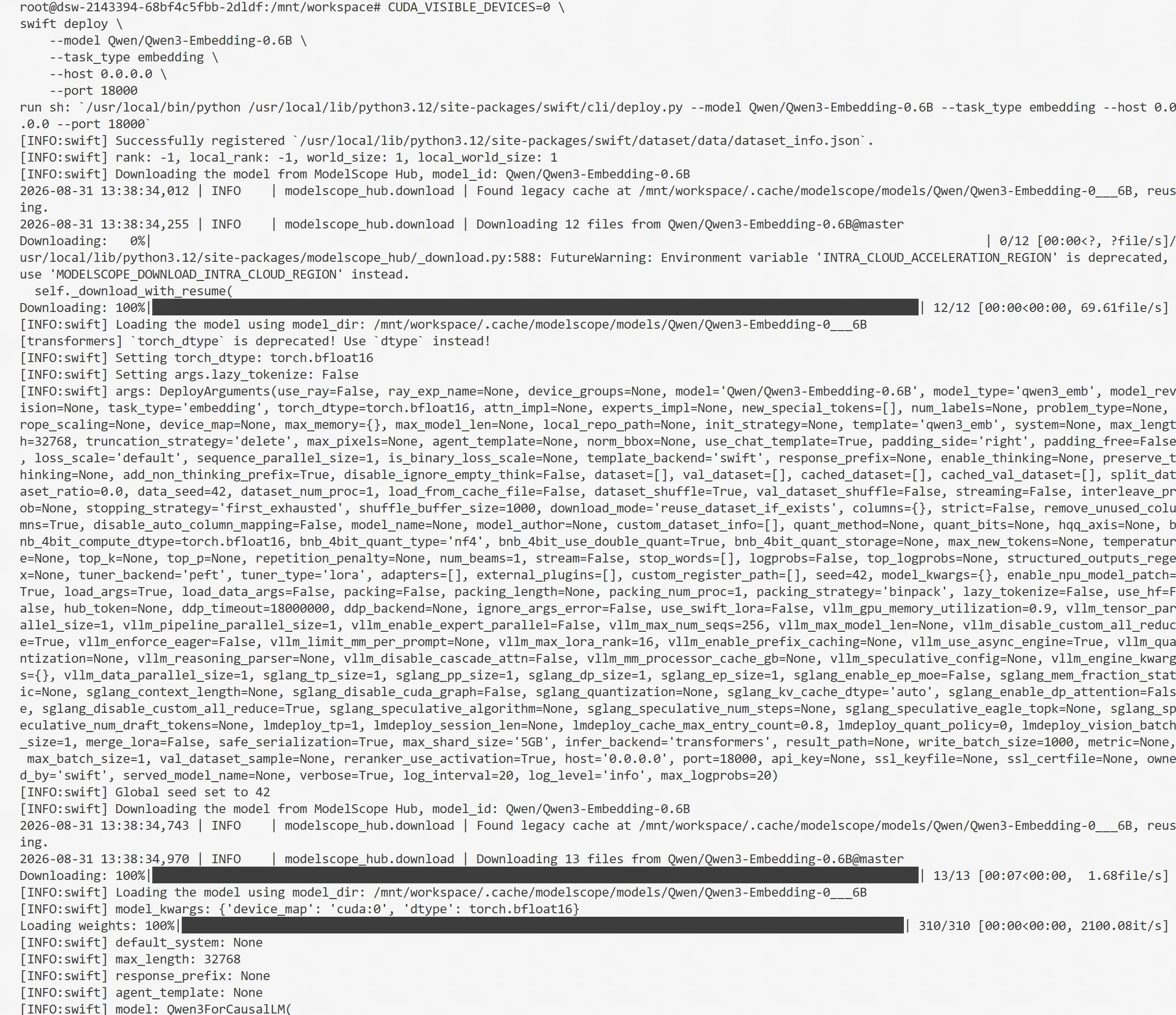
You can start the Embedding service using the following command:
CUDA_VISIBLE_DEVICES=0 \
swift deploy \
    --model Qwen/Qwen3-Embedding-0.6B \
    --task_type embedding \
    --vllm_gpu_memory_utilization 0.2 \
    --vllm_max_model_len 512 \
    --host 0.0.0.0 \
    --port 18000
After the service starts, the following information is displayed:
Commonly used vector retrieval tools include Faiss and Milvus. Faiss is an open-source vector similarity retrieval library from Meta, mainly used for efficient vector indexing and approximate neighbor search. It is simple to deploy, does not require starting a separate database service, and can be used directly in Python programs, making it well-suited for learning, experimentation, and small-to-medium-scale RAG systems. Milvus is a vector database designed for large-scale vector data. In addition to vector retrieval, it also provides data persistence, distributed storage, index management, and various query capabilities, making it more suitable for scenarios with large data scales, long-term operation, and production-level deployment. Compared to Faiss, Milvus has more complete functionality but a relatively more complex deployment and usage process.
This experiment uses Faiss for vector storage and similarity retrieval. First, install the faiss library by running the following command:
pip install faiss-cpu
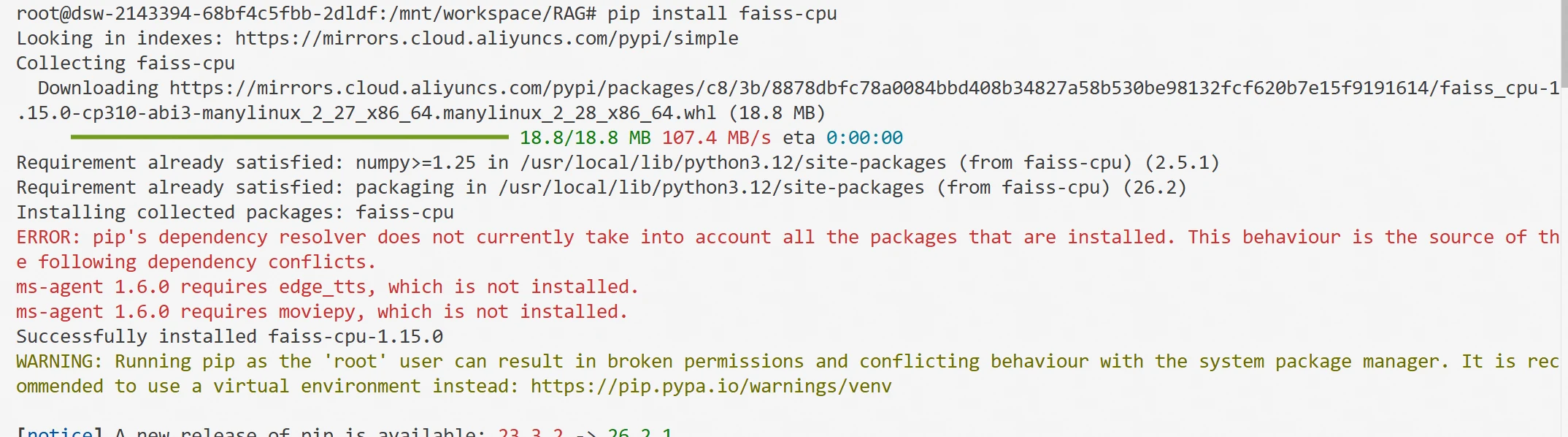
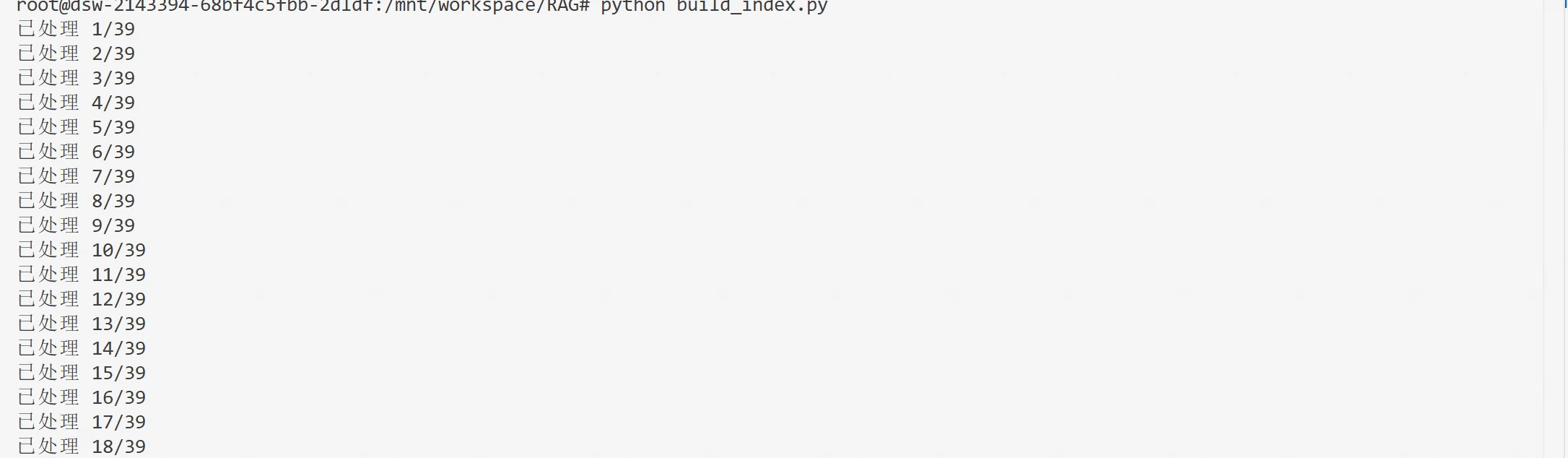
After installation, you can send the Chunks generated in the previous section to the Embedding API one by one to obtain the corresponding vectors, and establish a mapping between vectors and Chunk metadata such as id, content, and file. This enables fast similarity calculation and knowledge retrieval later.
Below is the index building code build_index.py:
import json
import requests
import numpy as np
import faiss

EMBEDDING_URL = "http://localhost:18000/v1/embeddings"
MODEL_NAME = "Qwen3-Embedding-0.6B"

def get_embedding(text):
    payload = {"model": MODEL_NAME,"input": text}
    response = requests.post(
        EMBEDDING_URL,
        json=payload,
        timeout=60
    )
    response.raise_for_status()
    data = response.json()
    embedding = data["data"][0]["embedding"]
    return np.array(embedding, dtype="float32")

def load_chunks(file_path):
    chunks = []
    with open(file_path, "r", encoding="utf-8") as f:
        for line in f:
            chunks.append(json.loads(line)
    return chunks
def build_faiss_index(chunks,index_path="faiss.index", metadata_path="metadata.json"):

    embeddings = []
    for i, chunk in enumerate(chunks):
        text = chunk["content"]
        embedding = get_embedding(text)
        embeddings.append(embedding)
        print(f"Processed {i + 1}/{len(chunks)}")
    embeddings = np.array(embeddings, dtype="float32")
    faiss.normalize_L2(embeddings)
    dimension = embeddings.shape[1]
    index = faiss.IndexFlatIP(dimension)
    index.add(embeddings)
    print("Vector count:", index.ntotal)
    print("Vector dimension:", dimension)
    faiss.write_index(index, index_path)
    with open(metadata_path, "w", encoding="utf-8") as f:
        json.dump(chunks,f,ensure_ascii=False,indent=2
        )
    print(f"Faiss index saved to: {index_path}")
    print(f"Chunk metadata saved to: {metadata_path}")

if __name__ == "__main__":

    chunks = load_chunks("output/chunks.jsonl")

    build_faiss_index(
        chunks,
        index_path="output/faiss.index",
        metadata_path="output/metadata.json"
    )
After execution, the corresponding index files and vectors are output.
Embedding models can convert user questions and document Chunks into vectors respectively, and perform retrieval based on the distance or similarity between vectors. The advantage of this approach is that document vectors can be pre-computed and stored, and when a user asks a question, only one question vector needs to be computed to quickly recall relevant content from a large number of documents. However, this efficient retrieval method also has certain limitations. Embedding models encode Queries and Chunks separately, and when computing relevance, they compare the similarity of two vectors in the vector space. Reranker models use interactive matching. By inputting both the Query and candidate Chunk into the model simultaneously, the model directly analyzes the relevance between the two text segments, enabling more detailed semantic matching.
Therefore, in RAG systems, a two-stage retrieval approach of Embedding recall + Reranker re-ranking is typically used: first, Embedding is used to quickly screen a batch of candidate results from a large number of Chunks, then Reranker is used to perform more precise relevance judgment and re-ranking on a small number of candidate results. This ensures retrieval efficiency while further improving the quality of context ultimately provided to the large language model.
This section uses Qwen3-Reranker-0.6B as the re-ranking model, and you can use ms-swift to start the service:
CUDA_VISIBLE_DEVICES=0 \
swift deploy \
    --model Qwen/Qwen3-Reranker-0.6B \
    --task_type generative_reranker \
    --infer_backend transformers \
    --host 0.0.0.0 \
    --port 18001
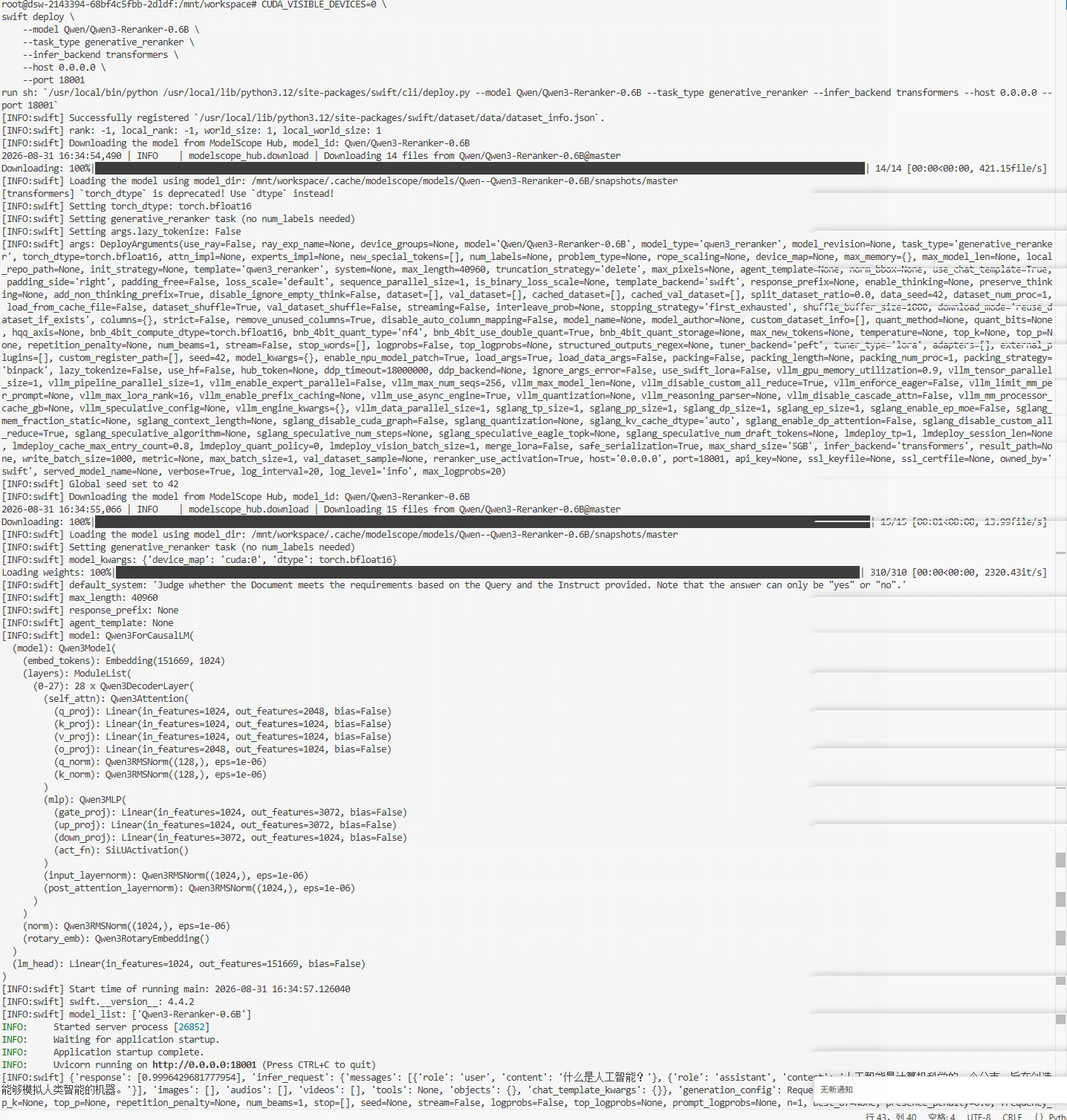
After the service starts, you can input the user question and candidate Chunks retrieved by Embedding into the Reranker, re-rank them based on the relevance scores calculated by the model, and select the top-ranked Chunks as reference content for the subsequent large language model answer generation.
The Embedding service, Reranker service, and Faiss vector index construction have been completed above. Based on this, candidate Chunks are screened using the two-stage retrieval approach of Embedding recall + Reranker re-ranking.
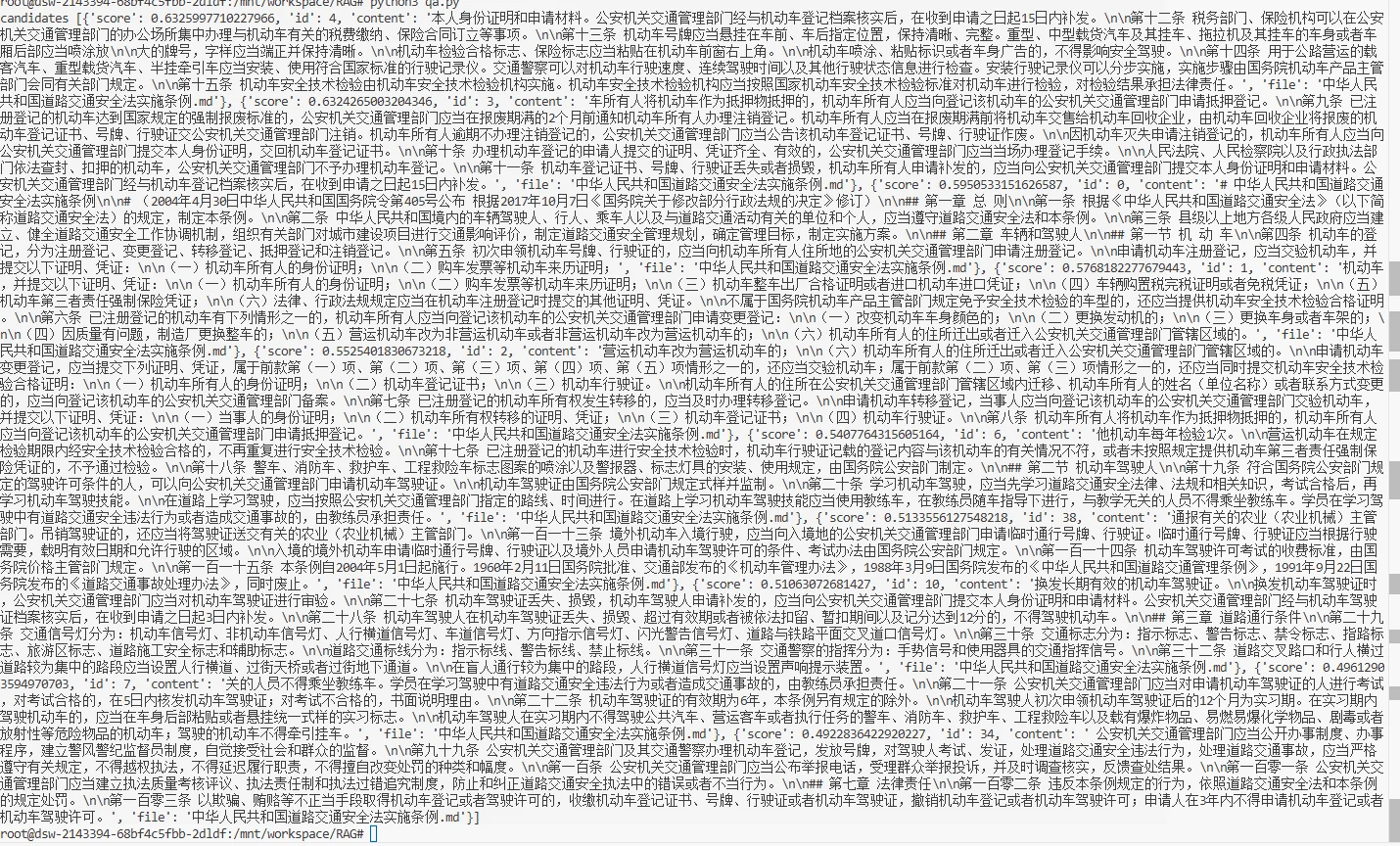
In the first stage, Faiss is used for vector retrieval from the knowledge base. First, the top 10 candidate Chunks by similarity ranking are obtained. Below are the top 10 vector retrieval results for the question: "For initial motor vehicle license plate and driving license application, which department should be approached for registration?"
import json
import faiss
from build_index import get_embedding
def load_faiss_index(index_path="faiss.index",
                     metadata_path="metadata.json"):

    index = faiss.read_index(index_path)

    with open(metadata_path, "r", encoding="utf-8") as f:
        metadata = json.load(f)

    return index, metadata
def search(query,index,metadata,top_k=10):

    query_embedding = get_embedding(query)
    query_embedding = query_embedding.reshape(1, -1)
    faiss.normalize_L2(query_embedding)
    scores, indices = index.search(query_embedding,top_k)
    results = []
    for score, idx in zip(scores[0], indices[0]):
        if idx == -1:
            continue
        chunk = metadata[idx]
        results.append({
            "score": float(score),
            "id": chunk.get("id"),
            "content": chunk.get("content"),
            "file": chunk.get("file")
        })

    return results
index, metadata = load_faiss_index(
        "output/faiss.index",
        "output/metadata.json"
    )
query="For initial motor vehicle license plate and driving license application, which department should be approached for registration?"
candidates = search(
    query=query,
    index=index,
    metadata=metadata,
    top_k=10
)

print("candidates",candidates)
In the second stage, Reranker is used to re-rank the candidate results. The user question and recalled candidate Chunks are submitted to the Reranker, which recalculates the relevance scores between them and sorts them from highest to lowest.
def rerank(query, candidates):
    results = []
    for candidate in candidates:
        response = rerank_client.chat.completions.create(
            model="Qwen3-Reranker-0.6B",
            messages=[
                {
                    "role": "user",
                    "content": query
                },
                {
                    "role": "assistant",
                    "content": candidate["content"]
                }
            ]
        )

        score = response.choices[0].message.content[0]
        item = candidate.copy()
        item["rerank_score"] = float(score)
        results.append(item)
    results.sort(
        key=lambda x: x["rerank_score"],
        reverse=True
    )
    for rank, item in enumerate(results, start=1):
        item["rerank_rank"] = rank

    return results
Below are the results after re-ranking by the Reranker model for the question: "For initial motor vehicle license plate and driving license application, which department should be approached for registration?"
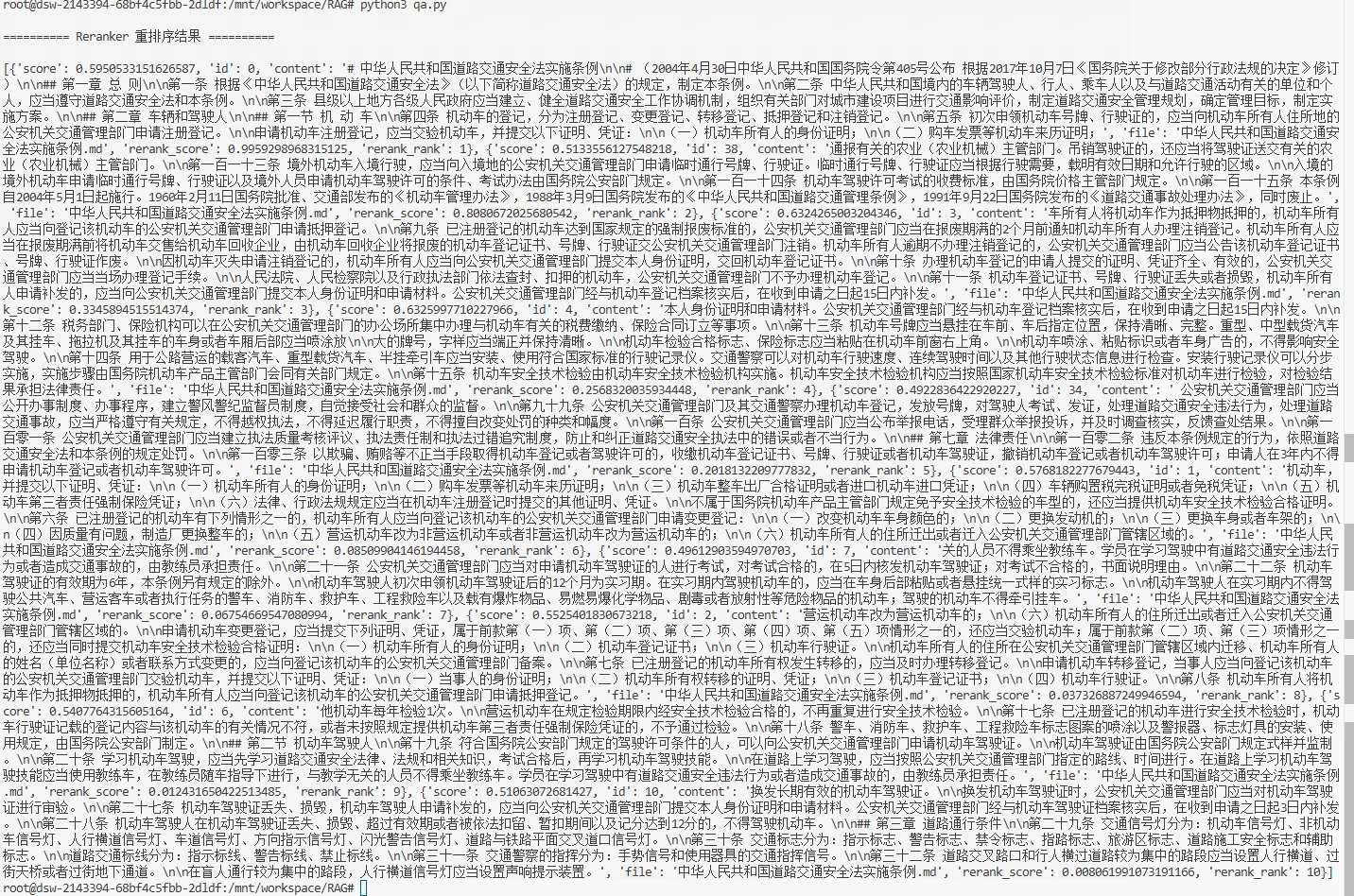
From the two results above, it can be seen that after re-ranking, the Chunk order has changed significantly. In practical projects, adjustments can be made based on knowledge base size, Chunk length, question complexity, and actual retrieval performance. For example, for questions whose answers are distributed across multiple document fragments, you canappropriately increase the number of Chunks retained in the final results; you can also set a relevance threshold based on Reranker scores to further filter out low-relevance content. In addition to the above approach, practical RAG systems can also use hybrid retrieval (Hybrid Search), combining vector retrieval with keyword retrieval methods like BM25, fusing results from multiple recall routes before re-ranking.
After completing retrieval and re-ranking, several Chunks with high relevance to the user's question have been obtained. Next, these contents need to be submitted to the LLM along with the user's question as reference material. If relevance meets the requirements, the retrieved content is submitted to the large language model to generate an answer; if no sufficiently relevant content is found in the knowledge base, a refusal response is returned directly, avoiding the model generating answers without sufficient basis.
First, start the large model service in the Notebook. This experiment uses the Qwen3-4B model, started as follows:
CUDA_VISIBLE_DEVICES=0 swift deploy \
  --model Qwen/Qwen3-4B \
  --load_args false \
  --infer_backend vllm \
  --enable_thinking false \
  --host 0.0.0.0 \
  --port 18002 \
  --api_key 123 \
  --vllm_gpu_memory_utilization 0.8 \
  --vllm_max_model_len 8000 \
  --max_new_tokens 2000
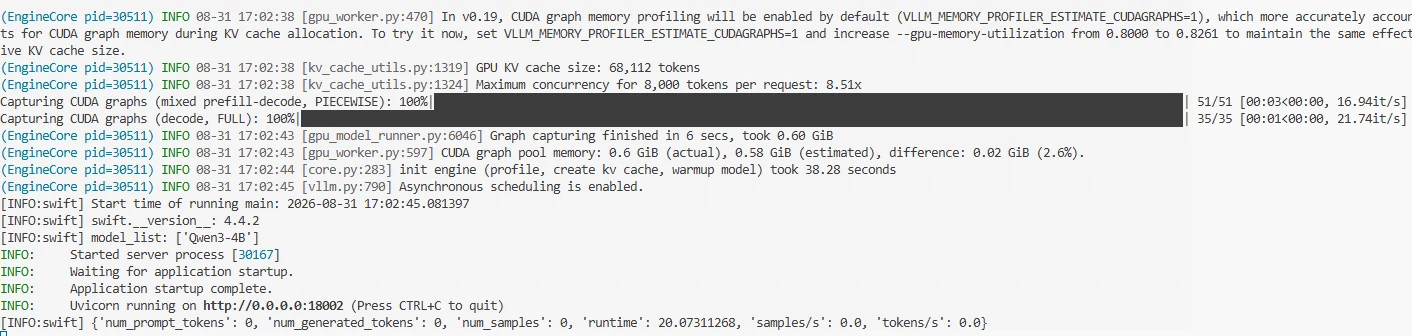
After startup, the following is displayed, indicating the model has started successfully. After the service starts, you can call Qwen3-4B through port 18002.
The Reranker adjusts the ranking based on the relevance between the user's question and candidate Chunks. This experiment directly selects the top 5 ranked Chunks as reference material for the LLM. To make the model answer as much as possible based on the knowledge base content, the answer scope can be clearly defined in the Prompt. Meanwhile, when the provided reference material cannot answer the user's question, the model is required to directly refuse to answer rather than supplementing the answer with its own knowledge. The prompt is as follows:
prompt = f"""
Please answer the user's question based on the reference material below.

Reference material:
{context}

User question:
{query}

Requirements:
1. Answer the question only based on the reference material;
2. Answer accurately and concisely;
3. Do not supplement information not present in the reference material;
4. If the reference material cannot answer this question, please answer:
   "This question cannot be answered with the current knowledge base."
"""
After the large model generates an answer, in addition to returning the final answer to the user, it can also return the document sources referenced for this answer. For enterprise knowledge Q&A scenarios, source information helps users understand which knowledge base documents the answer comes from, and when further confirmation is needed, they can return to the original document to view the relevant content. Source information does not need to be generated by the large model, but is directly obtained from the metadata of the retrieval results. When constructing the knowledge base earlier, each Chunk retained its corresponding file field, so file names can be extracted from the top 5 Reranker-ranked Chunks, and duplicate files can be deduplicated.
Below is the core code for calling the large model to implement Q&A:
llm_client = OpenAI(
    api_key="123",
    base_url="http://127.0.0.1:18002/v1"
)
LLM_MODEL = "Qwen3-4B"

def generate_answer(query, top_chunks):

    context = "\n\n".join(
        [
            f"[Reference{i + 1}]\n{item['content']}"
            for i, item in enumerate(top_chunks)
        ]
    )
    prompt = f"""
Please answer the user's question based on the reference material provided below.

Reference material:
{context}

User question:
{query}

Requirements:
1. Answer the question only based on the content in the reference material;
2. The answer should be accurate and concise, do not supplement information not present in the reference material;
3. If there is no answer related to the question in the reference material, please answer:
   "This question cannot be answered with the current knowledge base."
"""
    response = llm_client.chat.completions.create(
        model=LLM_MODEL,
        messages=[{"role": "user","content": prompt }],
        temperature=0.1,
        max_tokens=512
    )

    return response.choices[0].message.content
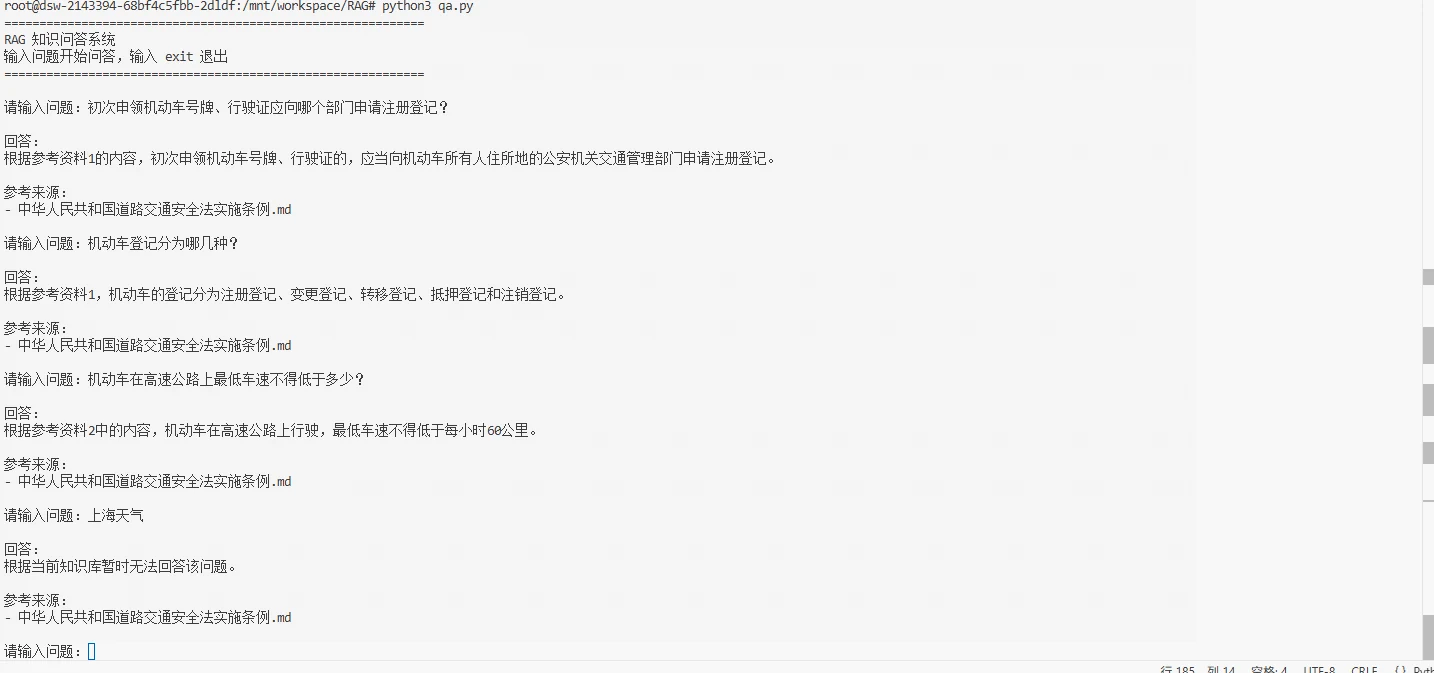
At this point, an enterprise Q&A assistant has been built. Below we can perform a simple test in the terminal, with the test results as follows:
After completing the RAG system, evaluation is needed to determine whether the entire Q&A process is truly effective. Unlike ordinary large model Q&A, RAG results are affected by both the knowledge retrieval and answer generation stages. Therefore, RAG evaluation usually needs to be conducted from both aspects separately.
The evaluation criterion for the retrieval stage is whether the user's question can find an answer in the recalled Chunks. The commonly used metric is Recall@K. Recall@K is a relatively intuitive metric used to measure how many relevant documents the top K retrieval results cover:
Recall@K: Whether the correct document appears in the top K retrieval results.
Recall@K =
\frac{\text{Number of relevant documents retrieved in Top K}}
{\text{Total number of relevant documents}}
For example, if a question corresponds to 2 correct knowledge fragments, and both are found in the top 5 retrieval results, then Recall@5 is 100%.
Retrieving relevant knowledge does not necessarily mean the final answer is correct. It is also necessary to further evaluate the LLM's generation results. The generation stage can focus on answer accuracy, completeness, relevance, citation accuracy, and hallucination. This part can refer to Section 12.3 "Generation Task Evaluation Metrics" in Chapter 12. Through these metrics, you can determine whether the model can accurately use retrieved knowledge to generate answers, and further discover issues such as answer omissions, content deviation, or unsupported generation. In practical applications, if retrieval results are already quite accurate but generation performance still cannot meet requirements, you can consider choosing a model with stronger capabilities and larger parameter scale as the RAG generation model to improve the understanding and answering ability for complex questions.
The code and related files for this chapter can be found at: https://modelscope.cn/gallery/liucong/a895ace8-420c-4421-ba43-4e3194392a95