In the past, creating a product promotional poster typically required multiple steps such as material preparation, background design, product layout, text addition, and size adjustment. If the same product needed to be deployed on multiple platforms, designers often had to re-adjust the image for different dimensions.
Now, through technologies like text-to-image, image-to-image, local editing, and model fine-tuning, we can connect creative generation, product design, image modification, and size adaptation to form a relatively complete marketing content production workflow.
For example, to create a "Summer Marketing" themed poster for a beverage, with elements like ice cubes, water splashes, lemons, and green leaves, we can first quickly generate an initial marketing image through text description, then edit it with the product image (image-to-image), add the brand logo, and continue modifying local elements as needed. Finally, the same marketing image can be expanded to different sizes for use on social media, short videos, and web ads for different scenarios.
This chapter will use the FRESH DAY summer beverage marketing image as an example to introduce how to build a simple AIGC marketing content production line based on open-source image generation models in ModelScope. The experiment starts with text-to-image, then introduces image-to-image, product subject preservation, local editing, size adaptation, and brand style LoRA.
Text-to-Image (Text-to-Image) refers to generating images directly from text descriptions. Users do not need to prepare complete design materials; they only need to describe the desired image content through a Prompt, such as theme, subject, background, color, composition, and visual style. The model can generate corresponding images based on this information.
For marketing content production, text-to-image is more suitable for creative exploration and initial visual scheme generation. For example, before creating a summer beverage poster, we can first tell the model requirements like "refreshing summer atmosphere, ice cubes, water splashes, lemons, blue-green tones, commercial photography style", allowing the model to quickly generate a complete marketing image. Compared to starting from a blank canvas, this approach can help see different creative schemes faster.
Currently, the open-source community provides various image generation models such as Stable Diffusion, FLUX, Qwen-Image, Z-Image-Turbo. There are differences among different models in aspects like image quality, Prompt understanding, text generation capabilities, and hardware resource requirements.
This section will use the Z-Image-Turbo model on ModelScope for the text-to-image experiment. The Turbo version focuses on optimizing generation efficiency, allowing image generation with fewer inference steps, so it is more suitable for individual developers and experimental environments with limited GPU resources.
Sign in to join the discussion
We use the DiffSynth-Studio framework for text-to-image, download DiffSynth-Studio
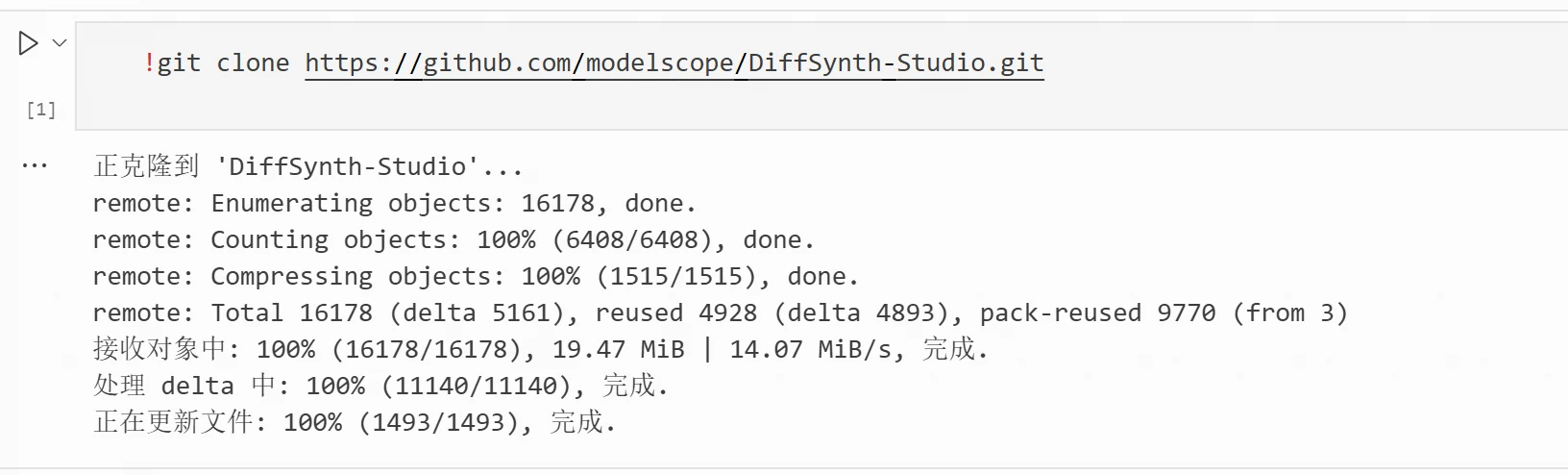
!git clone https://github.com/modelscope/DiffSynth-Studio.git
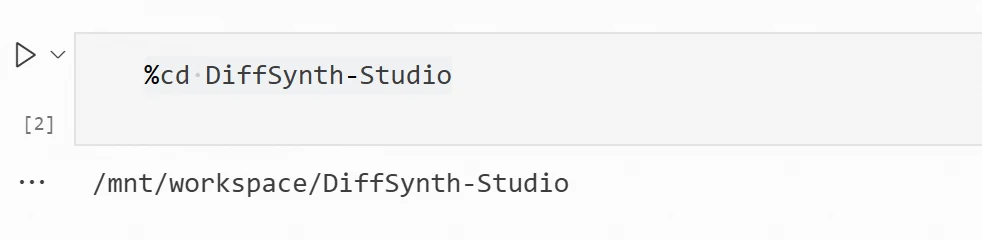
%cd DiffSynth-Studio
3) Install
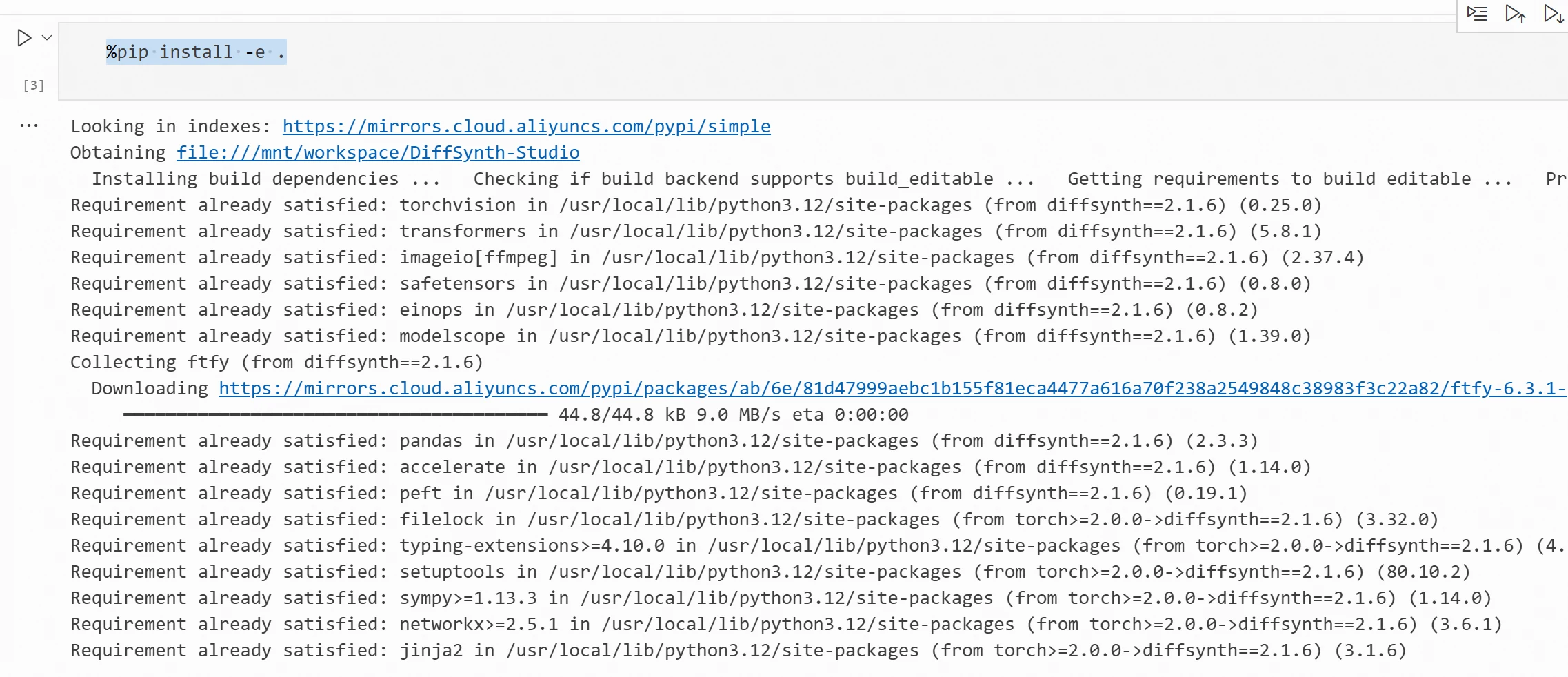
%pip install -e .
4) In the Cell unit, input the following code for text-to-image.
import torch
from modelscope import ZImagePipeline
pipe = ZImagePipeline.from_pretrained(
    "Tongyi-MAI/Z-Image-Turbo",
    torch_dtype=torch.bfloat16,
    low_cpu_mem_usage=False,
)
pipe.to("cuda")
print(f"Model device: {pipe.device}")

prompt = """ 夏日饮料商业宣传海报,
 清爽明亮的夏日氛围, 背景包含冰块、水花、柠檬和绿色树叶, 蓝绿色清爽色调, 商业广告摄影风格, 画面中央预留饮料商品展示区域, 背景简洁,光影自然, 高质量,细节清晰。 """
image = pipe(
    prompt=prompt,
    height=1024,
    width=1024,
    num_inference_steps=9,
    guidance_scale=0.0,
    generator=torch.Generator("cuda").manual_seed(42),
).images[0]

print("88888888888888888888888")
#display(image)
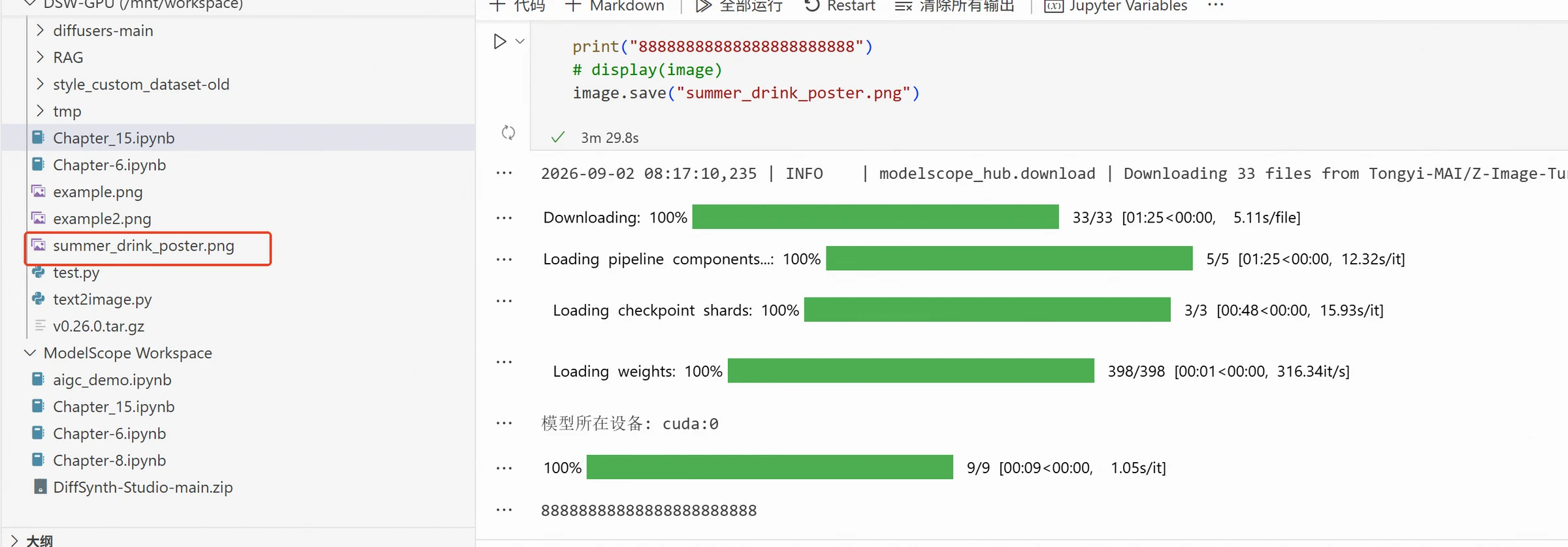
image.save("summer_drink_poster.png")
After execution, you can see the saved image in the workspace.
The generated image result is as follows:
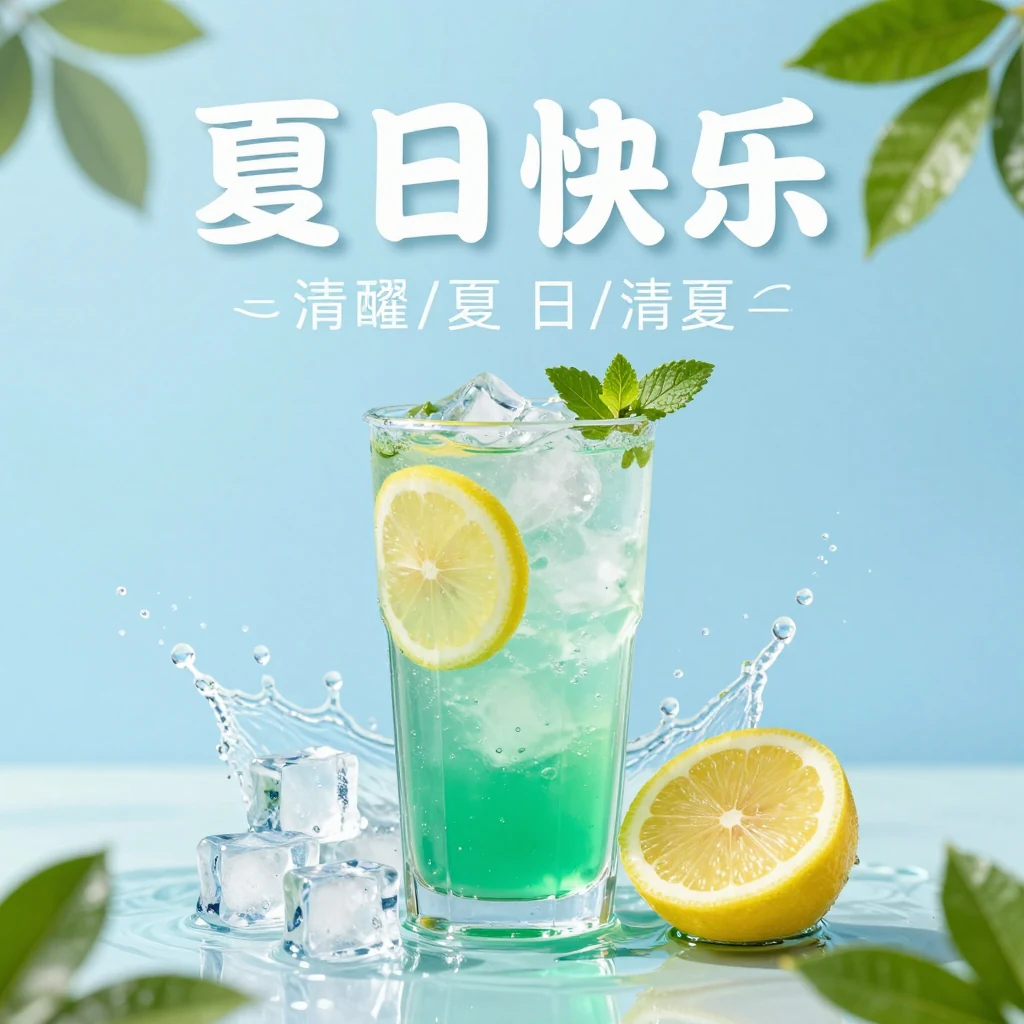
For beginners, you don't need to write a very complex Prompt at the beginning. As long as the requirements are described clearly, you can gradually add details based on the generated results.
Text-to-image is very suitable for quickly generating marketing creativity and background schemes, but it has a clear problem: if we directly ask the model to generate specific products, the product packaging, logo, and text may differ from the real product. In formal product marketing scenarios, we still need to further process with real product images.
Text-to-image mainly relies on text descriptions, while image-to-image (Image-to-Image) takes both a reference image and text description as input. The model can refer to the product subject, packaging, and composition in the original image, then adjust the background, lighting, and marketing elements based on the Prompt.
This section will use SenseNova-U1.5-8B-MoT as the image editing model. This model supports text-to-image and image editing tasks, can understand input images and text instructions simultaneously, and adjust specified content in the original image based on the Prompt. Compared to generating images solely based on text, SenseNova-U1.5-8B-MoT can utilize visual information from the input image, modify product packaging, background, color, and decorative elements while preserving the original subject and overall structure, making it more suitable for generating and editing product marketing images.
The experiment continues to use the image generated in the previous section as input, editing it with the image-to-image model. Based on the original beverage bottle subject and overall structure, we add the "FRESH DAY" brand logo to the bottle body and add summer elements like ice cubes, water splashes, and lemons to generate a more complete product marketing promotional image. The default loading method of SenseNova-U1.5-8B-MoT would cause insufficient VRAM, so low-VRAM loading is used in this code to reduce VRAM usage.
The code is as follows:
from diffsynth.pipelines.sensenova_u1_image import (
    SenseNovaU1ImagePipeline,
    ModelConfig
)
from PIL import Image
import torch
import os

MODEL_ID = "SenseNova/SenseNova-U1.5-8B-MoT"
INPUT_IMAGE = "/mnt/workspace/summer_drink_poster.png"
OUTPUT_IMAGE = "/mnt/workspace/drink_fresh_day_ad.png"

vram_config = {
    "offload_dtype": "disk",
    "offload_device": "disk",
    "onload_dtype": "disk",
    "onload_device": "disk",

    # Load to GPU only when actual computation is needed in BF16
    "preparing_dtype": torch.bfloat16,
    "preparing_device": "cuda",

    "computation_dtype": torch.bfloat16,
    "computation_device": "cuda",
}

print("Loading SenseNova-U1.5-8B-MoT...")

pipe = SenseNovaU1ImagePipeline.from_pretrained(
    torch_dtype=torch.bfloat16,
    device="cuda",

    model_configs=[
        ModelConfig(
            model_id=MODEL_ID,
            origin_file_pattern="model*.safetensors",
            **vram_config
        ),
    ],

    tokenizer_config=ModelConfig(
        model_id=MODEL_ID,
        origin_file_pattern="./"
    ),
    vram_limit=(
        torch.cuda.mem_get_info("cuda")[1] / (1024 ** 3)
        - 0.5
    ),
)

print("Model loaded.")

if not os.path.exists(INPUT_IMAGE):
    raise FileNotFoundError(
        f"Input image not found: {INPUT_IMAGE}"
    )

edit_image = Image.open(INPUT_IMAGE).convert("RGB")

print(
    f"Input image size: "
    f"{edit_image.width} × {edit_image.height}"
)

prompt = """
This is a beverage product image editing task.

Please generate a professional, refreshing summer beverage marketing advertisement image based on the input beverage bottle image.

Please focus on preserving the original beverage bottle subject.
Try to keep the original bottle shape, cap, packaging structure, bottle proportion, material texture, and overall product appearance. Do not re-generate or replace with another beverage bottle.
The beverage bottle should remain clear and complete, and be the visual center of the image.

On the label area of the beverage bottle, add a new brand identifier for this beverage: "FRESH DAY".

"FRESH DAY" is the brand name of this beverage.
Place the brand logo naturally on the bottle front, making it look like it was originally printed on the product packaging, rather than a regular text floating in the scene.

The brand logo adopts a clean, modern, and refreshing visual design style.
Use clear, prominent English font, and pair it with a simple small leaf graphic to convey a sense of nature, health, refreshment, and youthfulness.

"FRESH DAY" text should remain complete, clear, and easily recognizable.
Do not generate other brand names, do not add irrelevant text, and do not repeat "FRESH DAY" outside the bottle body.

Based on preserving the beverage bottle subject, optimize the surrounding marketing scene.

Add a few transparent ice cubes, refreshing natural water splashes, bottle condensation droplets, and a few fresh lemon slices around the beverage bottle to highlight the drink's cool, refreshing, and fresh feel.

Use bright, natural commercial product photography lighting to highlight the bottle's transparency, condensation droplets, and product texture.
Keep the background simple and clean, without adding too many complex elements.

Overall, the image adopts a fresh, bright, and high-end summer commercial advertisement style.
The composition should be concise, the subject prominent, and have the quality of real commercial product photography.

The final effect should resemble a professional summer marketing advertisement for a real beverage brand, rather than an illustration, cartoon, or redesigned beverage product.
"""

print("Generating summer beverage marketing image...")

image = pipe(
    prompt=prompt,

    # Original product image
    edit_image=edit_image,

    # Fixed random seed for experiment reproducibility
    seed=42,

    # 3:4 vertical marketing image
    height=1536,
    width=1152,

    num_inference_steps=50,
    cfg_scale=4.0,
    shift=3.0,
)

image.save(OUTPUT_IMAGE)

print(
    f"Generation complete, image saved to: {OUTPUT_IMAGE}"
)
Execution result:
The final generated effect image is:
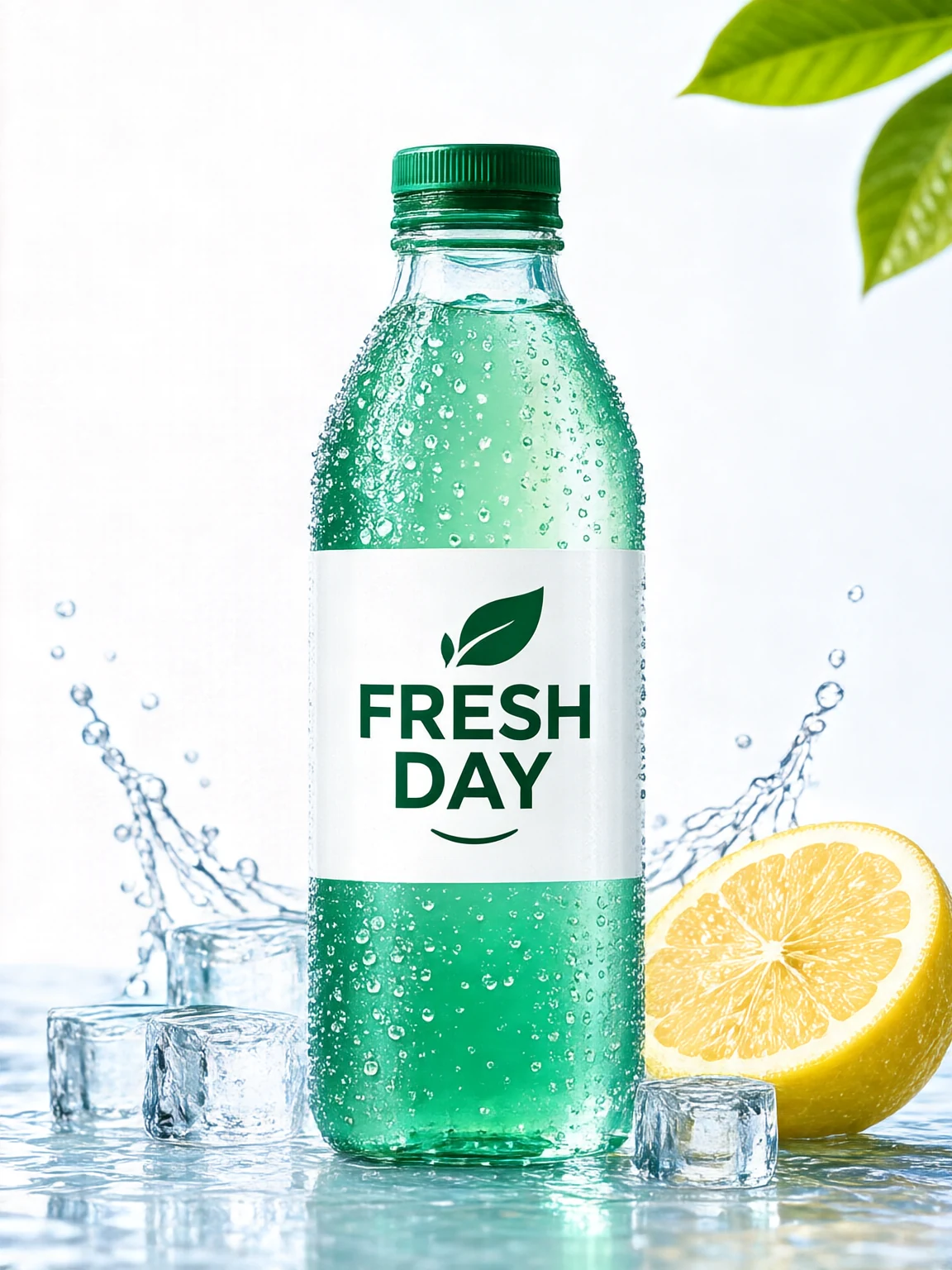
Compared to generating from scratch with text, image-to-image can utilize visual information from the original image, making it more suitable for scenarios where product materials or reference designs are available. As can be seen from the generated image above, there is still a gap between this and the desired image, even with the real product image provided. The model may also redraw parts of the product in actual scenarios. Further consideration of product subject preservation and local editing is needed in practical use.
In practical applications of product marketing images, besides追求 visual appeal, accuracy of product information needs to be ensured. The appearance of the beverage bottle, packaging structure, brand logo, etc., are typically core visual information of the product. If there are obvious changes during image editing, the generated image may not match the actual product. When using image generation models for editing, it's necessary to clearly distinguish between content to be preserved and content allowed to be modified. For example, we can ask the model to keep the beverage bottle, brand logo, and overall composition unchanged while only adjusting the background, decorative elements, or local objects. By clearly specifying these constraints in the Prompt, we can reduce the model's regeneration of the product subject, making the editing results more controllable.
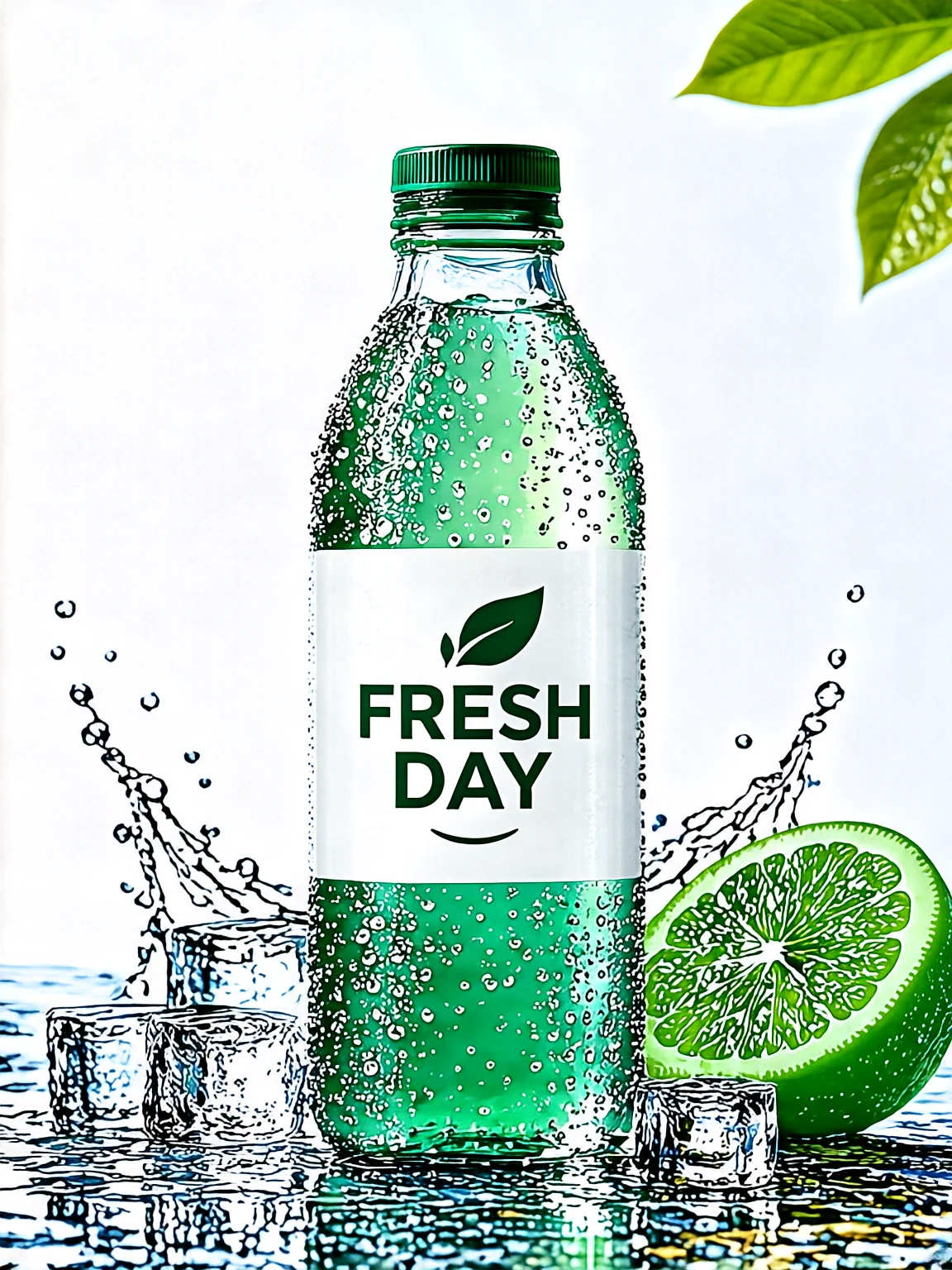
This section continues to use the FRESH DAY beverage marketing image generated in the previous section for local editing. While keeping the beverage bottle subject, brand logo, ice cubes, water splashes, and overall composition mostly unchanged, we modify the yellow lemon in the bottom right corner to a fresh green lime. Through this example, we can further understand how to use the Prompt for more controllable image editing.
from diffsynth.pipelines.sensenova_u1_image import (
    SenseNovaU1ImagePipeline,
    ModelConfig
)
from PIL import Image
import torch
import os

MODEL_ID = "SenseNova/SenseNova-U1.5-8B-MoT"
INPUT_IMAGE = "/mnt/workspace/drink_fresh_day_ad.png"
OUTPUT_IMAGE = "/mnt/workspace/drink_fresh_day_lime.png"

vram_config = {
    "offload_dtype": "disk",
    "offload_device": "disk",
    "onload_dtype": "disk",
    "onload_device": "disk",

    "preparing_dtype": torch.bfloat16,
    "preparing_device": "cuda",

    "computation_dtype": torch.bfloat16,
    "computation_device": "cuda",
}

print("Loading model...")

pipe = SenseNovaU1ImagePipeline.from_pretrained(
    torch_dtype=torch.bfloat16,
    device="cuda",

    model_configs=[
        ModelConfig(
            model_id=MODEL_ID,
            origin_file_pattern="model*.safetensors",
            **vram_config
        ),
    ],

    tokenizer_config=ModelConfig(
        model_id=MODEL_ID,
        origin_file_pattern="./"
    ),

    vram_limit=(
        torch.cuda.mem_get_info("cuda")[1] / (1024 ** 3)
        - 0.5
    ),
)

print("Model loaded.")

if not os.path.exists(INPUT_IMAGE):
    raise FileNotFoundError(
        f"Input image not found: {INPUT_IMAGE}"
    )

edit_image = Image.open(INPUT_IMAGE).convert("RGB")

print(
    f"Input image size: "
    f"{edit_image.width} × {edit_image.height}"
)

prompt = """
This is a local image editing task.

Please modify the yellow lemon in the bottom right corner of the image to a fresh green lime.

Keep the position, size, shape, cross-section structure, and placement angle of the fruit almost unchanged, mainly modifying the fruit's color and appearance to turn the yellow rind and flesh into a green lime naturally.

Do not modify any other content in the image except the lemon in the bottom right corner.

Strictly keep the beverage bottle subject unchanged, including the bottle shape, cap, bottle color, packaging structure, and overall proportion.

Keep the "FRESH DAY" brand logo on the bottle unchanged in terms of font, position, and label design.

Keep the original image's ice cubes, water splashes, condensation droplets, background green leaves, lighting effects, background color, and overall composition unchanged.

Only change the visual effect of the fruit in the bottom right corner, making it naturally change from a yellow lemon to a green lime, while maintaining the original style and commercial photography quality of the entire beverage marketing image.
"""

print("Starting local image editing...")

image = pipe(
    prompt=prompt,
    edit_image=edit_image,

    seed=42,
    height=1536,
    width=1152,

    num_inference_steps=50,
    cfg_scale=4.0,
    shift=3.0,
)

image.save(OUTPUT_IMAGE)

print(
    f"Local editing complete, image saved to: {OUTPUT_IMAGE}"
)
Code execution result:
The generated image is as follows, showing that the yellow lemon has been replaced with a green one, but other parts also changed. In practical use scenarios, we can improve the image generation effect by modifying the Prompt or deploying better models.
From vertical to horizontal: Try expanding and size adaptation
After completing a product marketing image, it often needs to be published on different platforms. Since platforms have different display forms, requirements for image size and aspect ratio also vary. Social media commonly uses 1:1 or 4:5 images, while short video platforms are more suitable for 9:16 vertical images. For web banners and horizontal ads, a 16:9 ratio is usually used. If we directly scale the original image, the product subject may be stretched or compressed. We can use image editing models to expand the image while keeping the product subject unchanged, adding background and decorative elements around the image according to the target aspect ratio.
Expanding an image is different from ordinary image scaling. It doesn't simply change the original image's width and height; instead, it generates new areas based on the original image's content and style. For example, when converting a vertical beverage marketing image to a 16:9 horizontal version, we can keep the beverage bottle's size and proportion almost unchanged while expanding the background, water splashes, ice cubes, and green leaves on both sides, making the new areas naturally connect with the original image.
This part still uses the FRESH DAY beverage marketing image edited in the previous section. By setting different output dimensions and requiring the model to keep the beverage bottle, brand logo, and overall visual style unchanged, we generate marketing images with different aspect ratios (1:1, 4:5, 9:16, 16:9) respectively, so that the same product material can adapt to different platforms and display scenarios. The code is as follows:
from diffsynth.pipelines.sensenova_u1_image import (
    SenseNovaU1ImagePipeline,
    ModelConfig
)

from PIL import Image
import torch
import os

MODEL_ID = "SenseNova/SenseNova-U1.5-8B-MoT"
INPUT_IMAGE = "/mnt/workspace/drink_fresh_day_lime.png"

OUTPUT_DIR = "/mnt/workspace/platform_images"

os.makedirs(OUTPUT_DIR, exist_ok=True)

vram_config = {
    "offload_dtype": "disk",
    "offload_device": "disk",
    "onload_dtype": "disk",
    "onload_device": "disk",

    "preparing_dtype": torch.bfloat16,
    "preparing_device": "cuda",

    "computation_dtype": torch.bfloat16,
    "computation_device": "cuda",
}

print("Loading model...")

pipe = SenseNovaU1ImagePipeline.from_pretrained(
    torch_dtype=torch.bfloat16,
    device="cuda",

    model_configs=[
        ModelConfig(
            model_id=MODEL_ID,
            origin_file_pattern="model*.safetensors",
            **vram_config
        ),
    ],

    tokenizer_config=ModelConfig(
        model_id=MODEL_ID,
        origin_file_pattern="./"
    ),

    vram_limit=(
        torch.cuda.mem_get_info("cuda")[1] / (1024 ** 3)
        - 0.5
    ),
)

print("Model loaded.")

edit_image = Image.open(INPUT_IMAGE).convert("RGB")

print(
    f"Original image size: "
    f"{edit_image.width} × {edit_image.height}"
)

platform_sizes = {
    # 1:1 square
    "square_1_1": (1024, 1024),

    # 4:5 vertical
    "portrait_4_5": (1024, 1280),

    # 9:16 vertical for short videos
    "vertical_9_16": (1152, 2048),

    # 16:9 horizontal
    "banner_16_9": (2048, 1152),
}

prompt = """
This is a product marketing image expansion and size adaptation task.

Strictly preserve the beverage bottle subject in the original image, including bottle shape, cap, bottle color, packaging labels, "FRESH DAY" brand logo, condensation droplets, and overall product appearance.

Recompose the image according to the new canvas ratio, making the beverage bottle always the core visual subject of the composition.

If the canvas becomes wider, naturally expand the background on both sides, adding consistent light-colored background, water splashes, ice cubes, green leaves, or fruit elements, maintaining a consistent commercial product photography style.

If the canvas becomes taller, naturally expand the top and bottom areas of the image, keeping the bottle's complete proportion without stretching or compressing the product subject.

New background and decorative elements should naturally connect with the original image, maintaining the original lighting direction, color,