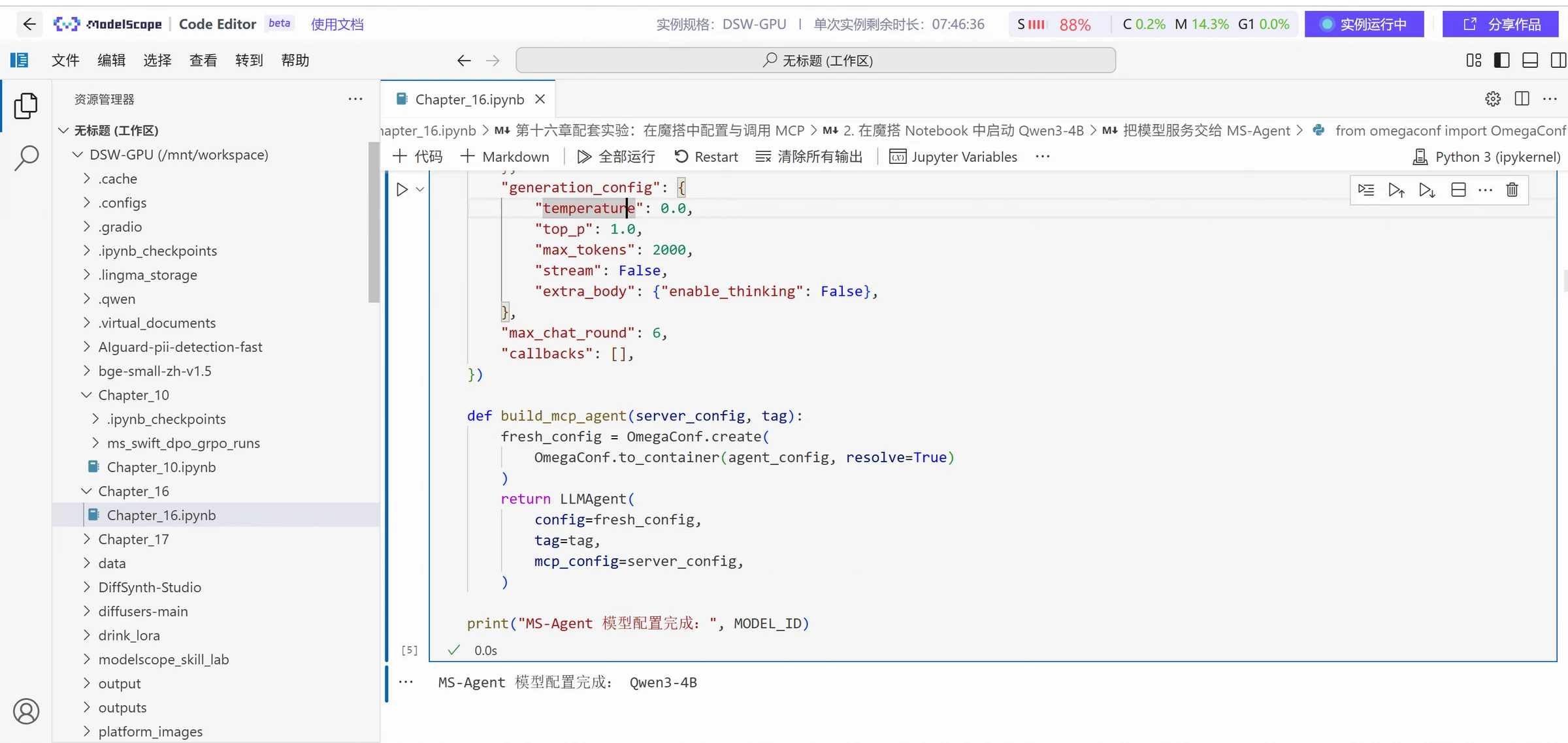
get_weather is the identifier displayed after MS-Agent combines the Server connection name and tool name. area and target_date are not pre-hardcoded call parameters, but structured parameters generated by Qwen3-4B based on "Hangzhou tomorrow." The relevant registration results are shown below.
Handling Tool Returns and Final Responses
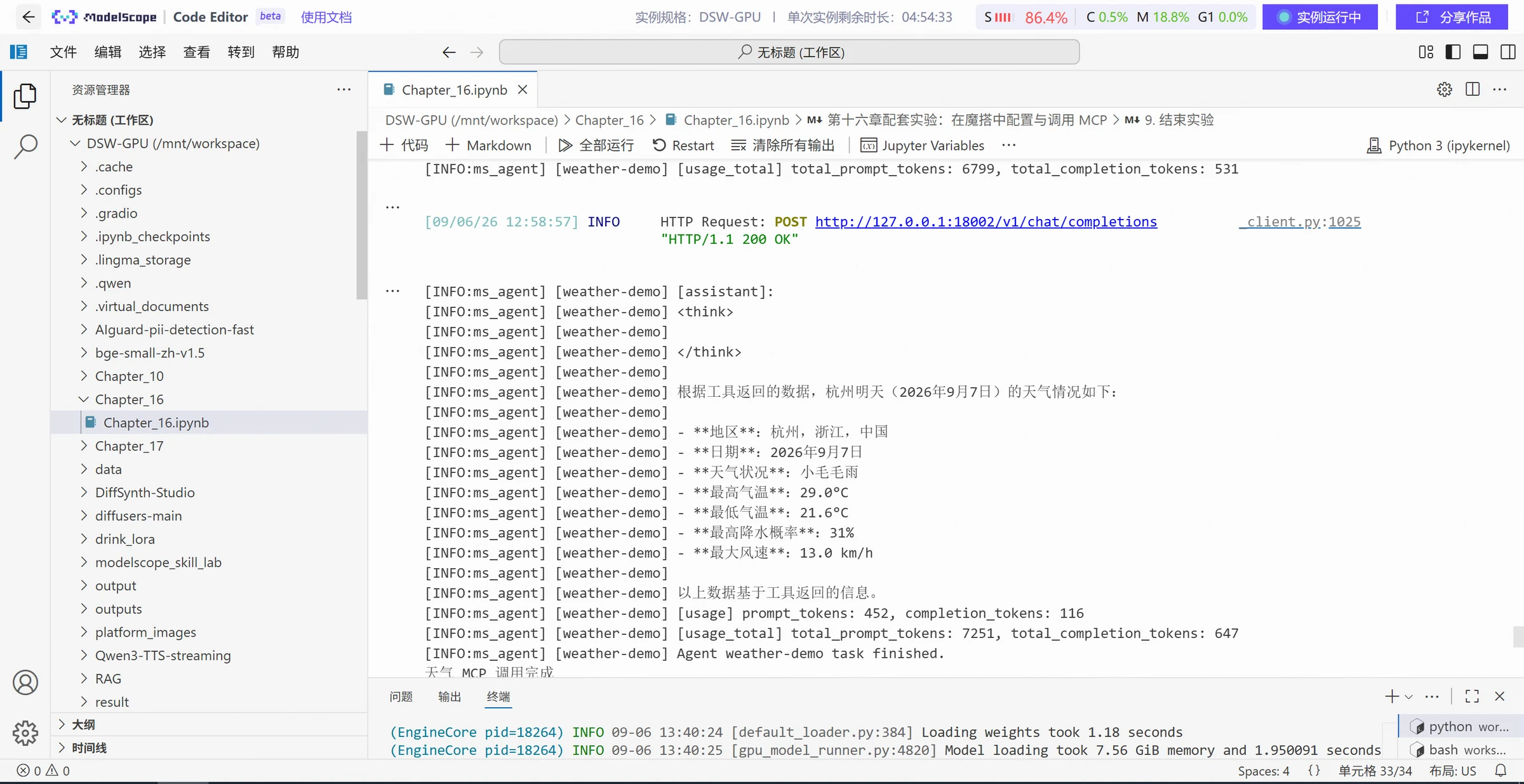
After the weather MCP receives the parameters, it parses "Hangzhou" to "Hangzhou, Zhejiang, China," converts tomorrow to September 7, 2026 based on the local timezone, and returns:
Qwen3-4B then generates a natural language response based on these results, listing the actually matched region, date, weather conditions, maximum and minimum temperatures, precipitation probability, and maximum wind speed. At this point, the call chain of "understanding the question — selecting tools — generating parameters — executing tools — processing results" is complete. Combined with the large model execution results as follows:
Calling the fetch Service in MCP Square
After completing hosting and configuration, first connect directly to the service and check the tool list. The following test sample website information is https://example.com.
async def direct_fetch_check():
    async with streamable_http_client(MCP_SERVER_URL) as streams:
        read_stream, write_stream, _ = streams
        async with ClientSession(read_stream, write_stream) as session:
            await session.initialize()
            tools = await session.list_tools()
            print("Tools returned by the server:", [tool.name for tool in tools.tools])
            result = await session.call_tool(
                "fetch",
                arguments={
                    "url": "https://example.com",
                    "max_length": 1000,
                    "start_index": 0,
                    "raw": False,
                },
            )
            if result.isError:
                raise RuntimeError(str(result.content)
            for block in result.content:
                if getattr(block, "type", None) == "text":
                    print(block.text)

await direct_fetch_check()
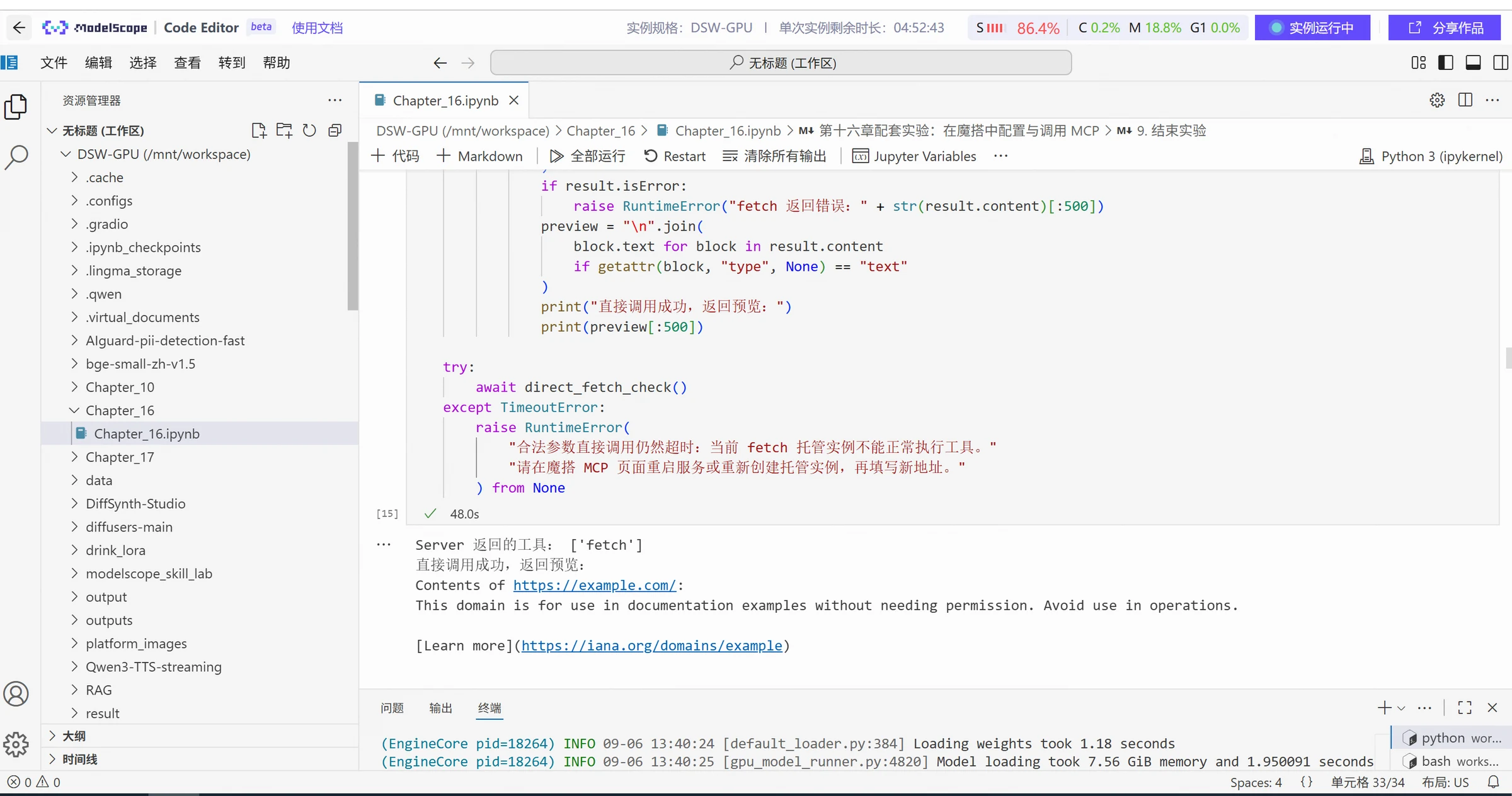
In actual execution, the Server exposes the fetch tool and returns content fragments and links from the target webpage. This demonstrates that the ModelScope hosting service, Streamable HTTP connection, and the webpage scraping tool itself all work. Directly connecting to the ModelScope hosted fetch service, discovering tools, and returning webpage content is shown below.
After successful direct calls, reuse the previously configured Qwen3-4B to let the model autonomously select tools:
fetch_agent = LLMAgent(
    config=agent_config,
    tag="fetch-demo",
    mcp_config=mcp_config,
)

await fetch_agent.run(
    "Please use the web scraping tool to read https://example.com."
    "Set max_length to 1000 when calling, and return a summary of the main purpose of the page body and the first link."
    "Use only the content returned by this tool; if the call fails, state that clearly and do not make things up."
)
The experiment log shows that MS-Agent successfully connected to the Server named fetch, Qwen3-4B selected fetch---fetch and generated the following parameters:
After the tool returns the webpage content, the model explains that this domain is used for documentation examples and provides the first link returned by the tool. When checking such results, you should separately verify the model-generated parameters, the original tool return, and the final response. Using Qwen3-4B to generate fetch tool call parameters, tool return content, and final response, the execution results are as follows:
The difference between directly using application services from the ModelScope MCP Square and self-built weather MCP is that the Server implementation and runtime environment are handled by ModelScope's hosting capabilities, and the Notebook only needs to save connection configuration and initiate calls. Whether using ready-made services or self-built services, the verification sequence is the same: check service status, discover tools, test directly, and then let the model call autonomously.
MCP Permission Management
MCP permission management cannot stay at the level of "whether this Server can be connected." More importantly, it should clarify three questions: which resources the current user can access, which tools the model can call, and what impact each call will have on external systems. Therefore, permission control should be implemented layer by layer from the Host, MCP Server to the backend business system, and always follow the principle of least privilege. Even read-only tools cannot be considered risk-free by default, because they may still read sensitive content such as customer information, source code, and access tokens. Therefore, it is necessary to limit accessible directories, database tables, fields, and return ranges, and confirm with the actual Server implementation whether there are additional data recording, caching, or external transmission behaviors.
For operations that modify external states, permission control should gradually increase with risk. For write operations such as creating files, modifying records, sending emails, and adding schedules, it is best to display the target object and key parameters to the user before execution. If drafts or differences can be generated, the user should be allowed to confirm before execution. At the same time, it is necessary to avoid duplicate writes caused by network timeouts and automatic retries, which can be reduced through idempotent keys, unique constraints, or status checks. For high-risk operations such as deleting data, transferring funds, batch sending, public publishing, modifying permissions, executing commands, and production environment changes, automatic execution should be restricted by default, and clear manual confirmation, secondary approval, and complete auditing should be retained.
In addition to tool permissions, credentials and accounts also need separate control. Sensitive information such as API Keys and access tokens should not appear in Prompts, chat logs, code repositories, or regular logs. When MCP Server accesses backend systems, it should use dedicated accounts and credentials with limited scope, rather than directly inheriting excessive permissions. For sensitive systems, query and modification capabilities can be further separated into different Servers, different accounts, or even different network zones. Overall, the core principle of MCP permission management is: tools being discoverable does not mean they can be directly executed; a single authorization does not mean all future operations automatically receive permission. Permissions should be controlled step by step based on access scope and operational risk.
MCP Security Risks
MCP enables models not only to generate content but also to read files, query databases, call network services, and even modify external systems. Therefore, the security risks it brings are also more complex than ordinary chat models. Risk sources include not only user input but also webpages, documents, database records, tool return results, Server code, and third-party dependencies. The most typical is Prompt injection: external content may hide malicious instructions, inducing the model to continue calling files, network, or messaging tools, forming dangerous cross-system operation chains. In this regard, we cannot rely solely on the model to "identify malicious prompts." Instead, all external content should be treated as untrusted data, with strict distinction between user objectives, system rules, and tool return results, and limitations on the range of tools that external content can continue to trigger.
Another core risk is unauthorized access and sensitive information leakage. Model-generated parameters cannot be treated as authorization basis. The Host can control which tools are exposed to the model, but the Server still needs to check resource ownership and access permissions based on the real user identity for each call, not just once when establishing a connection. At the same time, it is necessary to control how data flows between different systems, only passing the fields needed to complete the current task to the Server, desensitizing or intercepting sensitive information such as keys, ID numbers, and phone numbers, using HTTPS for remote connections, and avoiding saving complete credentials and sensitive content in logs. Special attention should be paid to the fact that data read from one Server by the model should not be automatically sent to another external Server without explicit authorization.
MCP also has malicious tool and supply chain risks. Therefore, the production environment should not only focus on individual calls but should establish a complete multi-layer security mechanism. Before connecting to a Server, check its source, code, dependencies, and required permissions; when connecting, use restricted accounts, restricted credentials, and controlled networks; after tool discovery, classify by read-only, write, and high-risk, and only open truly needed capabilities to the model; before execution, verify parameters, and require manual confirmation for sensitive operations such as deletion, sending, uploading, and permission modification; during execution, limit timeouts, concurrency, return volume, and network scope; after execution, check tool return content and retain necessary audit logs. For production environments, it is best to maintain audited Server whitelists and version lists, re-evaluate permissions after tool or version changes, and ensure that Servers can be quickly deactivated, tokens revoked, and operation records traced when anomalies occur.
MCP Suitable Scenarios
MCP is more suitable for scenarios where there are many external tools and data sources, and these capabilities are expected to be reused by different models or Agents, while also expecting the model to dynamically decide which tools to call based on the current task. Common applications include file access, database queries, and search retrieval. For example, file-type MCP Servers can allow models to browse, read, and search project files; database-type Servers can query inventory, orders, and operational data; search-type Servers can connect to the internet, enterprise knowledge bases, or professional reference databases. In actual use, try to only open the data range needed to complete the task. File access should preferably use read-only mode, databases should preferably use read-only accounts or controlled queries, and query ranges, return fields, and result quantities should be limited. Webpage and search results should be treated as untrusted input, and important information should retain sources and undergo necessary cross-verification.
MCP is also very suitable for connecting email, calendars, cloud drives, project management systems, and existing enterprise business APIs, allowing models to expand from "querying information" to "completing operations." For example, models can query meeting times, organize project progress, generate email drafts, and also call customer service, logistics, approval, ticket, and equipment management business capabilities. When designing such tools, it is best to split capabilities into clearly defined business actions, such as separately providing "query ticket," "add ticket note," and "close ticket," rather than directly giving the model a universal tool that can call any interface. Queries and modifications should also be set with separate permissions as much as possible. For operations that change external states such as sending emails, modifying shared permissions, closing tickets, and batch updates, necessary manual confirmation and audit records should be retained.
But not all interfaces need to be transformed into MCP. If the business process is fixed, call relationships are clear, latency requirements are high, and there is no need for the model to judge "what tool should be used next," directly calling ordinary APIs is often simpler and more reliable. For high-risk tasks such as deleting data, financial operations, and production environment changes, if there are no complete permission controls, manual approval, auditing, and rollback mechanisms, automation should not be implemented just because MCP can be connected. Simply put, the value of MCP is mainly reflected in enabling the model to flexibly select and combine multiple external capabilities, while fixed and deterministic system calls can continue to use traditional APIs.
All experimental data and code for this chapter can be found at: