Data: The Foundation of Fine-Tuning
Data: The Foundation of Open Source Model Fine-Tuning
Have you ever encountered a situation where a model excels at coding and math, but gives random answers to everyday questions?
We all know that during training, to improve a specific capability, you need to find that type of data,
But many datasets are hard to find through direct internet search. A unified download portal saves enormous effort for model trainers.
For example, our open-source Chinese DeepSeek-R1 distilled dataset had much of its raw data downloaded directly from ModelScope,
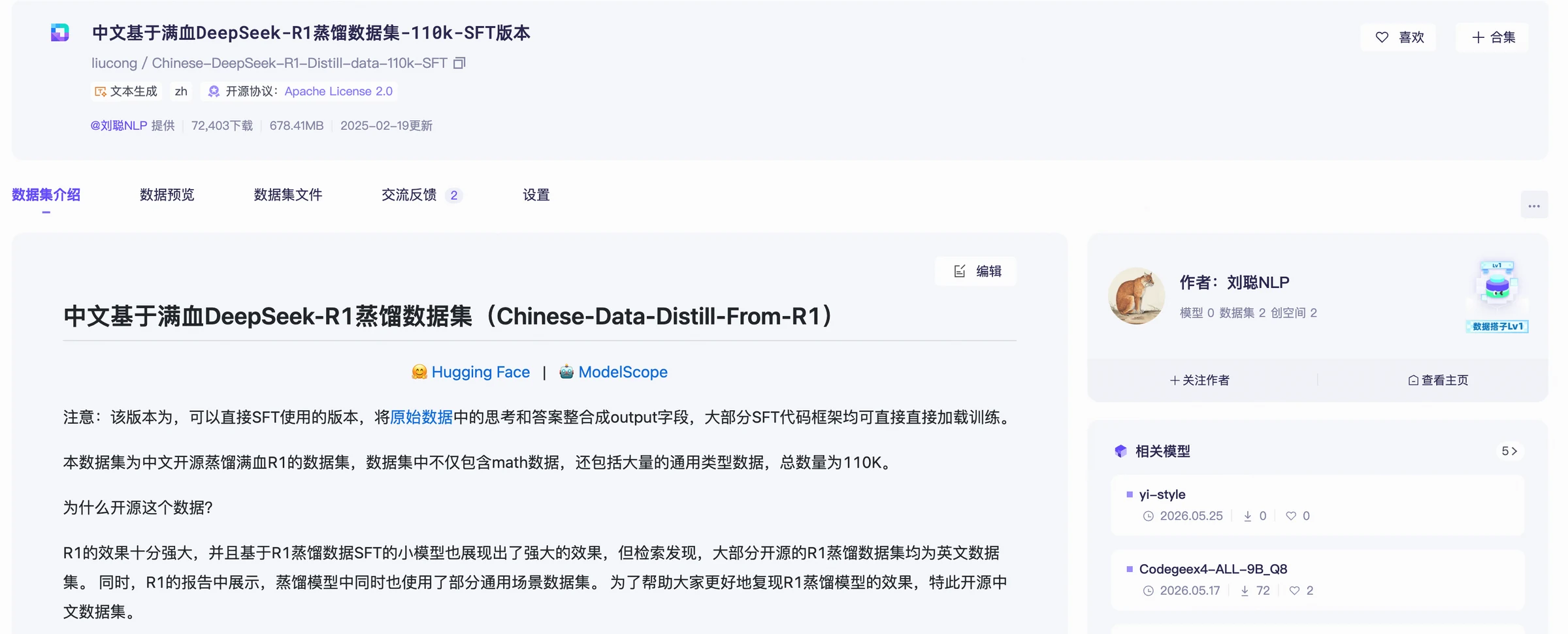
Fine-tuning can start with an existing open-source dataset, allowing you to quickly run through the entire pipeline.
Finding Data Requires Knowing What You Plan to Do
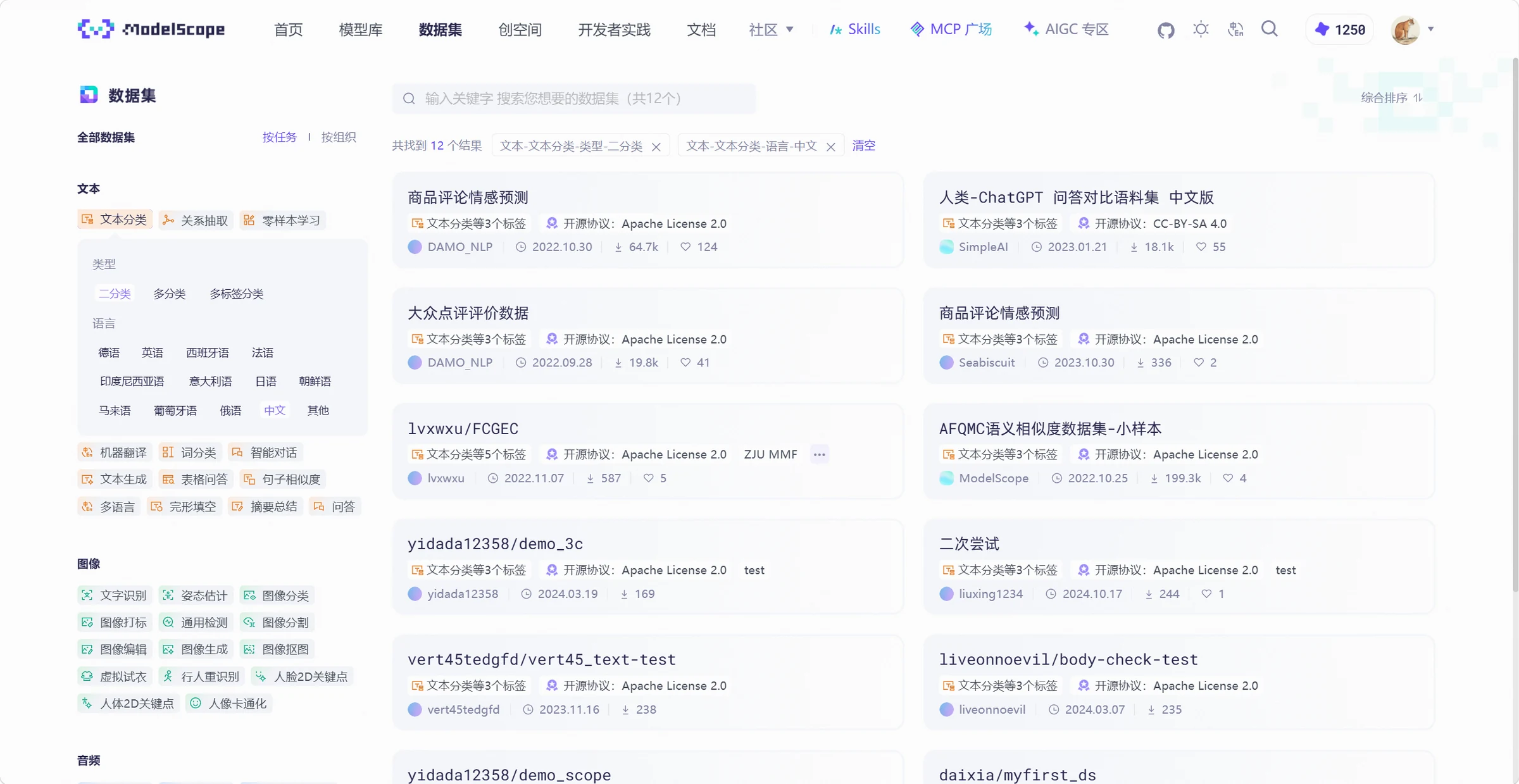
ModelScope has over 40,000 open-source datasets, supporting search and preview with field descriptions and versions.
ModelScope supports searching datasets by keyword tags and task categories, such as searching for Chinese binary text classification data,
Before Downloading, Preview a Few Samples
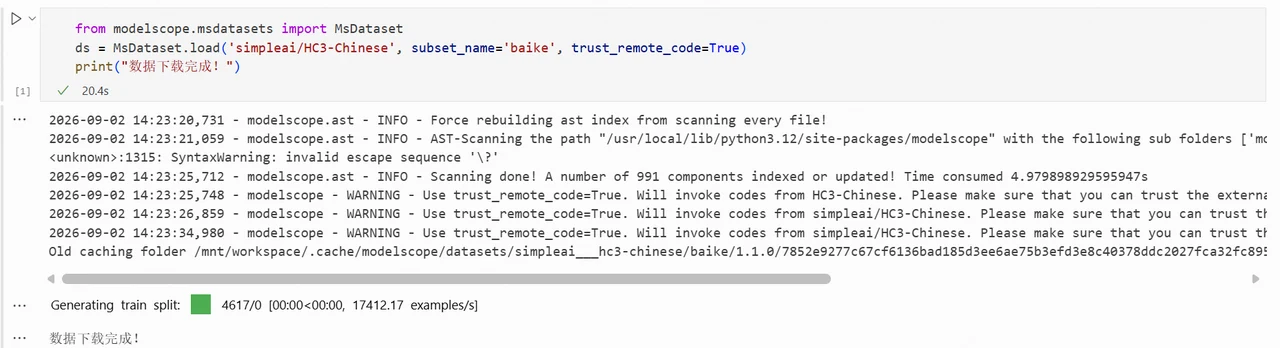
After filtering, select a dataset and click 'Data Preview' to view samples and field descriptions, such as simpleai/HC3-Chinese.
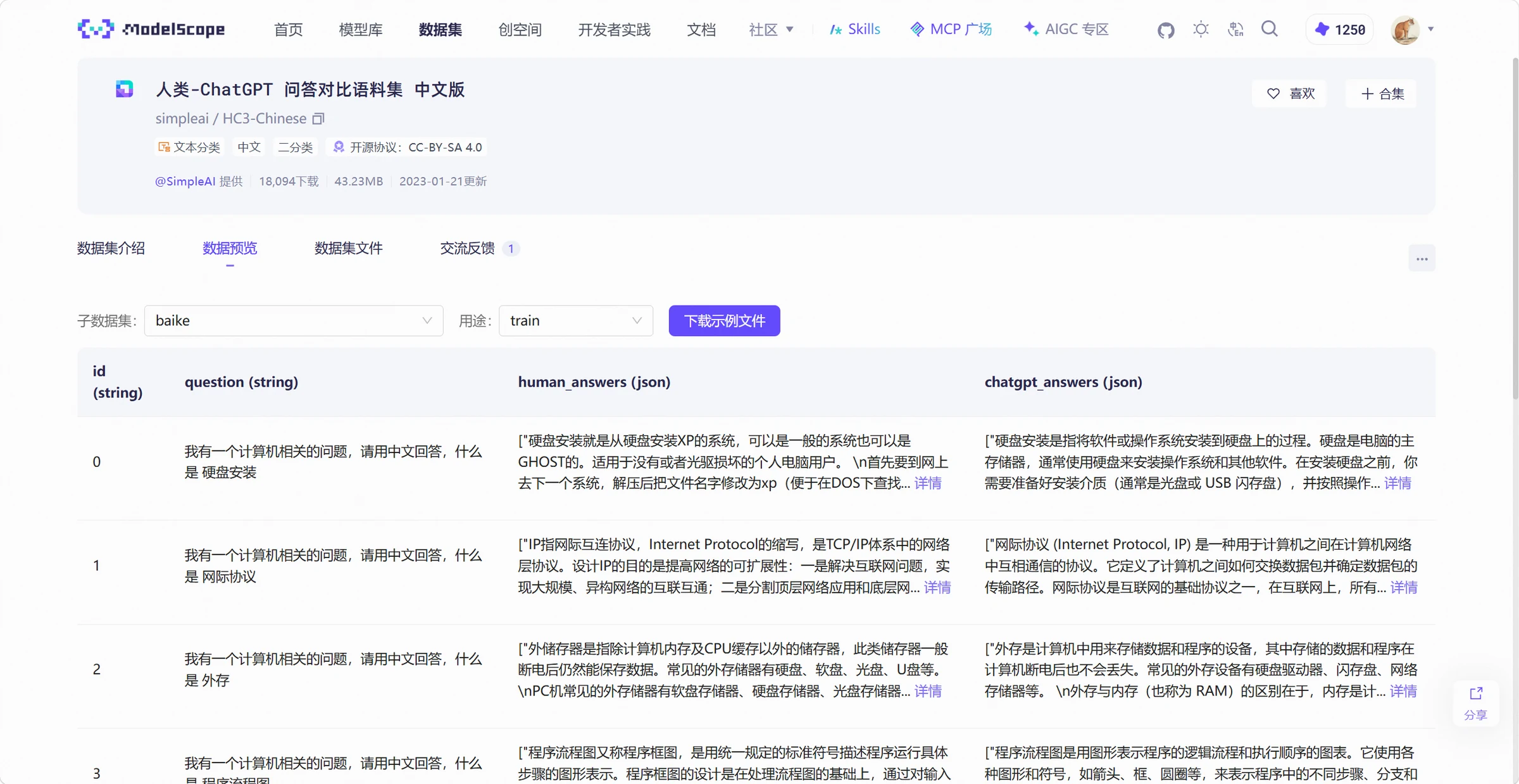
Which column has the question, which has the answer, whether there are labels, and whether each record is text or dialogue -- all can be checked upfront.
For QA data, human and model answers may be in different fields. Decide which fields to read and how to organize before training.
Check dataset files and versions. Datasets get updated; record which version you used for reproducibility.
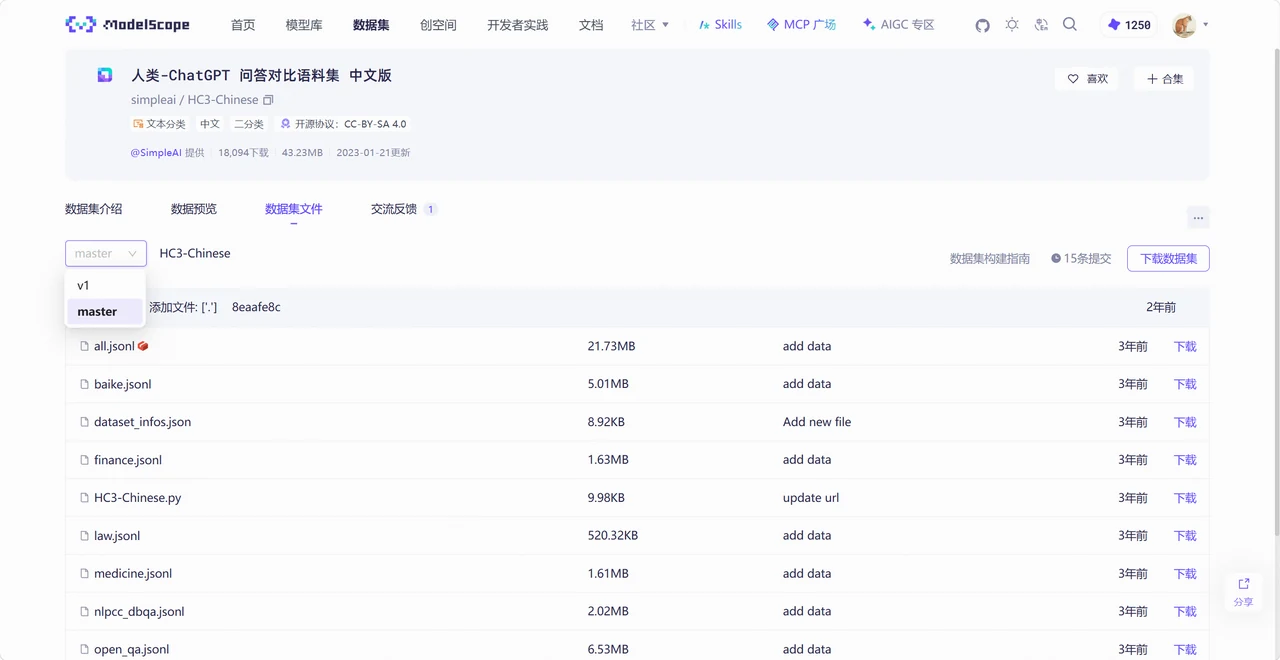
Dataset descriptions and licenses are worth reviewing. Downloaded data may have different requirements for research, training, or commercial use.
Load the Data First, Then Decide What to Use
ModelScope provides the MsDataset.load interface to load datasets in Python. After installing ModelScope, follow the dataset page's instructions.
Load a Complete Dataset First
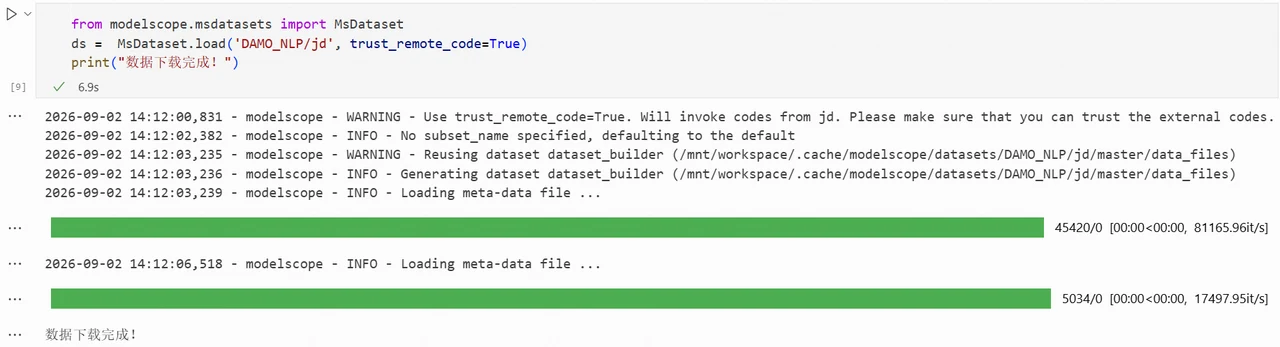
Using DAMO_NLP/jd as an example, read the default configuration like this,
from modelscope.msdatasets import MsDataset

ds = MsDataset.load(
    'DAMO_NLP/jd',
    trust_remote_code=True,
)
print(ds)
Discussion
Sign in to join the discussion