Back in 2023, I wrote an article titled "Downloading Large Models Is Painful,"
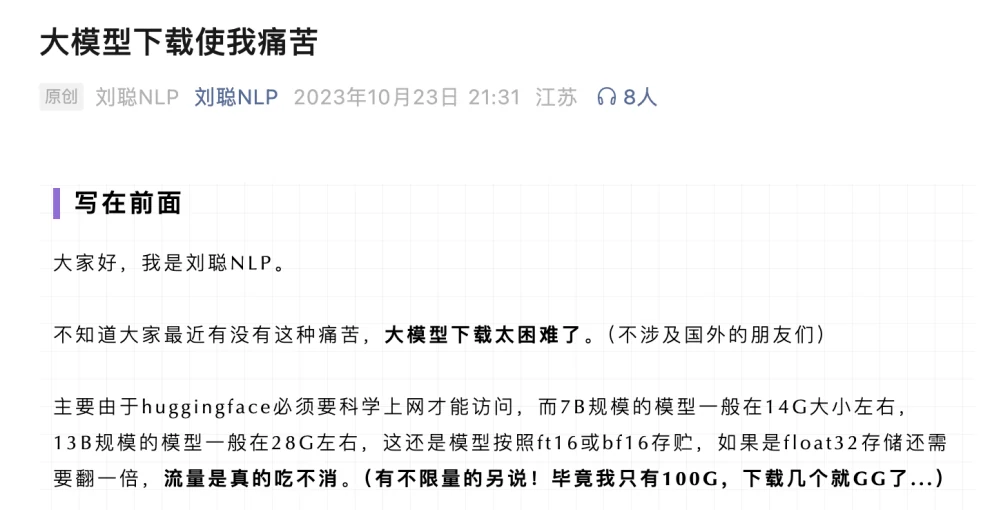
At that time, you needed a VPN to use HF, models were at least several GB, data bandwidth was limited, and while there might be some mirror sites, they weren't always complete or stable.
Now, if you ask where to download open source models in China, the answer is undoubtedly ModelScope. Model downloads are fast, and virtually all open source models from China and abroad are listed almost immediately. It has become China's largest open source model community (and of course, not just models).
The model library is ModelScope's core functional module. The platform organizes models by task type (such as text generation, image classification, speech recognition, etc.), supporting keyword search and multi-dimensional filtering.
If you already know the model name, you can search directly.
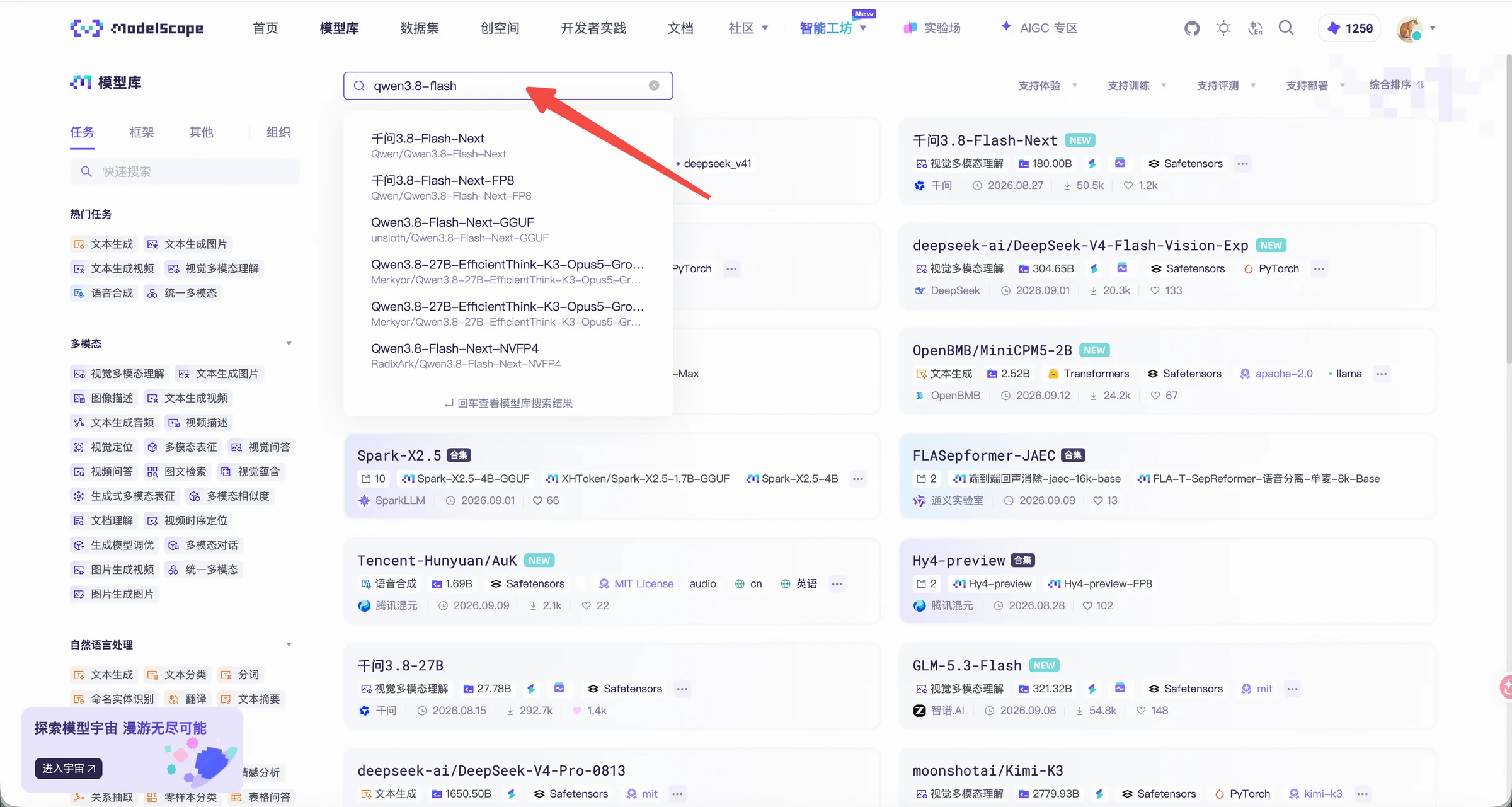
If you haven't decided which one to use, first clarify what you want the model to do.
For example, if you want to convert recordings to text, start by looking for speech recognition models, then narrow down by language, parameter scale, runtime framework, and license.
To find a model suited for your specific business needs, refer to the "Translating Business Problems into Model Tasks" section.
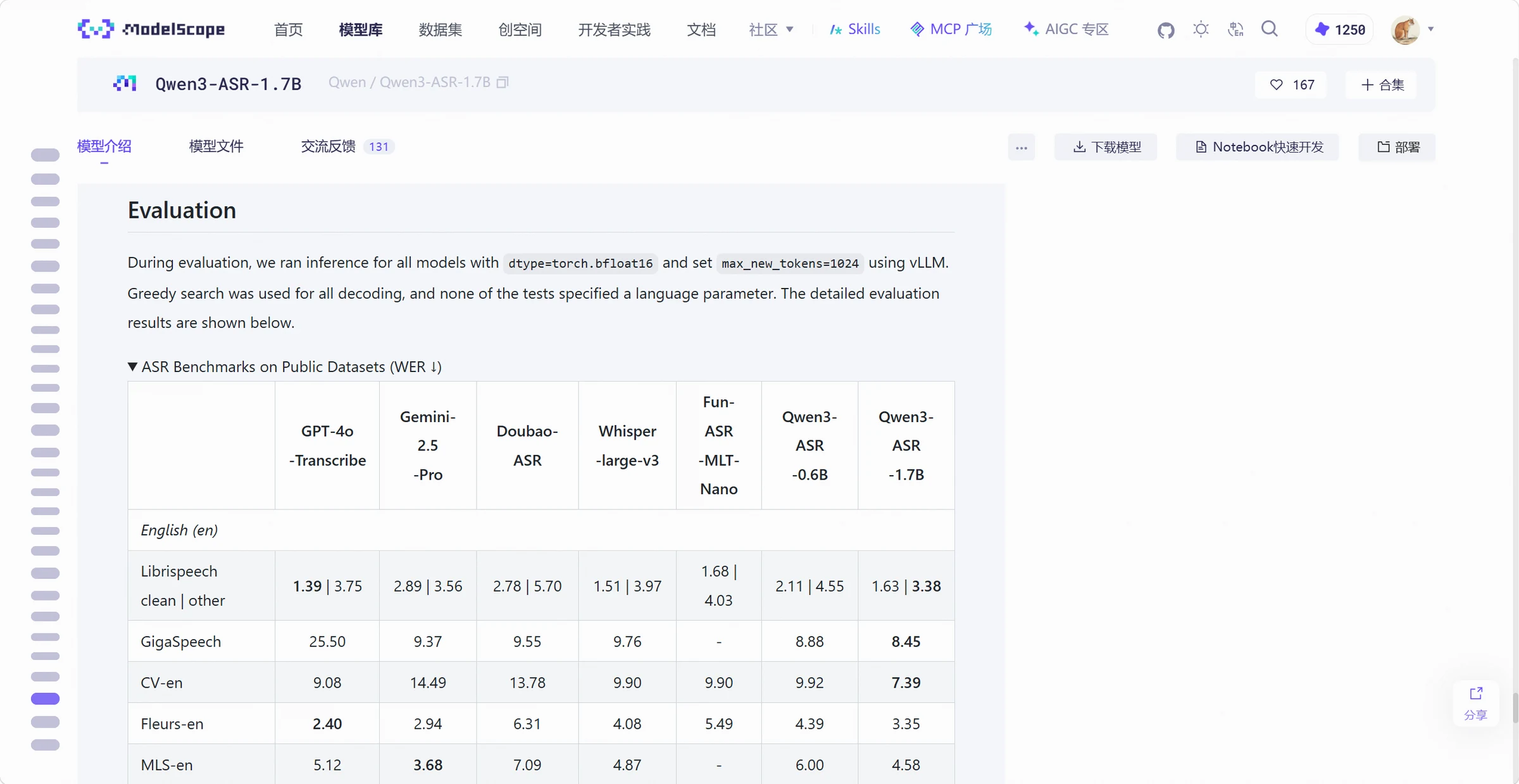
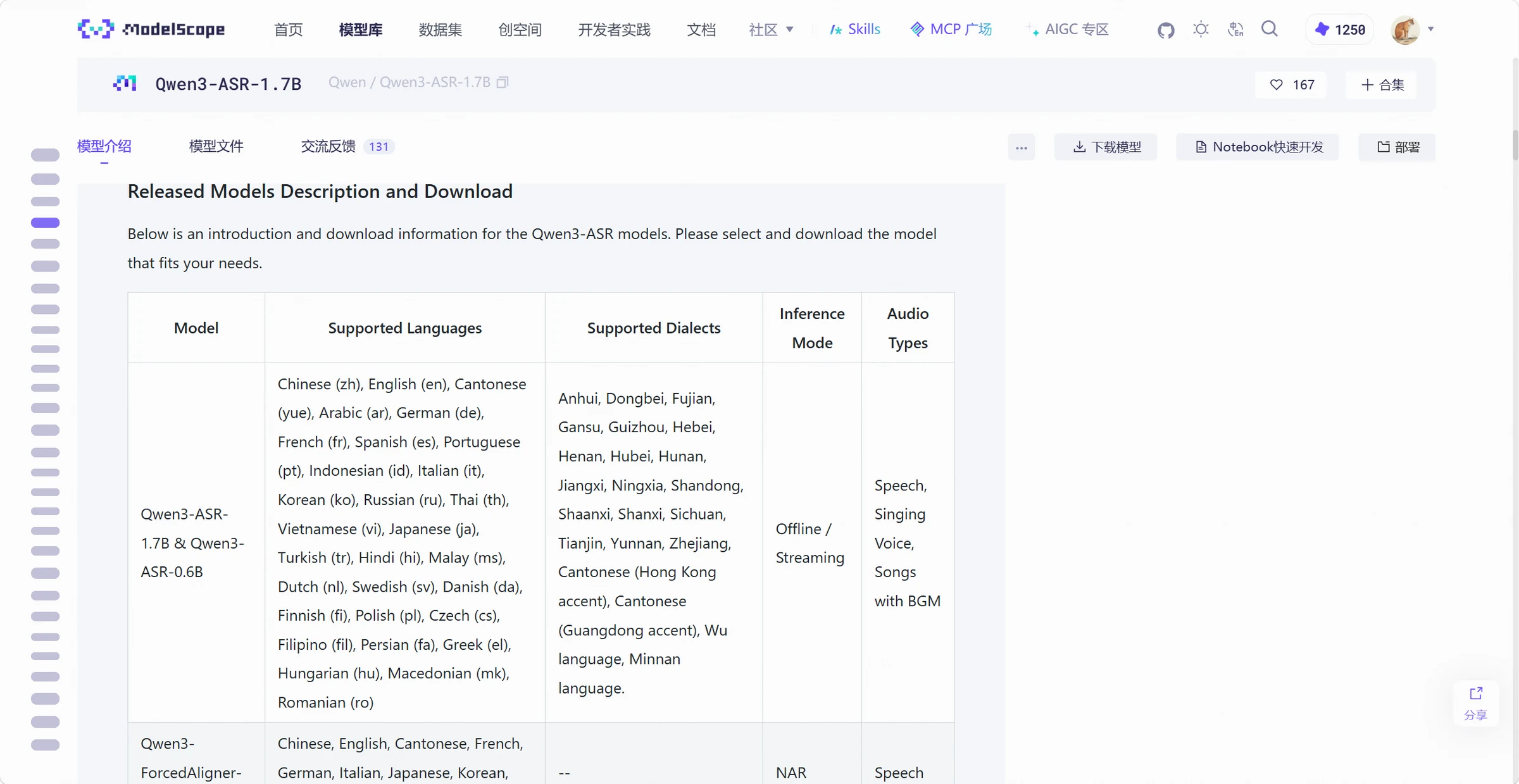
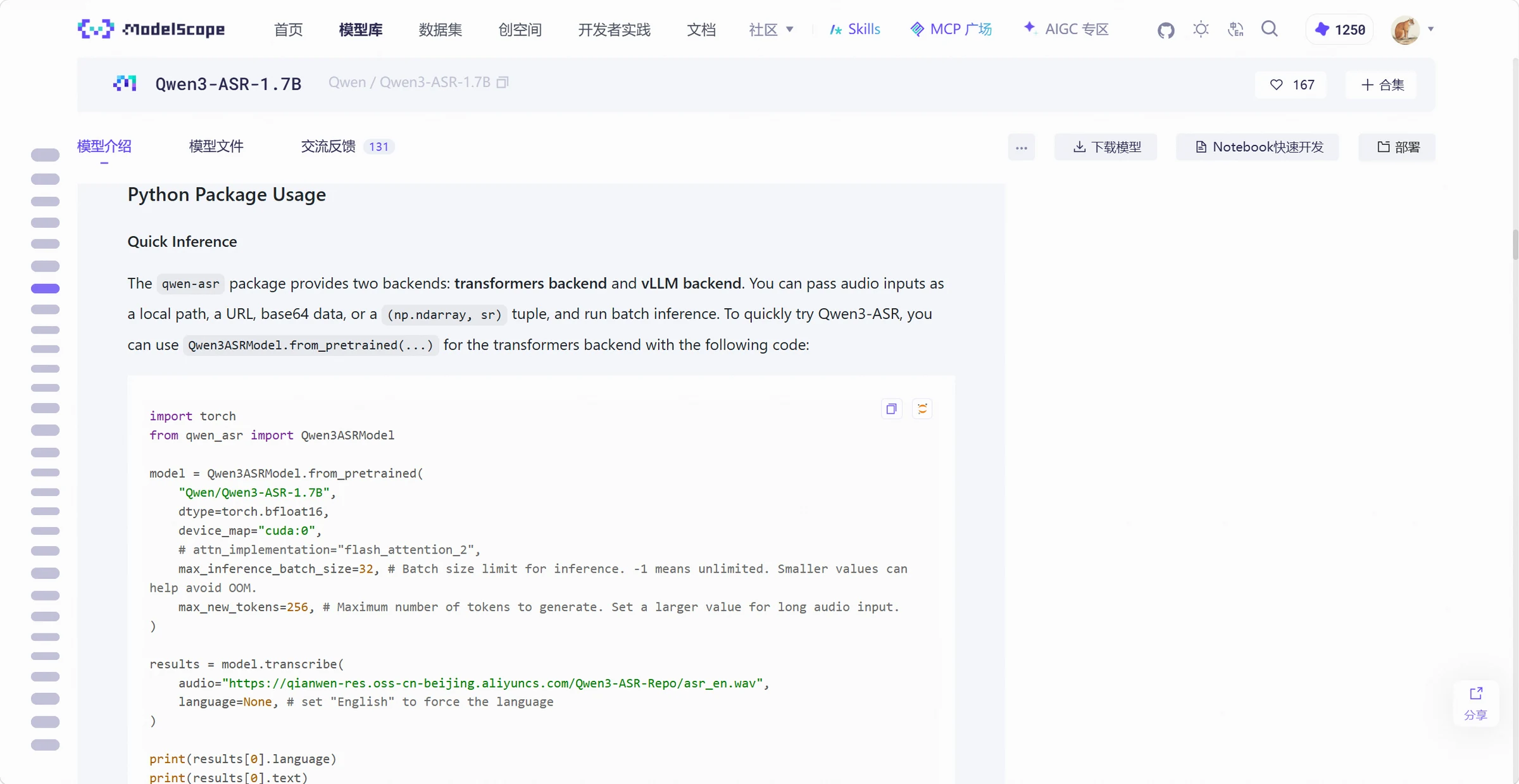
After finding a model you're interested in, click to view its model card. Using Qwen3-ASR-1.7B as an example, the model page presents the introduction, usage instructions, and evaluation results together.
First, check what this model is and what it can do. The model name, basic introduction, and architecture description can help confirm whether you're on the right track.
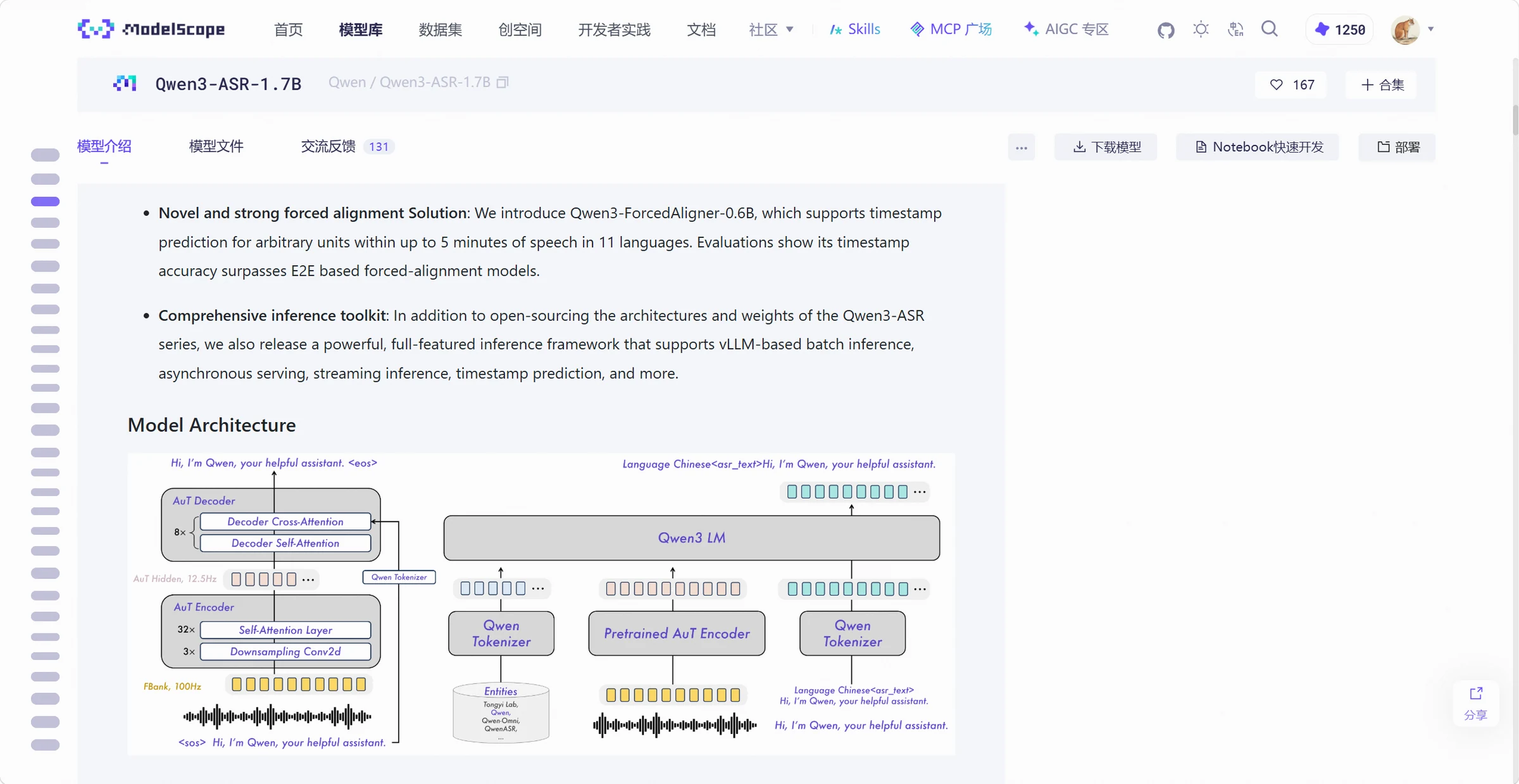
Next, check the scope of application โ what languages it supports, what input it's suitable for, and any limitations. All of these are relevant to your task.
Then look at the usage instructions โ what runtime environment is needed, what tools are required, and how to prepare the input. This is usually found in the examples. Reading this before downloading can prevent the situation where you finish downloading only to find the environment can't be set up.
Sign in to join the discussion
Finally, check the evaluation results โ what data the model was tested on and what metrics were compared. This can serve as a reference for model selection. Of course, to know the actual performance, you need to test it with your own real data. Leaderboards are just a reference.

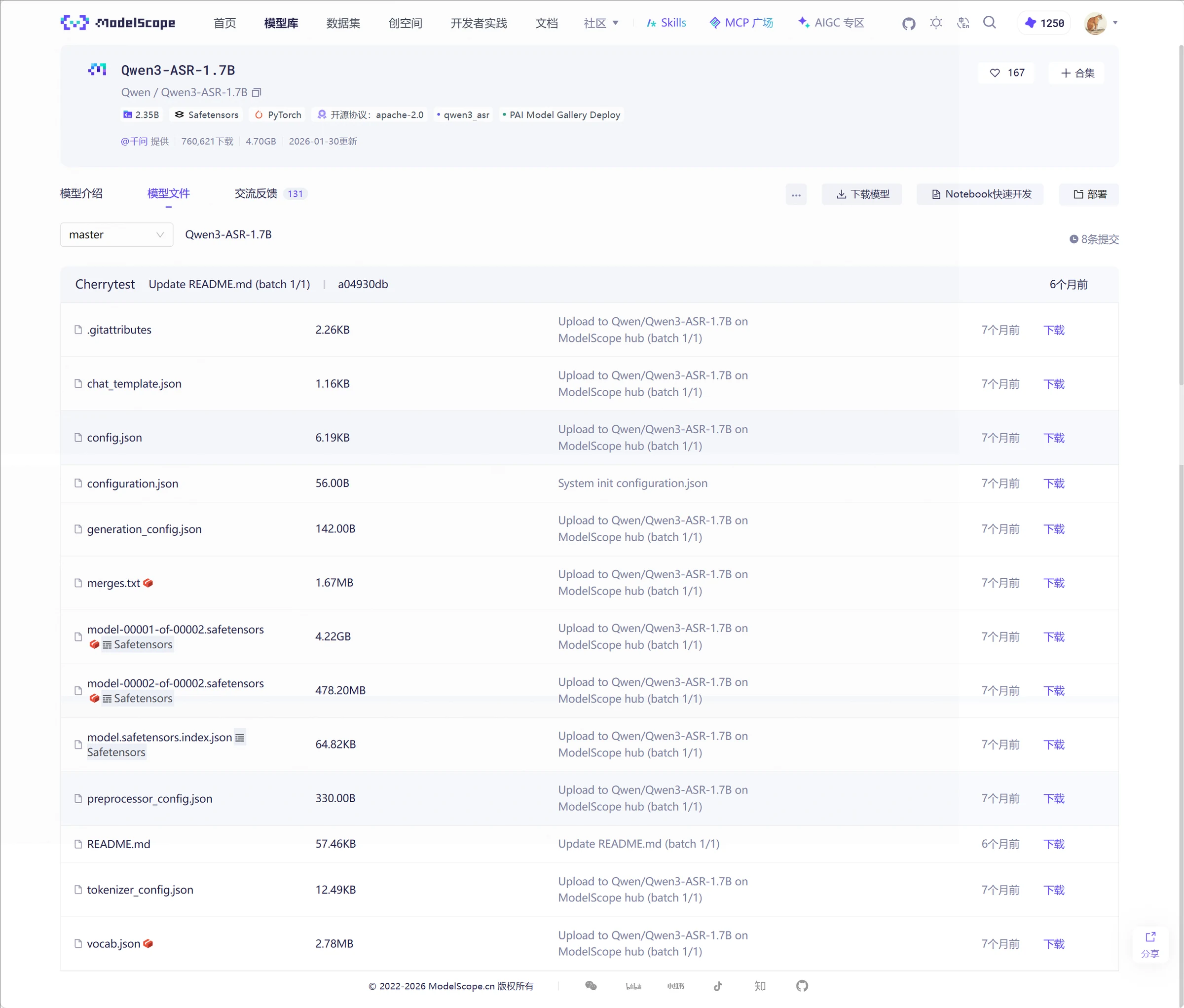
The model page also provides file lists, version and license information. As mentioned in the previous chapter, being able to use a model doesn't mean you can use it commercially,

Some models also provide online demo access. When you find a model you can try directly, it can help you judge whether the model is worth downloading.
ModelScope provides multiple download methods including web, command line, Git, and Python SDK. Below we continue using the smaller Qwen/Qwen3-0.6B for demonstration, making it easy for first-time users.
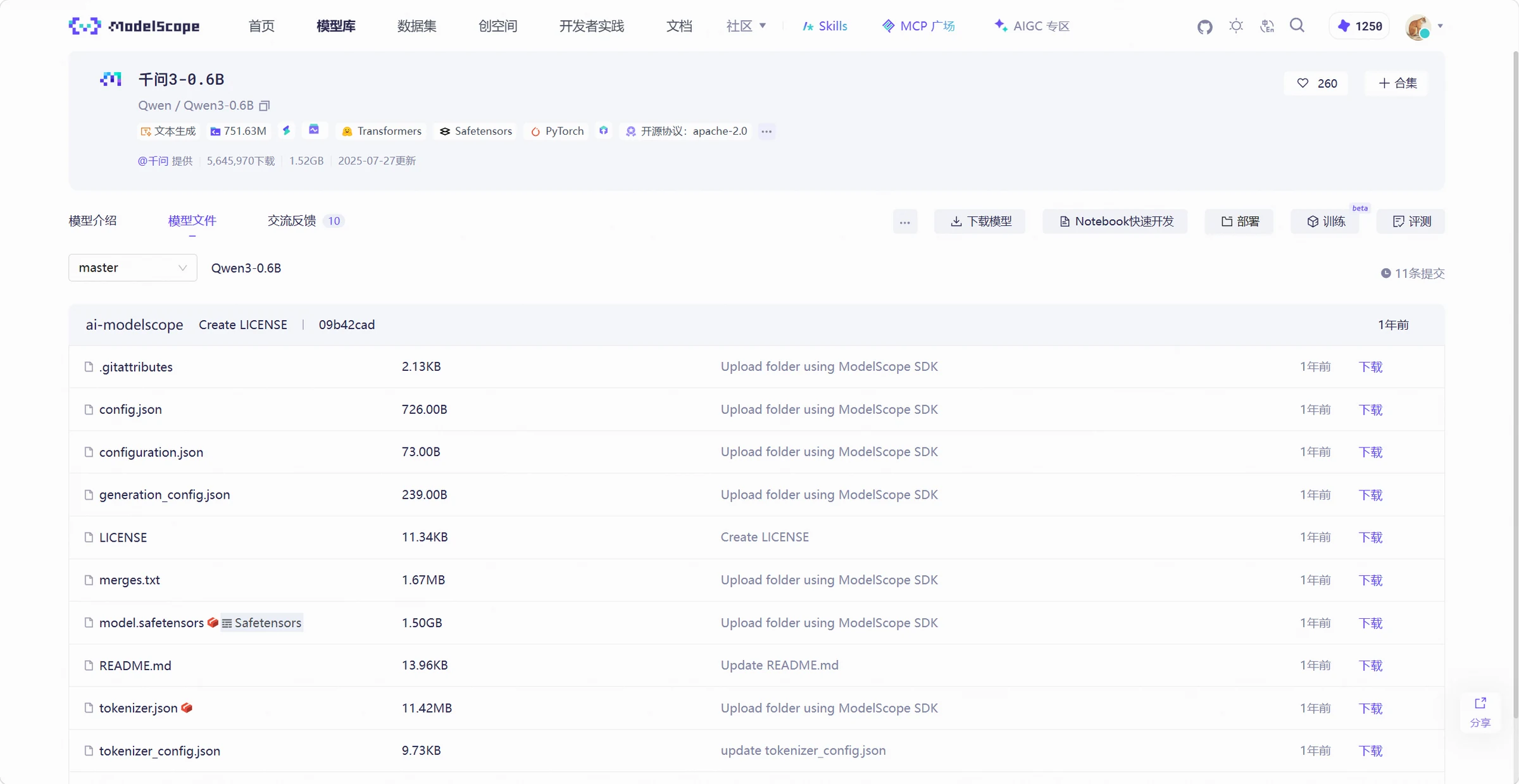
Go to the model's file page, find the files you need, and click the download button. The web method is suitable for viewing files and downloading small amounts of content.
Download files using the download button provided on the model page. Example:

First install the latest ModelScope Python package,
pip install -U modelscope
To download just one file, you can write the filename after the model name. The following command downloads only the README document, which is useful for checking if the download works properly first.
modelscope download --model Qwen/Qwen3-0.6B README.md --local_dir ./Qwen3-0.6B
To download the entire model, simply remove the filename,
modelscope download --model Qwen/Qwen3-0.6B --local_dir ./Qwen3-0.6B
After --model is the model name on ModelScope, and after --local_dir is the local save directory. When switching to a different model, change these two values as needed.
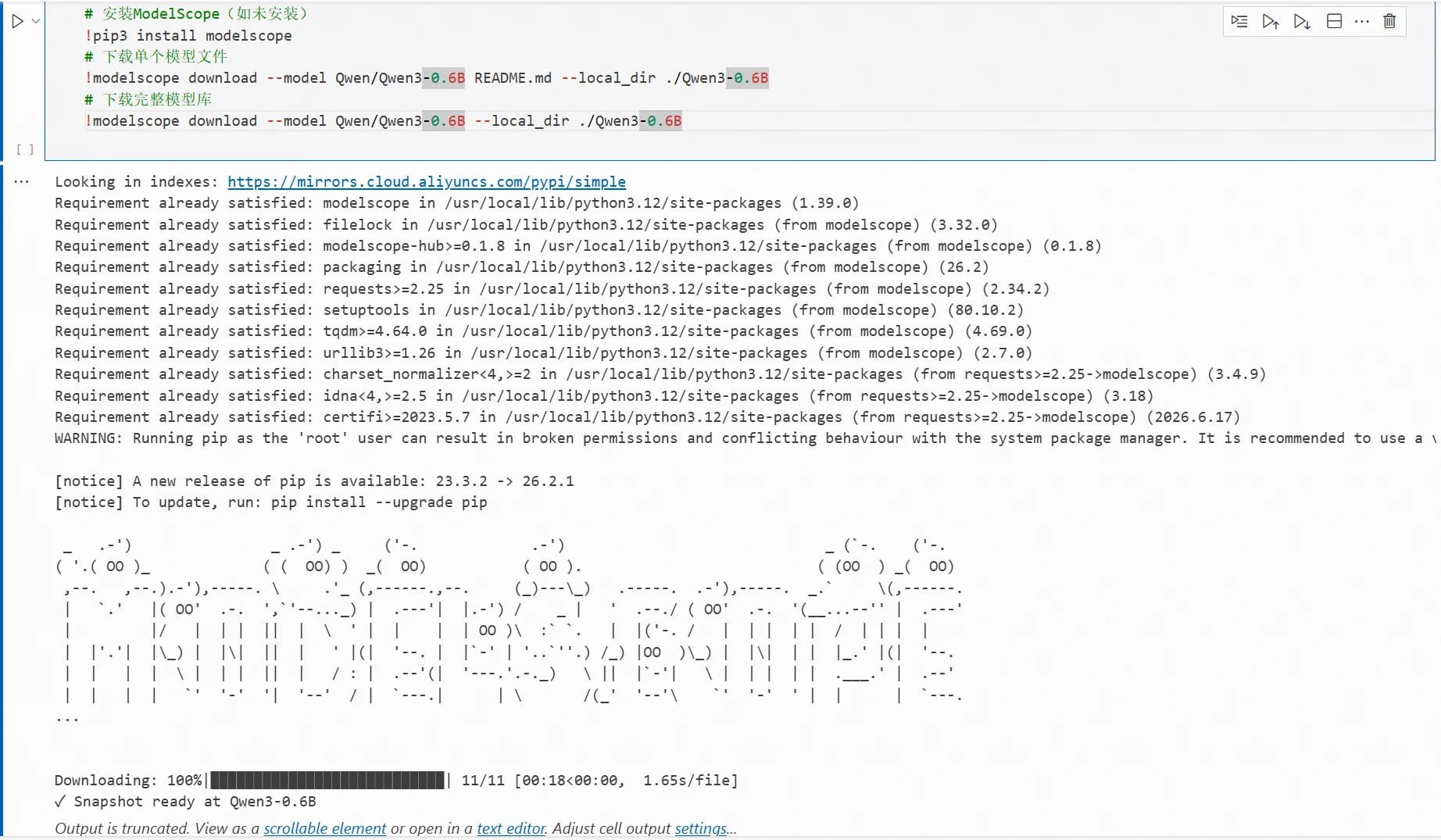
The above commands run in the terminal. If you put them in a Notebook Python code cell, you can use %pip install -U modelscope for installation, and add a ! before modelscope when executing the command.
Result demonstration:

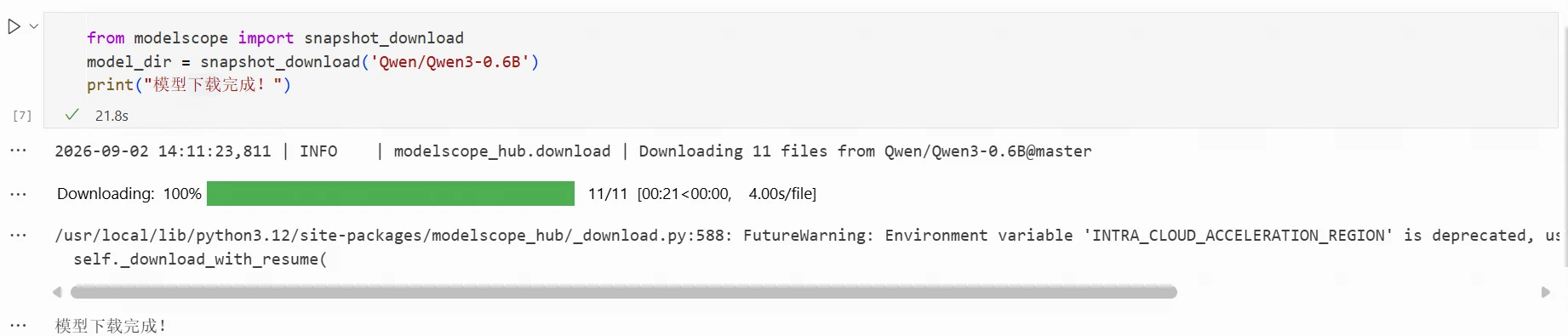
In a Python program, you can directly call snapshot_download to download a model, for example,
from modelscope import snapshot_download
model_dir = snapshot_download(
'Qwen/Qwen3-0.6B',
local_dir='./Qwen3-0.6B',
)
print(model_dir)
The function returns the path where the model is saved, and subsequent code can use this path to load the model. When local_dir is not specified, the SDK uses the default cache directory.

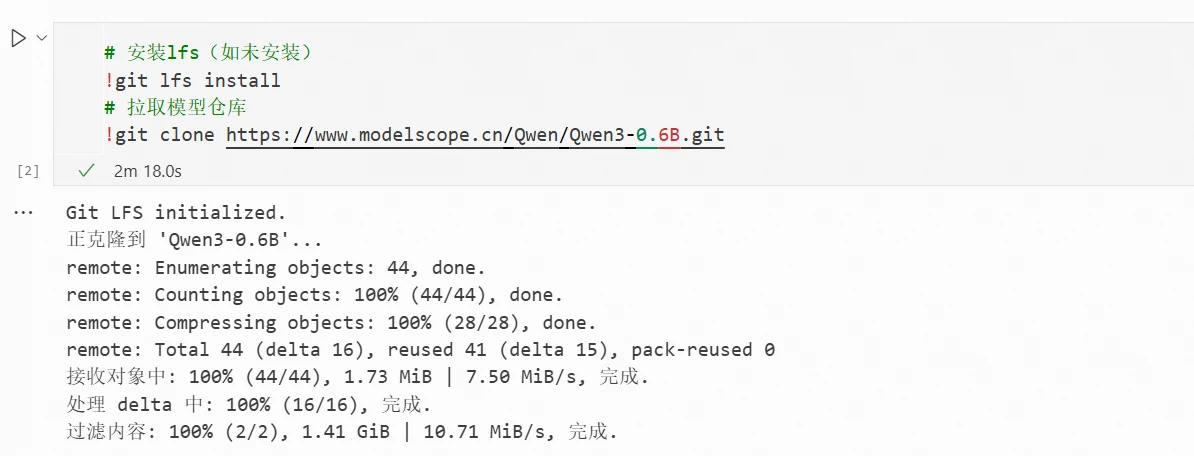
Model files are usually large. Before downloading with Git, you need to install Git and Git LFS first. After installing Git LFS, run the following initialization and clone commands.
git lfs install
git clone https://www.modelscope.cn/Qwen/Qwen3-0.6B.git
git lfs install initializes Git LFS in the current environment but does not install the tool itself. If it prompts that the lfs command is not found, you need to complete the tool installation first.

You don't need to try all four methods. Use the web for temporarily grabbing a few files, command line for terminal operations, SDK for Python projects, and continue using Git if you already have a Git workflow.
After the model download is complete, open its usage example, replace the model path with the local directory, and run through the input and output once.
The truly time-consuming model experiments can start from here.