The model is running on your laptop, but you want to try a bigger model, or generate an image — and you might not have the right hardware. You can offload computation to the cloud and let the server handle it.
Cloud servers can be configured as needed. We continue using ModelScope Notebook here — select a CPU or GPU runtime instance directly in the browser, download a model and run code. The page runs on your computer; the model runs on the connected cloud instance.
This chapter has two experiments. First, use CPU to run a 0.5B-level model to judge the sentiment of a review. Then use GPU to run an image generation model to turn text descriptions into pictures. Each demonstrates usage under different resources with different tasks and models, so you cannot directly compare CPU vs GPU speed by runtime alone.
Other cloud server resources will be added later.From the ModelScope model page, go to "Notebook Quick Development", then click "Connect Runtime". First select a CPU instance for sentiment analysis, then switch to a GPU instance for image generation. For Notebook page operations, refer to the "See Your First Result in 30 Minutes" chapter.
After switching instances, the original Python process and loaded models will not automatically transfer to the new instance. You need to re-check dependencies in the current environment and re-run the experiment code from scratch.
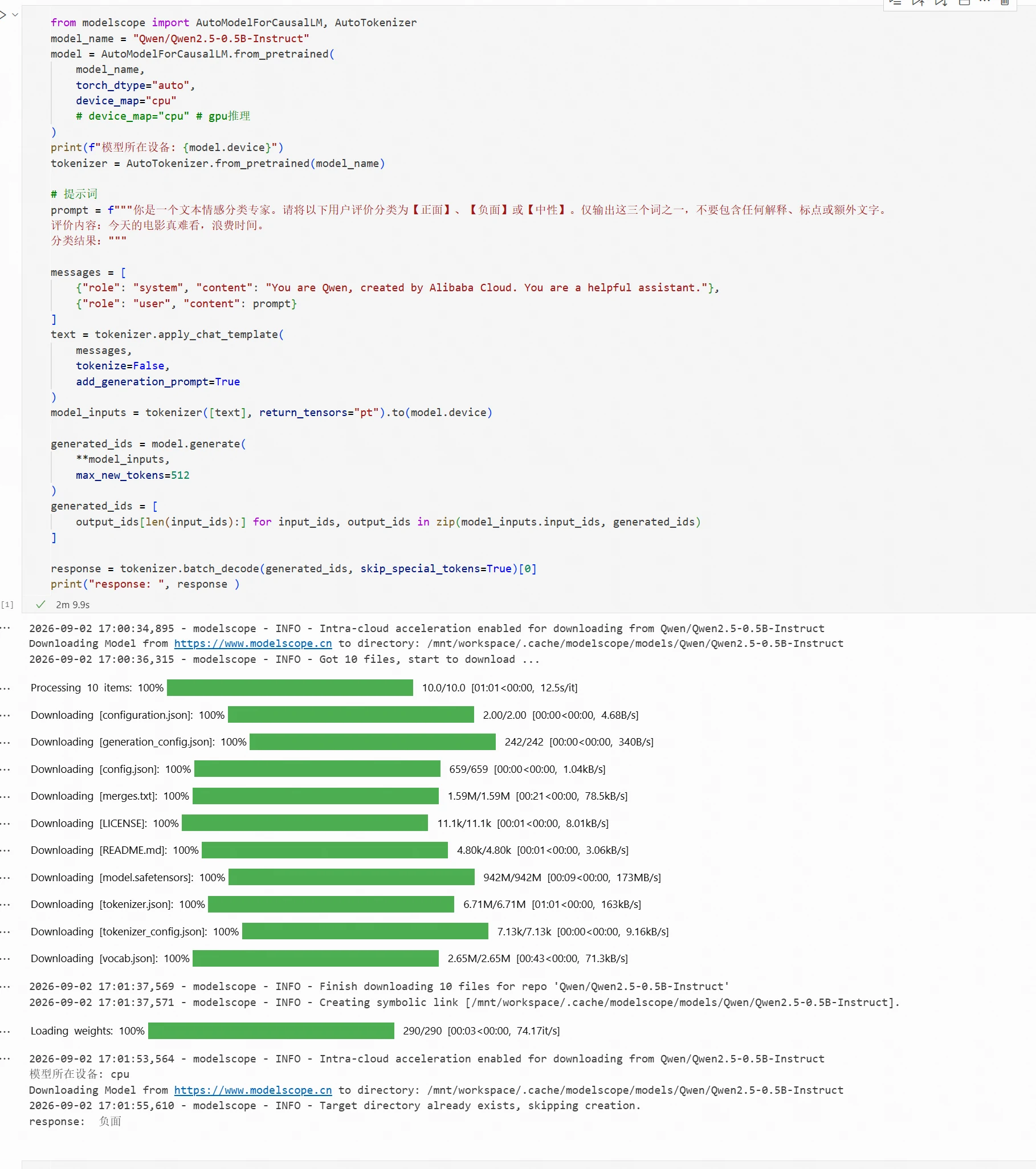
Using the Qwen/Qwen2.5-0.5B-Instruct model as an example, we demonstrate how to use a 0.5B-level model on CPU for sentiment analysis.
After starting the CPU instance, enter the Notebook development environment. Model loading and inference code:
from modelscope import AutoModelForCausalLM, AutoTokenizer
model_name = "Qwen/Qwen2.5-0.5B-Instruct"
model = AutoModelForCausalLM.from_pretrained(
    model_name,
    torch_dtype="auto",
    device_map="cpu"
    # device_map="cpu" # GPU inference
)
print(f"Model device: {model.device}")
tokenizer = AutoTokenizer.from_pretrained(model_name)

# Prompt
prompt = f"""You are a text sentiment classification expert. Please classify the following user review as 【Positive】, 【Negative】, or 【Neutral】. Output only one of these three words, without any explanation, punctuation, or extra text.
Review: This movie was really terrible, a waste of time.
Classification result:"""

messages = [
    {"role": "system", "content": "You are Qwen, created by Alibaba Cloud. You are a helpful assistant."},
    {"role": "user", "content": prompt}
]
text = tokenizer.apply_chat_template(
    messages,
    tokenize=False,
    add_generation_prompt=True
)
model_inputs = tokenizer([text], return_tensors="pt").to(model.device)

generated_ids = model.generate(
    **model_inputs,
    max_new_tokens=512
)
generated_ids = [
    output_ids[len(input_ids):] for input_ids, output_ids in zip(model_inputs.input_ids, generated_ids)
]

response = tokenizer.batch_decode(generated_ids, skip_special_tokens=True)[0]
print("response: ", response )
Sign in to join the discussion
Result:
Using the Tongyi-MAI/Z-Image-Turbo model, we demonstrate how to load a model on GPU and complete an image generation task.
After starting the GPU instance, enter the Notebook development environment.
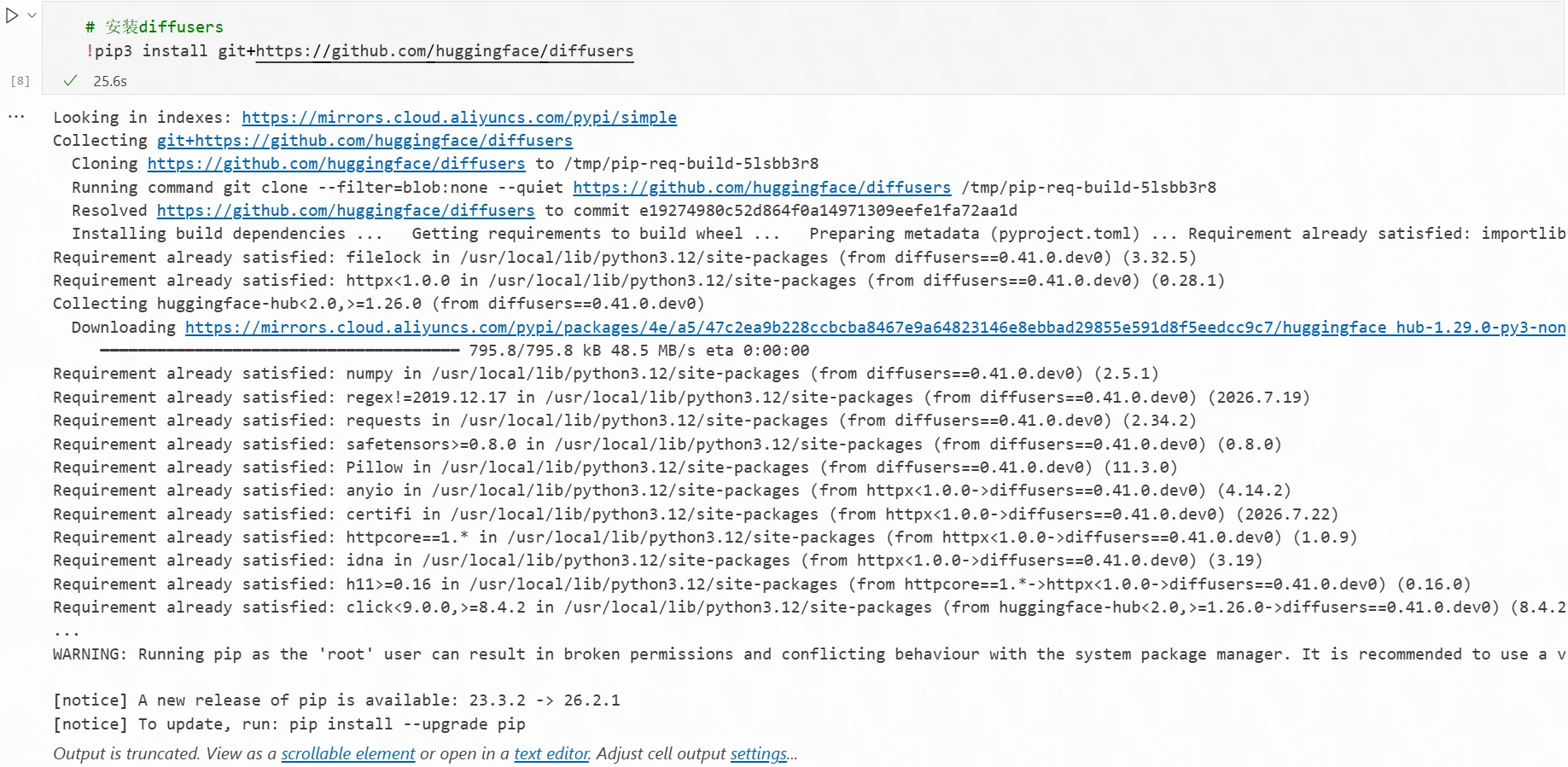
Per the model card, install the latest diffusers in the terminal:
!pip3 install git+https://github.com/huggingface/diffusers
Installation complete:
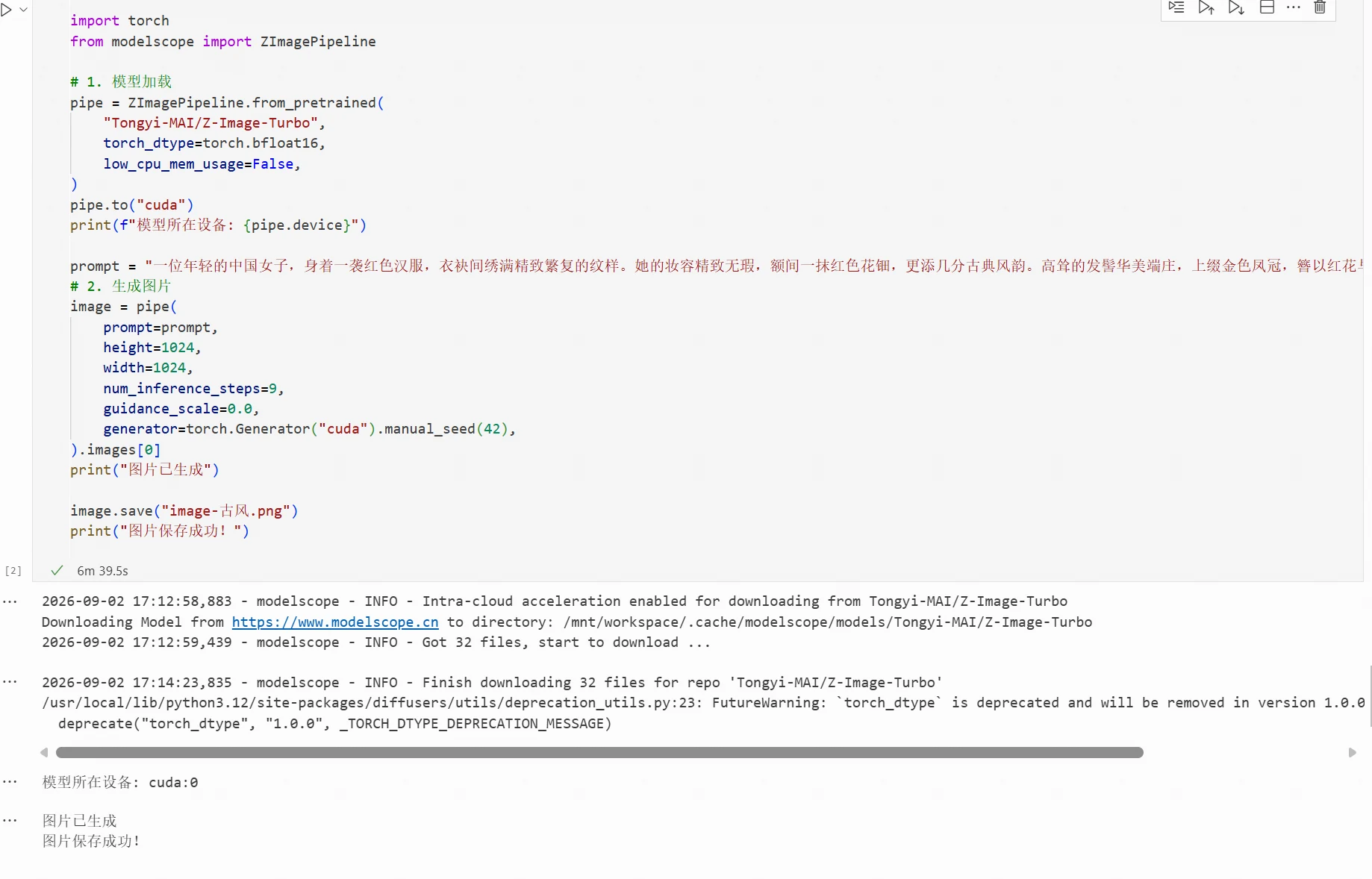
Model loading and inference code:
import torch
from modelscope import ZImagePipeline

# 1. Model loading
pipe = ZImagePipeline.from_pretrained(
    "Tongyi-MAI/Z-Image-Turbo",
    torch_dtype=torch.bfloat16,
    low_cpu_mem_usage=False,
)
pipe.to("cuda")
print(f"Model device: {pipe.device}")

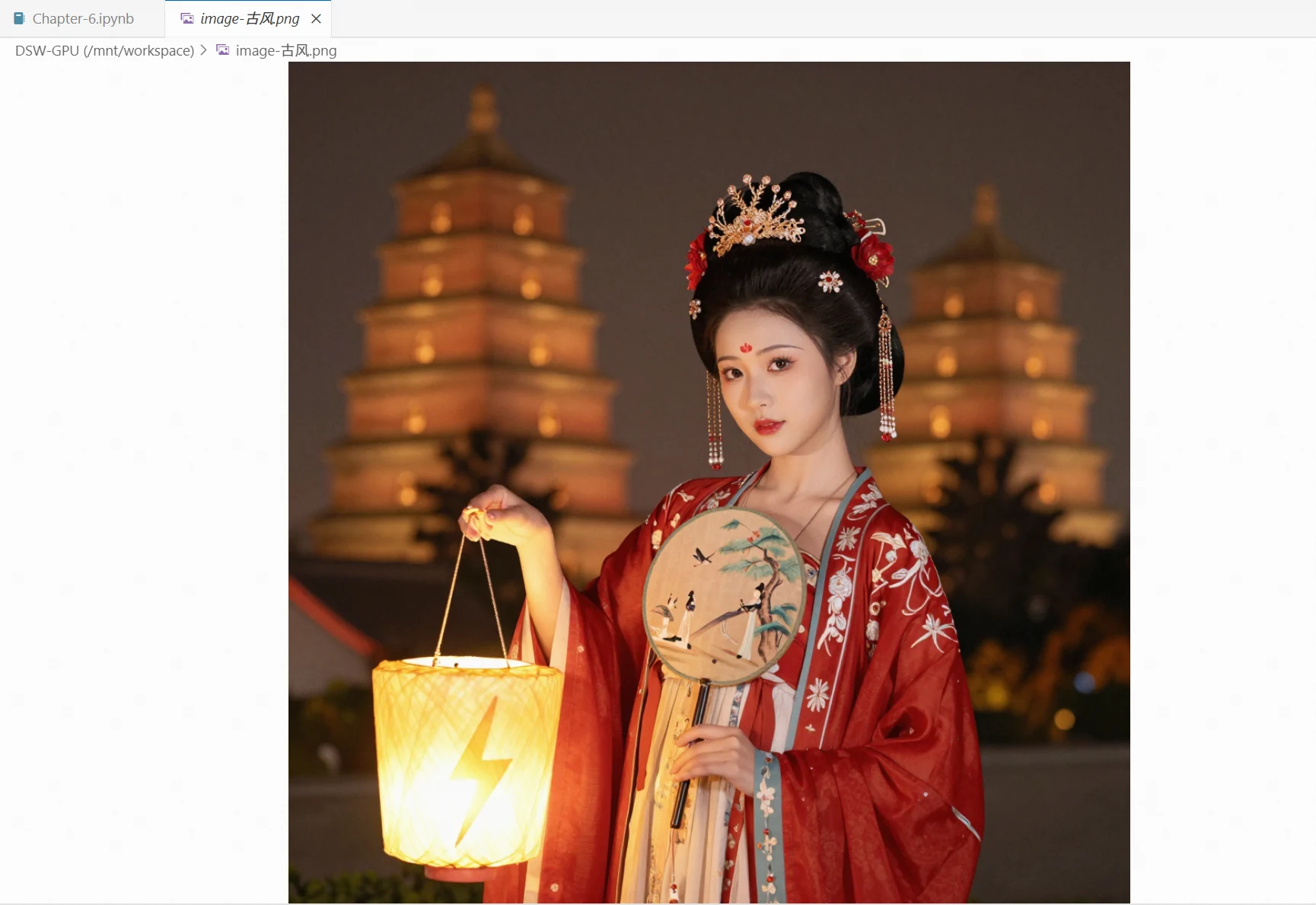
prompt = "A young Chinese woman dressed in a red hanfu, its sleeves and hem embroidered with intricate, elaborate patterns. Her makeup is flawless, with a red huadian mark on her forehead adding a touch of classical elegance. Her towering hairstyle is majestic and dignified, topped with a golden phoenix crown and adorned with red flowers and pearl strings that sway gracefully. She holds a round folding fan painted with a lady, an ancient tree, and birds in a tranquil mood. A neon lightning-shaped lamp hangs above her outstretched left palm, casting a bright warm-yellow glow. The night is gentle, the lantern light hazy; in the distance, the layered tiers of Xi'an's Giant Wild Goose Pagoda emerge faintly from a soft halo, with dappled bokeh in the background, dreamlike and ethereal."
# 2. Generate image
image = pipe(
    prompt=prompt,
    height=1024,
    width=1024,
    num_inference_steps=9,
    guidance_scale=0.0,
    generator=torch.Generator("cuda").manual_seed(42),
).images[0]
print("Image generated")

image.save("image-vintage.png")
print("Image saved successfully!")
Result:
Generated image:
Code and related files for this chapter: https://www.modelscope.cn/gallery/liucong/4a8eb492-54dc-4062-82c0-65b17fd94d5f